Give AI a component library. What happened on stage at Dreamforce.
One customer scenario, four Salesforce surfaces, one component library. The recap of our Dreamforce theater session, with the prompts and the screens they produced.
At 1 PM on Tuesday, Jean-Baptiste Vergé, Head of Engineering at Avonni, had twenty minutes on a theater stage at Dreamforce 2026 to make one point: AI can build Salesforce screens your team can use, if you give it good materials. He made it with one customer scenario, four Salesforce surfaces, a real org, and one component library.
If you were in the room, this is the recap. If you were not, this is the session.
One note on the pictures. After the session, we reran the Northwind scenario in our own demo org, from the prompt you will read below, and captured what came out. Every screen in this article is a real Salesforce page built from Avonni components. None of it is a mockup.
Two screens, one prompt
The talk opened on two screens side by side. Same prompt. Same model. Same developer.
On the left, the AI had nothing to work with, so it wrote six hundred lines of code. It works. Nobody on your team can change a word of it after the agent leaves.
On the right, the AI had a component library. Fourteen lines. One component, configured. An admin can edit it tomorrow.
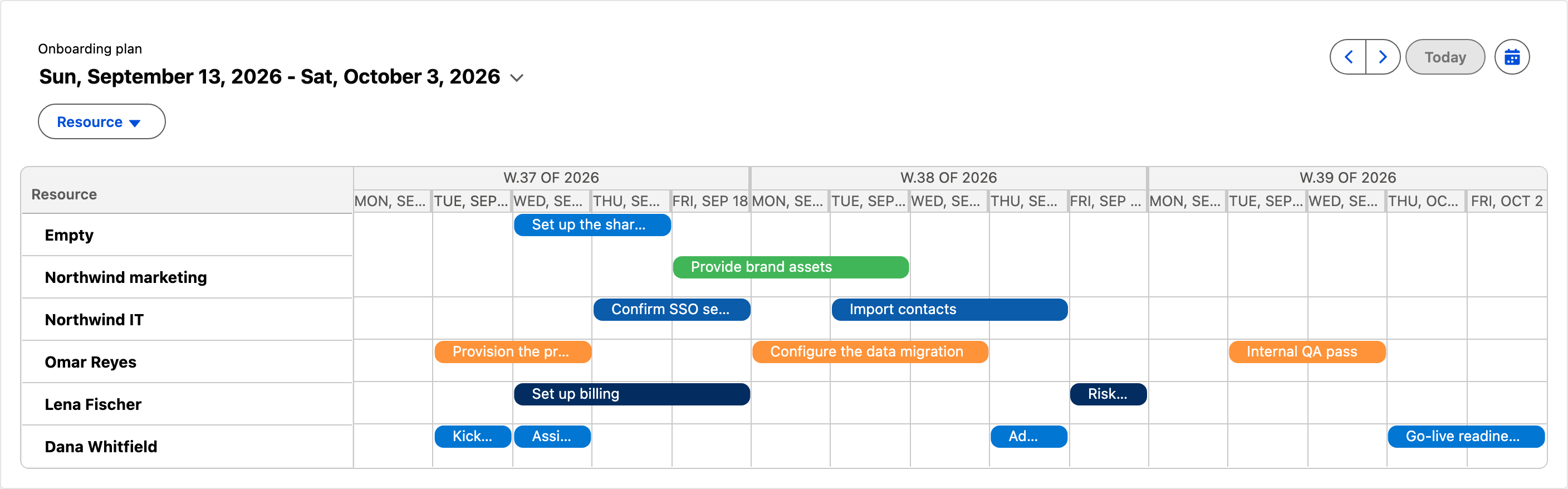
The onboarding plan as one Calendar component from the library, configured, not coded: three weeks of tasks, one lane per owner.
That was the whole talk, in one slide. The rest was the why and the proof.
You cannot compose with words you do not have
AI is good at writing code. Ask it for a calendar, a scheduler, or a data table with real features, and what does it know? It knows lightning-datatable. Then it stops.
So it builds everything from zero, every time, and a little differently every time. That costs three things: time, consistency, and control. Only the AI understands the code it produced.
JB's point was that this is not a model problem. A better model will not fix it. The model is missing words. You cannot compose with words you do not have.
Composition, not construction
The fix is to give the agent three things.
A library. This is the vocabulary: real components with real names the agent can ask for.
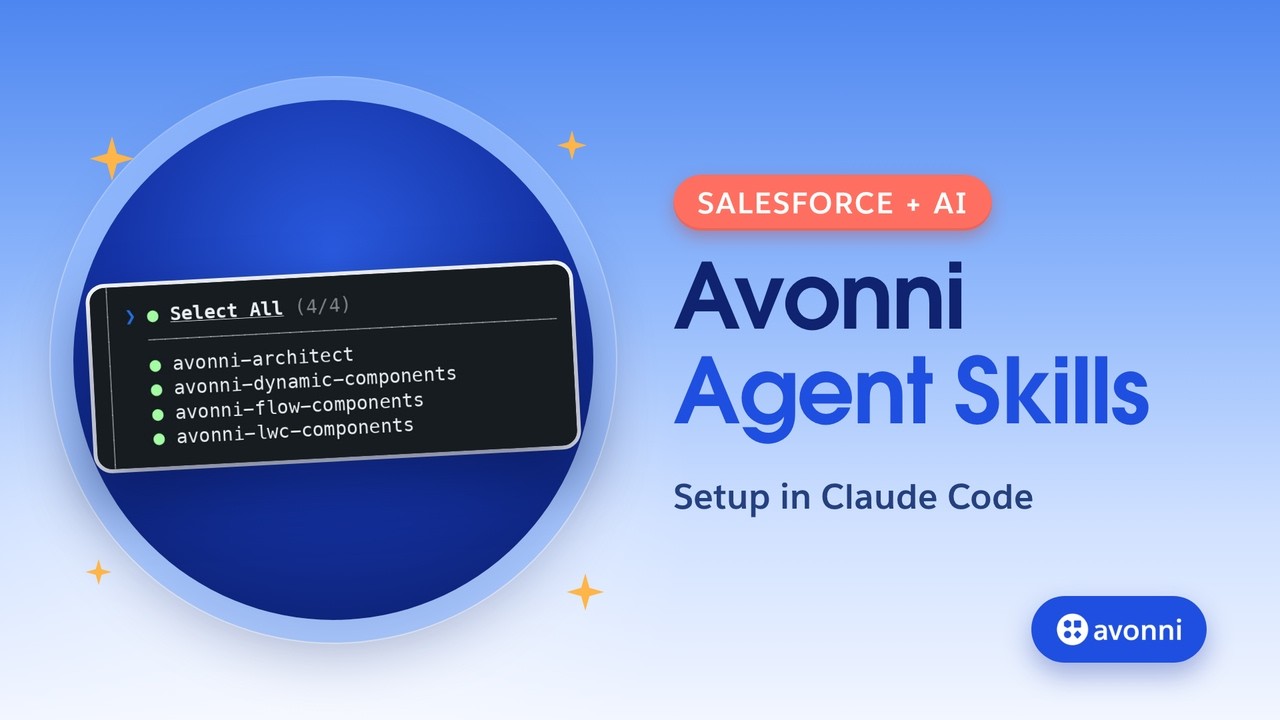
An MCP server. This is the dictionary: what exists, what each component takes, and where it belongs.
The agent itself. The agent is the author.
With those three in place, something changes. The AI stops inventing markup and starts assembling components. It does not construct. It composes. And the result is not a black box. It is components, on a Lightning page, in a Flow, in an Experience site. Your admin can open it and change it, with no code.
Two chairs, one move
The session was written for two roles on purpose.
If you are an admin, you get exactly what you asked for, and you can still change it after.
If you are a developer, the library becomes your building blocks. The agent stops guessing at your design system.
Same move, two chairs. Nobody gives anything up.
Describe. Compose. Deploy. Edit.
Everything shown on stage followed four steps. You describe, in normal business language, without naming a single component. The agent composes from the library instead of inventing from primitives. It deploys real metadata to a real org. Then you edit.
That last step is the one to watch. It is the step you lose when AI writes raw code.
Northwind Traders, day one
Then the theory stopped and a customer story started. Northwind Traders just signed. Today is day one. Onboarding touches four surfaces: a Flow screen for the CSM, a Lightning page for the onboarding manager, an Experience site page for the customer, and a custom component. Same library every time.
Here is the prompt, in full:
We just signed Northwind Traders. Build three things in this org.
1. A screen flow our CSM runs on day one. Confirm the account, choose the plan and the go-live date, review the task list, sign it off.
2. A page the onboarding manager opens every morning. Progress, days to go-live, what is blocked, the full task list.
3. A page in our customer portal. Their progress, their tasks. They must never see our internal ones.
Make it look finished. I do not want to write any CSS.
Three asks, written the way you would ask a colleague. Not one component named.
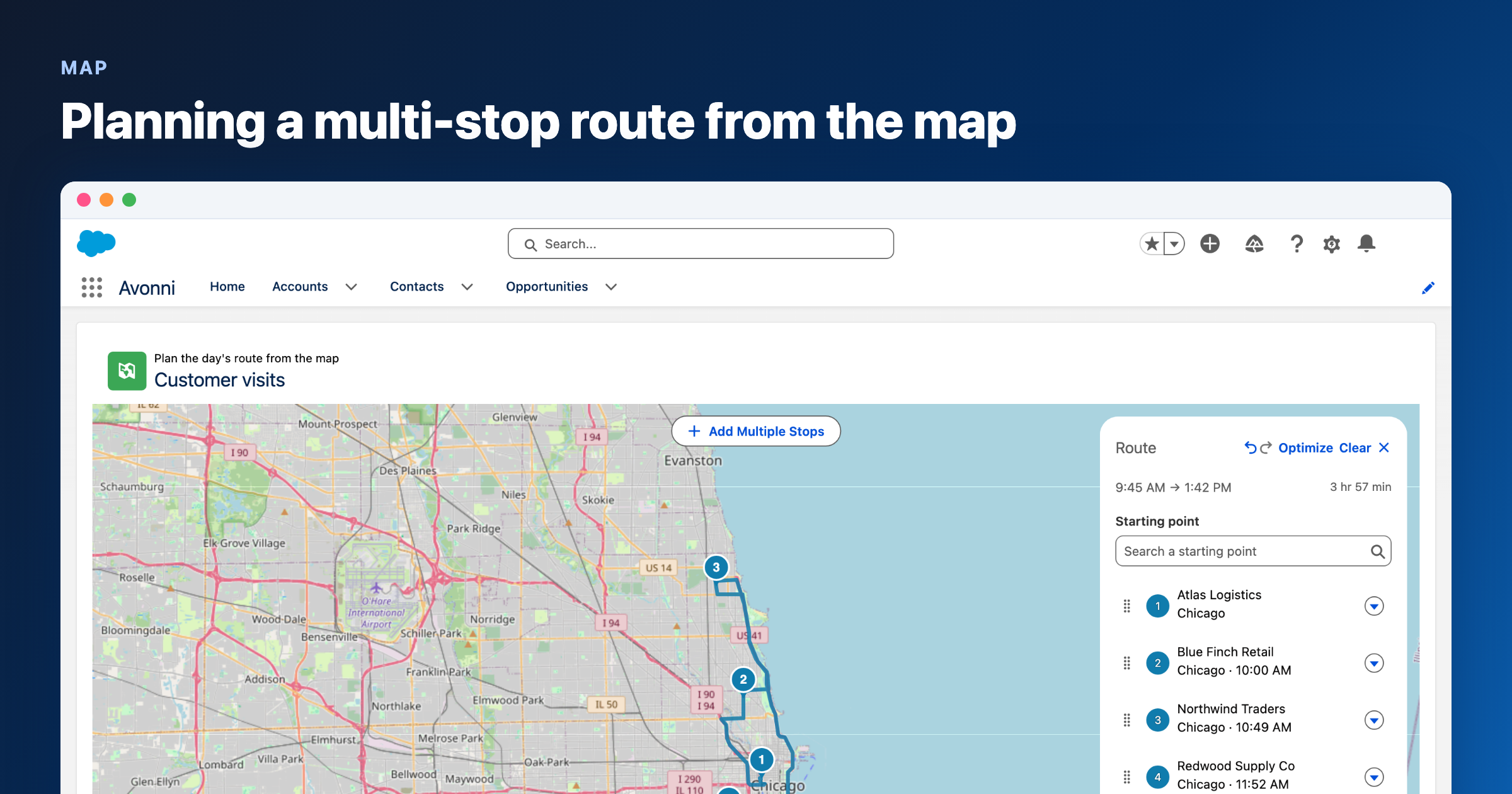
Before showing the result, JB showed where it came from. On one side, the agent asking the Avonni MCP server what the library has, and the library answering. On the other, the agent's plan: a header, a data table, a map, picked from that answer. It did not invent these components. It looked them up.
Then the org.
The CSM's screen flow
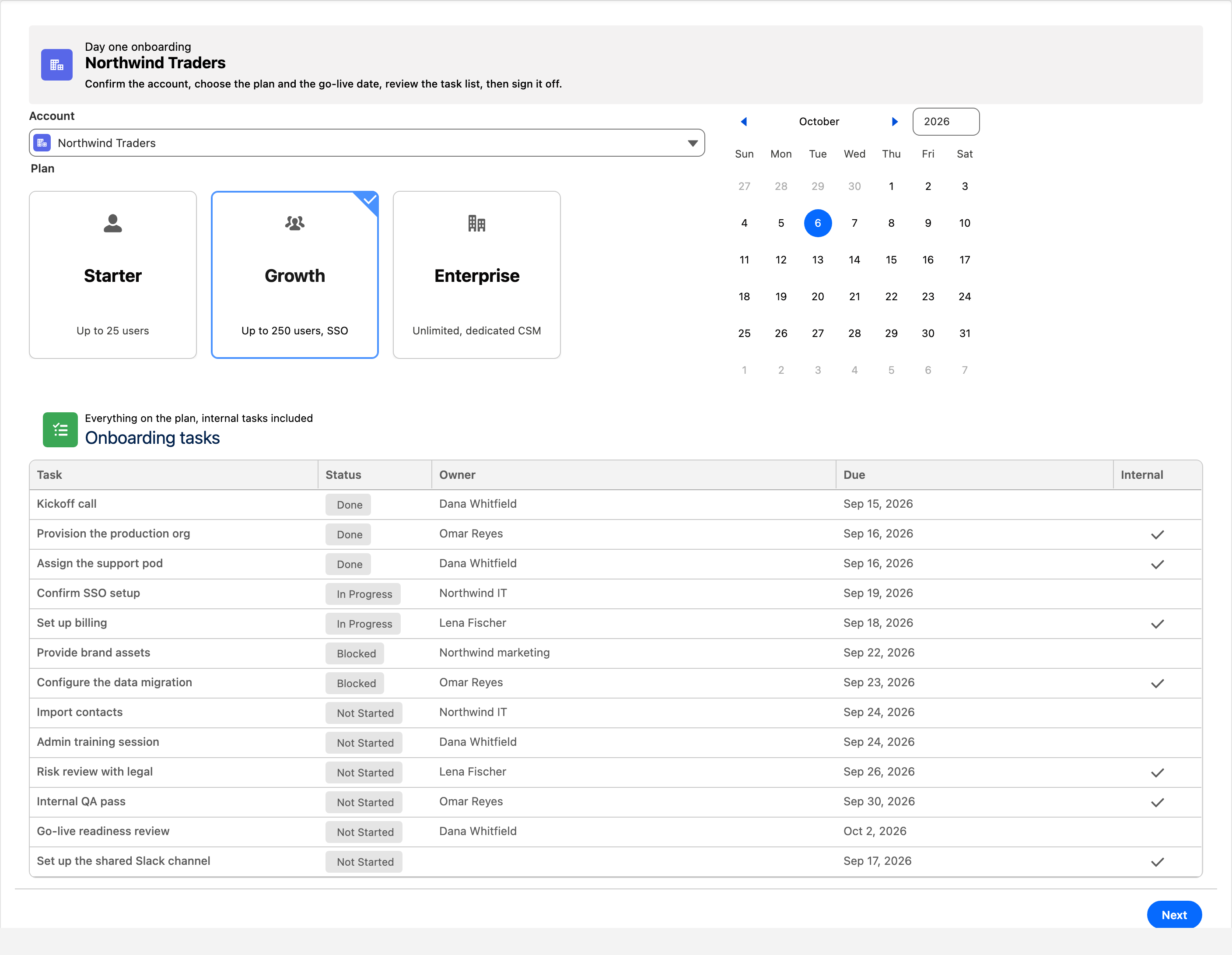
Account, plan, go-live date, the full task list, then a sign-off on the next screen. The three plan cards and the date picker are library components; the task list is the same Data Table the manager will see.
Day one for the CSM: confirm the account, choose the plan and the go-live date, review every task, then sign it off on the next screen.
The onboarding manager's page
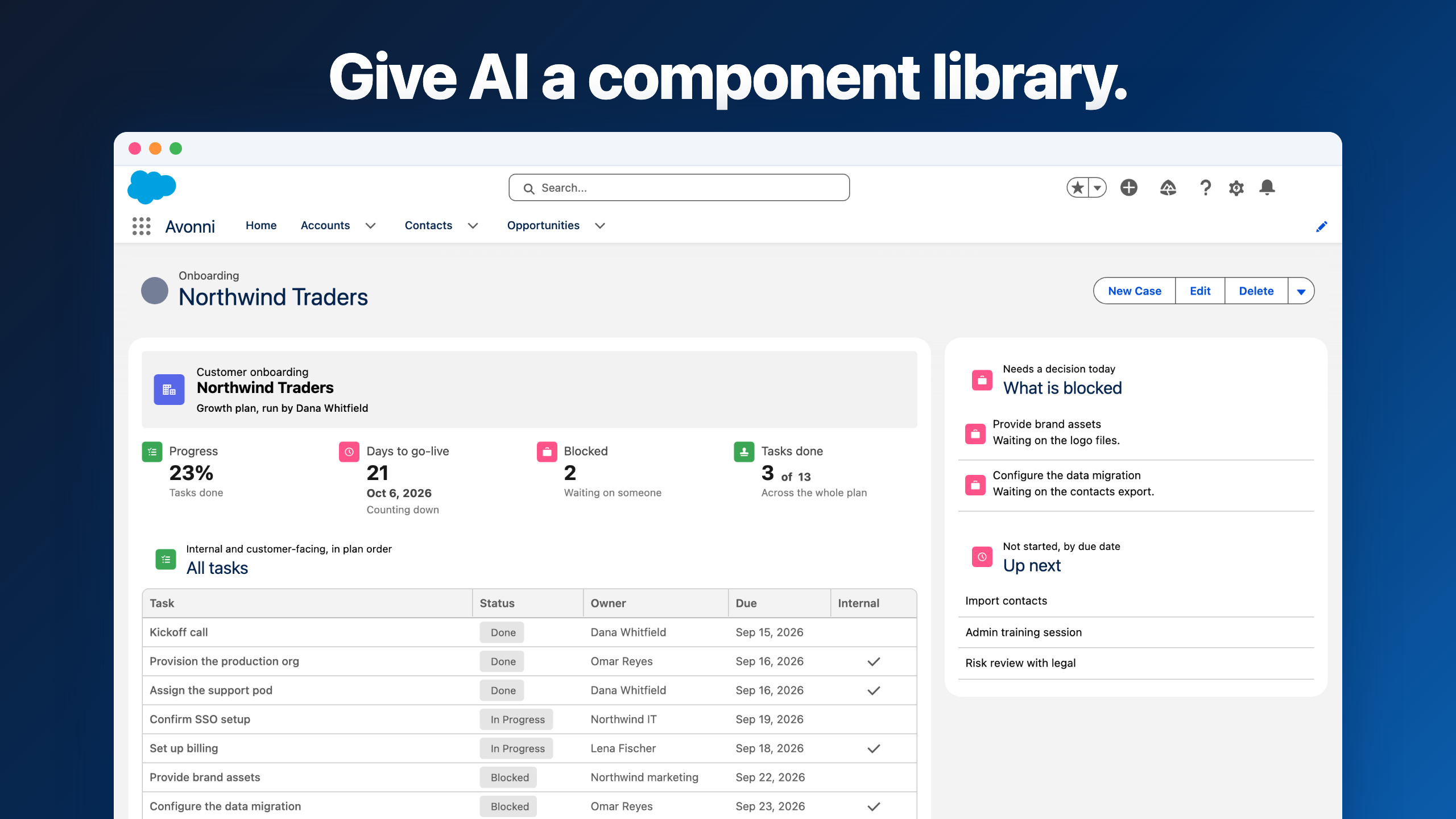
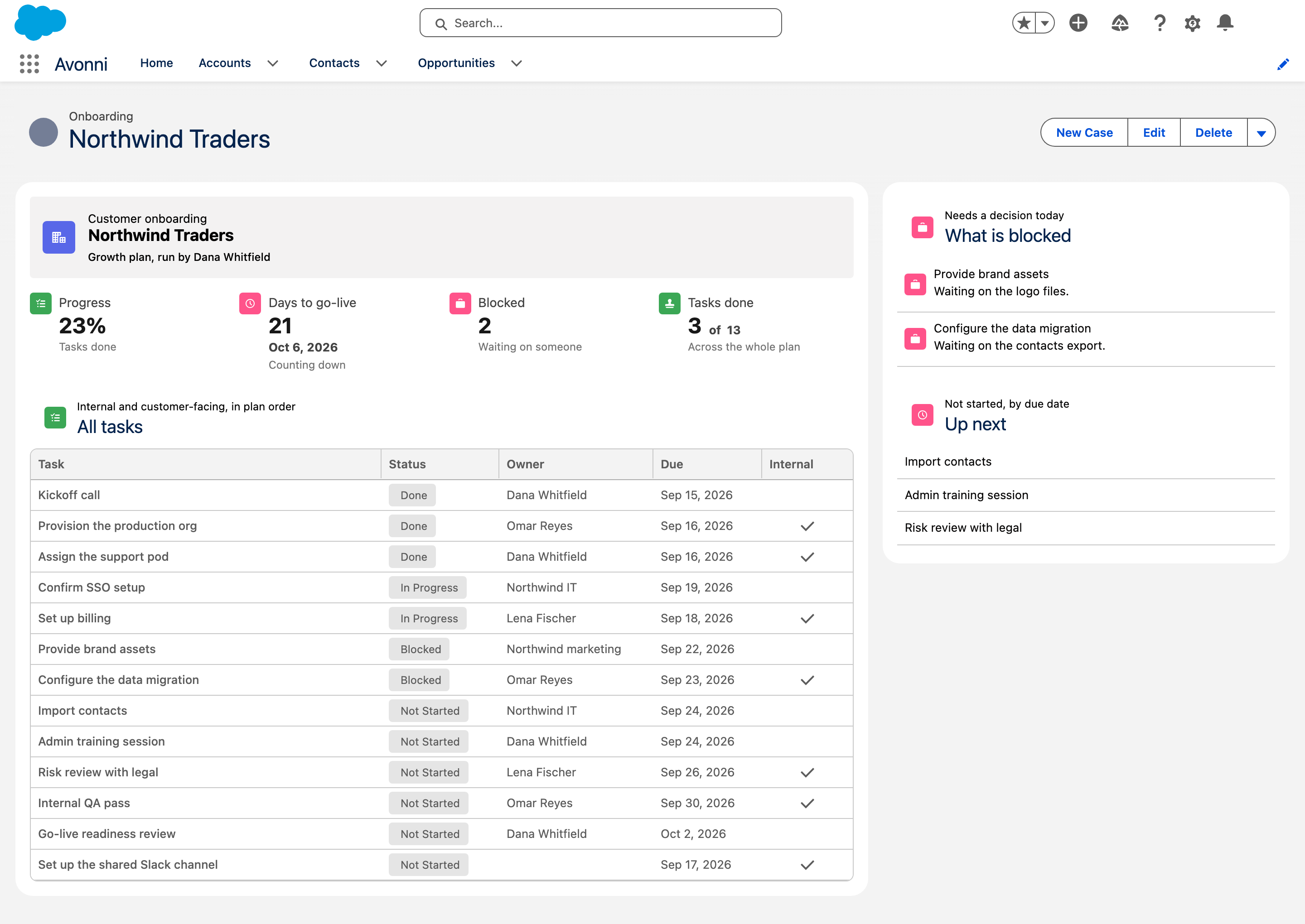
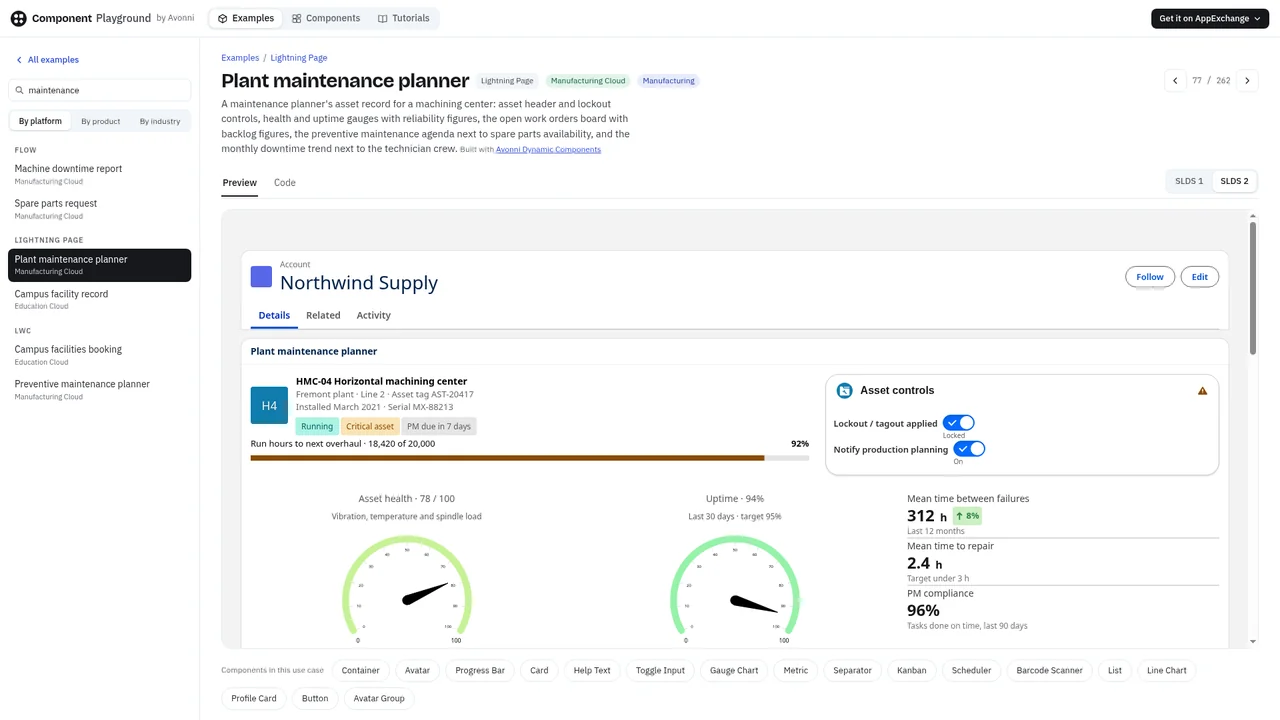
Progress, days to go-live, what is blocked, and all thirteen tasks, internal ones included, with a second component on the right for what needs a decision today.
The page the manager opens every morning: 23% done, 21 days to go-live, two tasks blocked, and every task in plan order.
The customer's page
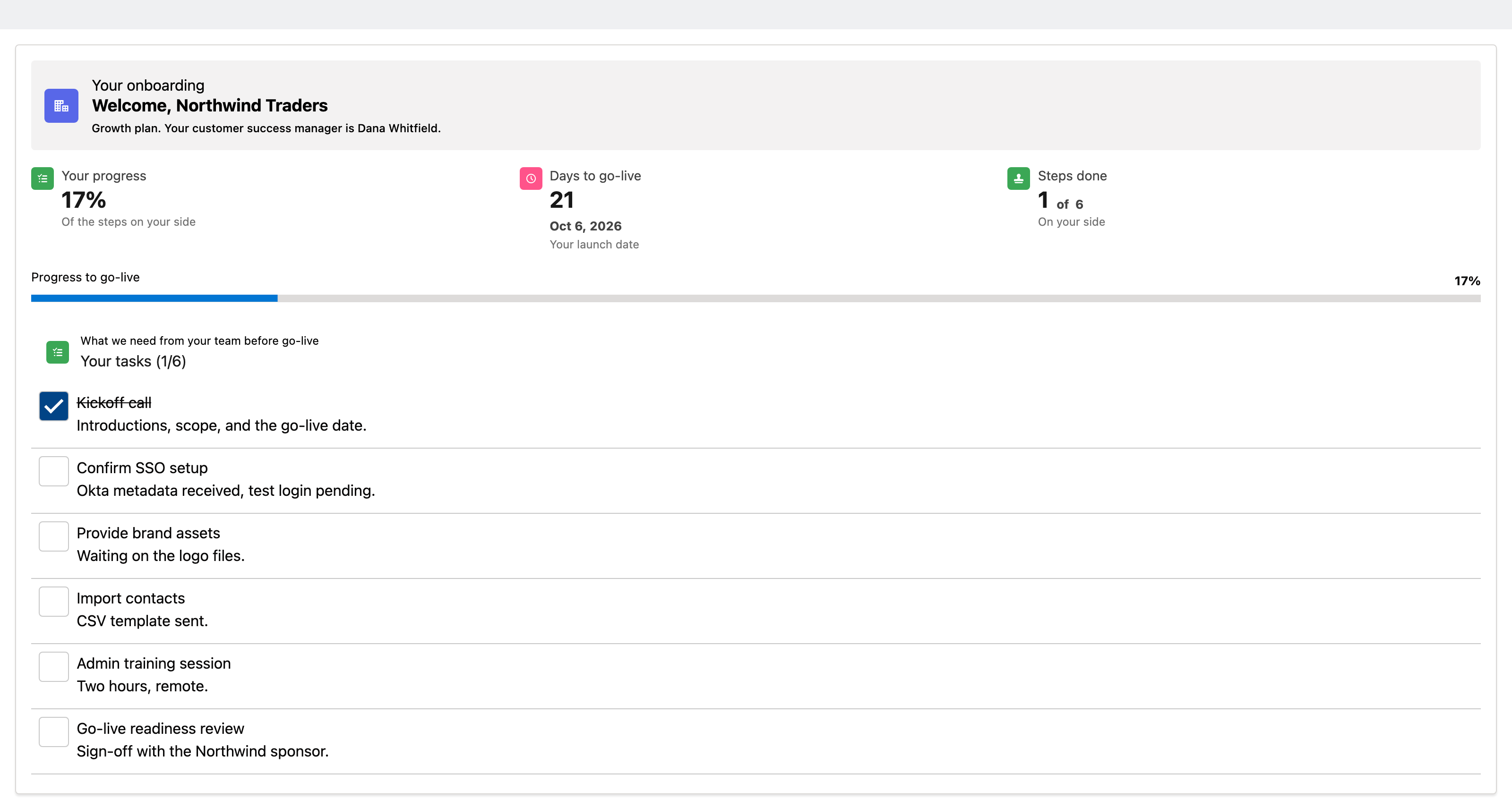
The same onboarding, seen from Northwind's side. Six tasks, not thirteen. The seven internal ones are filtered out at the query, not hidden with CSS. The prompt said they must never see our internal ones, and they do not.
Northwind's page on the portal: their progress, their six tasks, none of ours.
Three surfaces, one prompt, one library, and the same header, the same metrics, the same table on each of them. That consistency is not a design decision anyone made. It is what happens when the agent has to pick from a vocabulary instead of inventing one.
The live part
Sometimes you need a component the library does not have. So you build one.
For the second demo, JB asked Claude Code to write a Lightning web component, in plain language, the same way he had asked for everything else:
Create a Lightning web component for the Account record page.
It shows a card called "Events", with a calendar inside it. The calendar shows every event for this account. Monthly view.
Once completed, deploy it to the org.
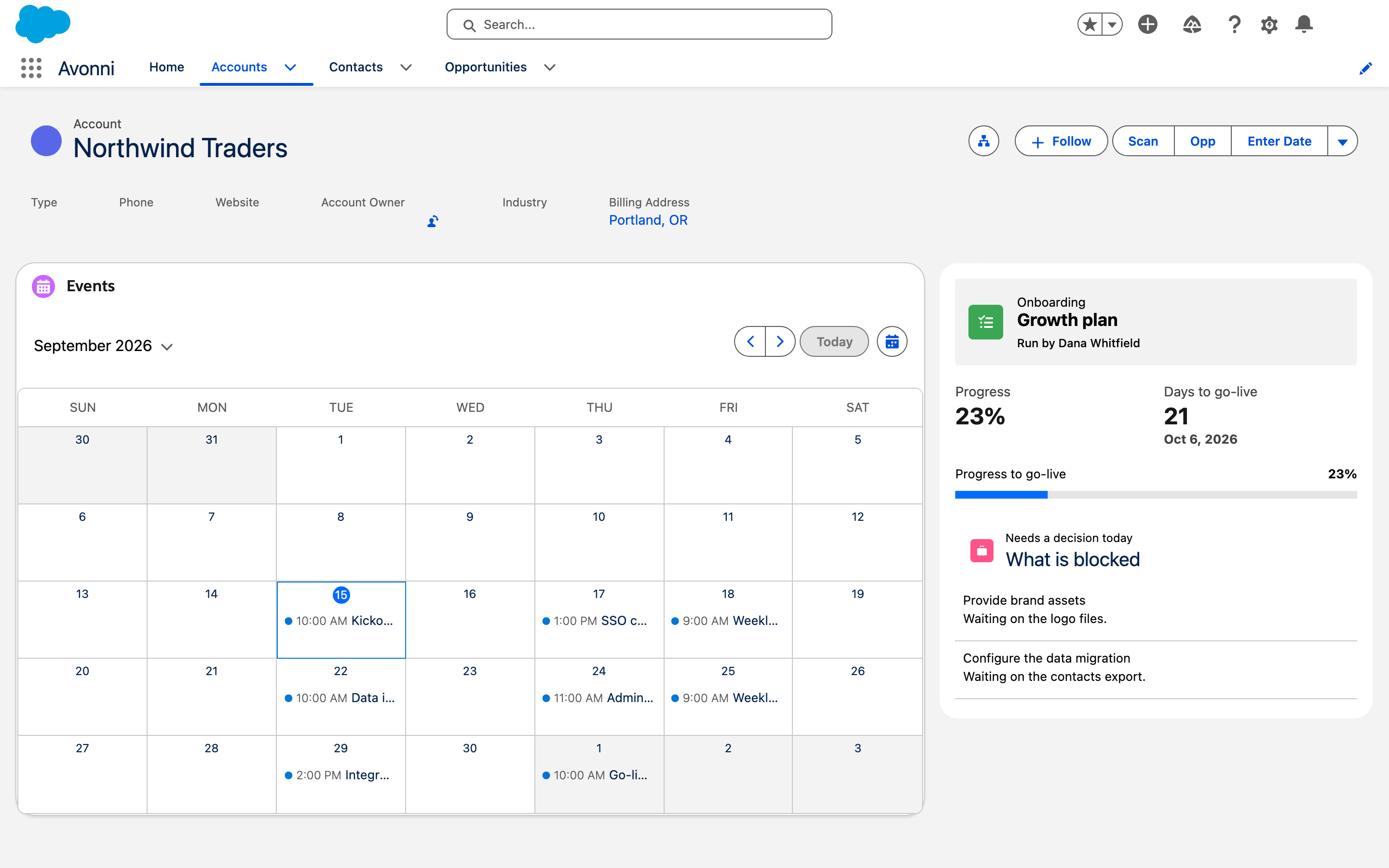
Admin or developer, the asking is the same. The agent wrapped the library's calendar instead of drawing one from scratch, wrote the component around it, and deployed it to the org.
The component written live: an "Events" card on the Account record page, every Northwind event in a monthly view, built around the library's calendar.
The step you lose without a library
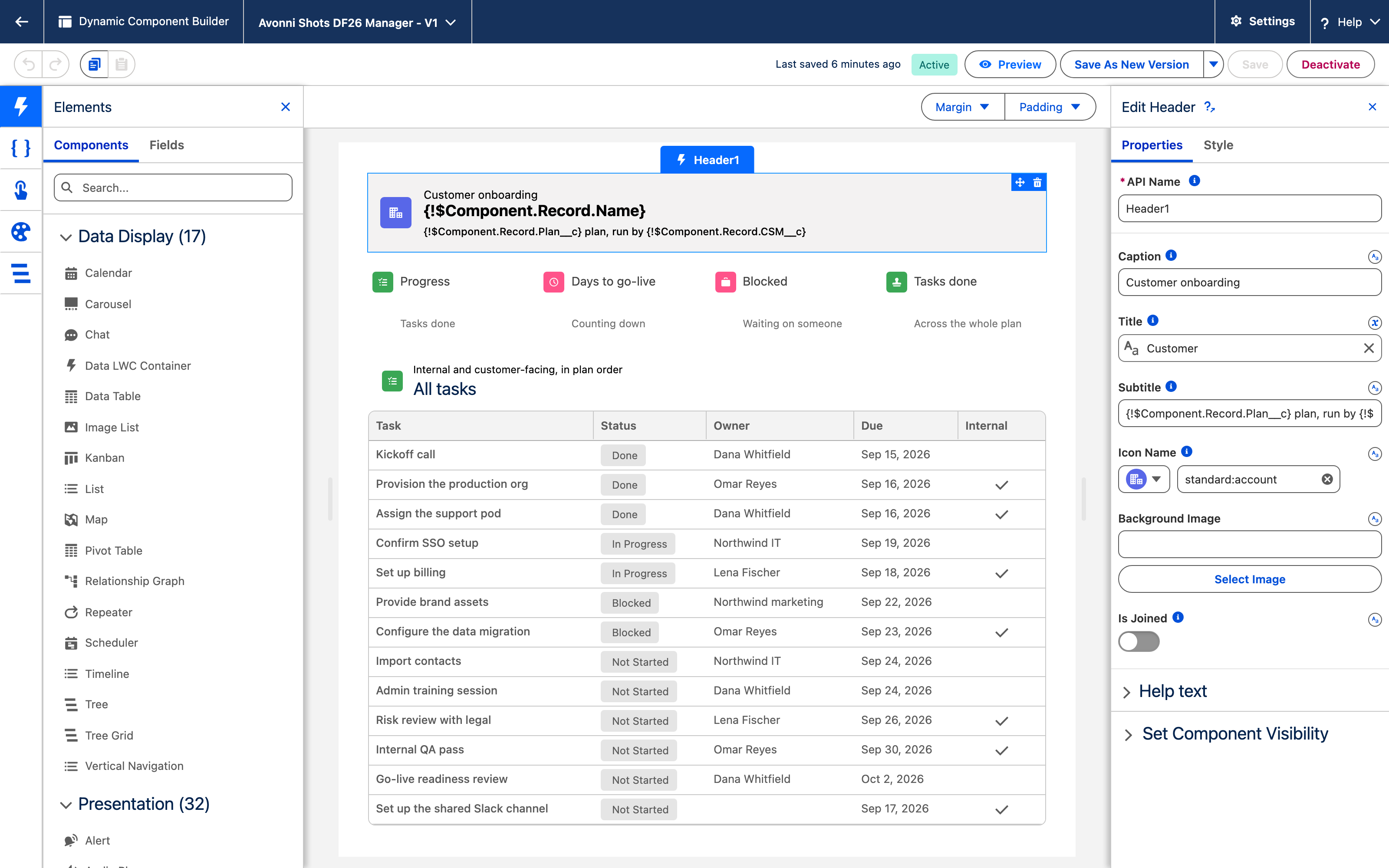
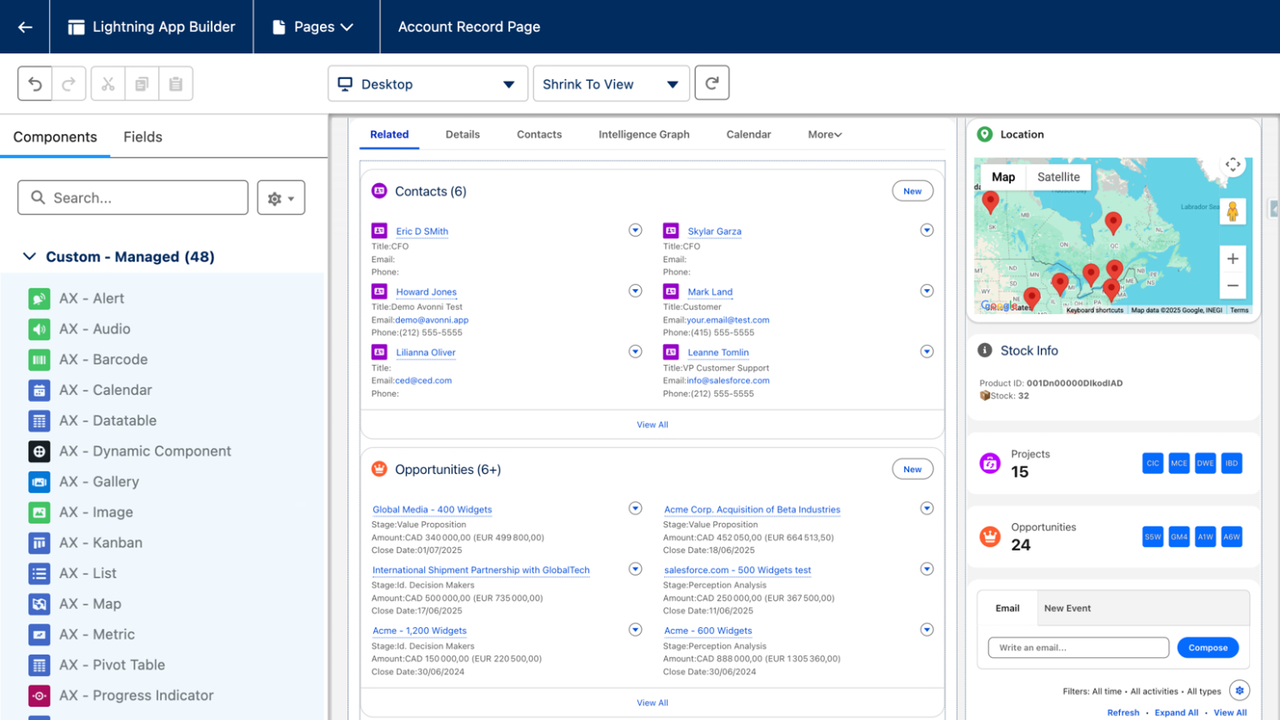
Here is the part the six hundred lines cannot do. The manager's page, open in the Avonni Component Builder. The header's properties sit beside the canvas. Change the title, change the caption, swap the icon, save. No code. No developer. No ticket.
The same page in the Component Builder: the header's title and caption are fields an admin edits, not lines a developer maintains.
The agent wrote the first draft. Your admin writes the second.
The AI leaves the room. The components stay.
JB closed on the line the session was built around. When AI writes raw code, you get something nobody can touch. When AI writes with a component library, you get something your team owns.
The AI leaves this room when I stop talking, he said. The components stay.
If you want to try this on your own org
Everything from the session is at avonni.app/session: how to install Avonni, connect the MCP server, add the skills, and the two prompts above, ready to copy. About ten minutes to set up. Every package is on the AppExchange, free for 10 users.
We are at the booth in Trailblazer Forest, Moscone West, through Thursday. Bring a screen your users struggle with. We will show you the Avonni version.
Filed under
Written by
Cédric Vergé
Co-Founder, Head of Customer Success
Co-founder of Avonni, Cédric leads Customer Success across the entire Salesforce-native product suite. He focuses on accelerating time-to-value and driving product adoption for admins and teams building high-performance UIs without code.