

For Salesforce Admins

Everything you already know, just more powerful.

Kanban boards, data tables, calendars and portals, built with the clicks you already master. No Apex, no dev ticket. Or just describe it to your AI assistant.

85+
no-code components
50+
interactions, no code
10
free production licenses
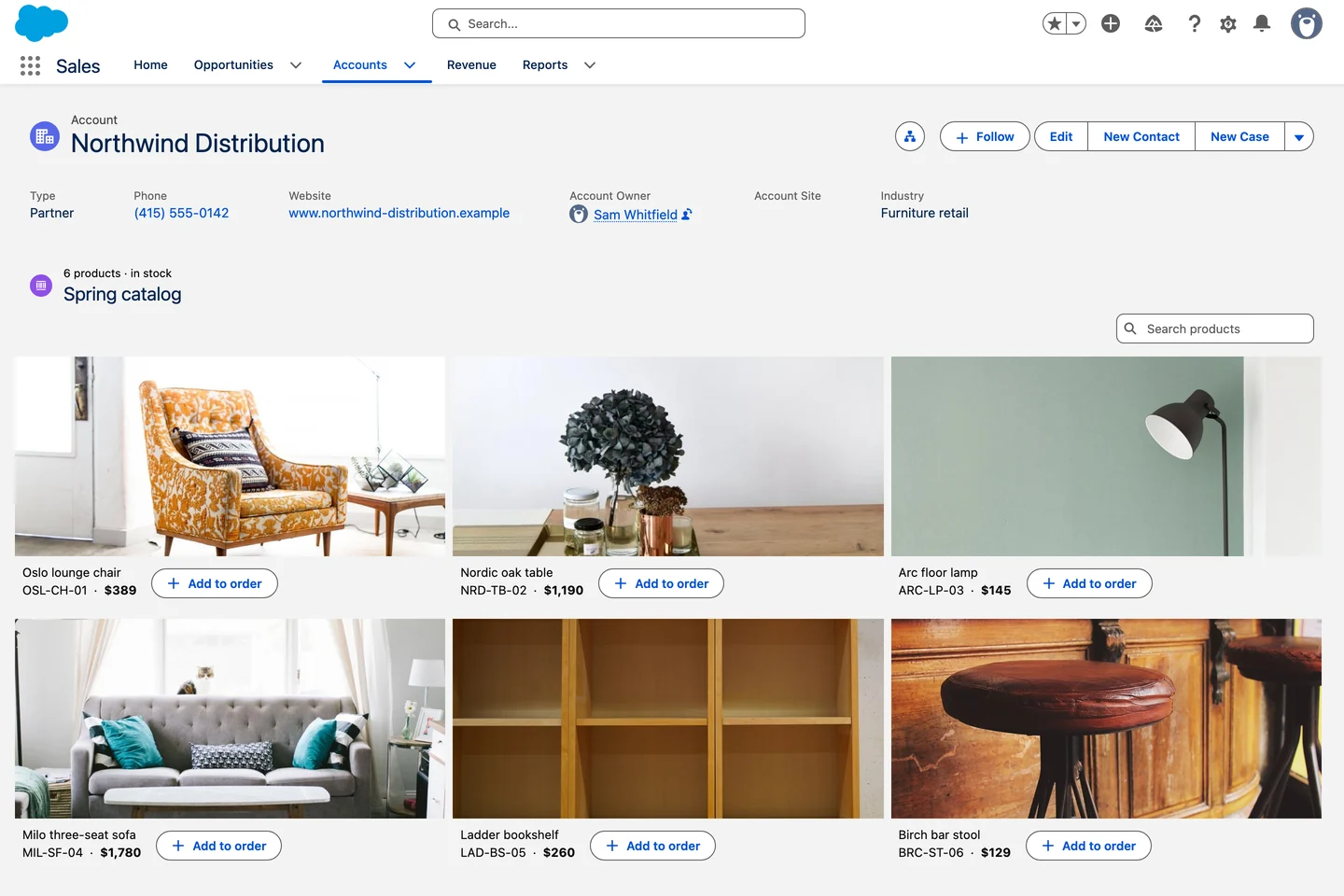
Visual product catalog
What your week looks like

Monday, the request. Tuesday, it is live.

Real screens from real orgs, every one of them built in the Component Builder without a line of code.

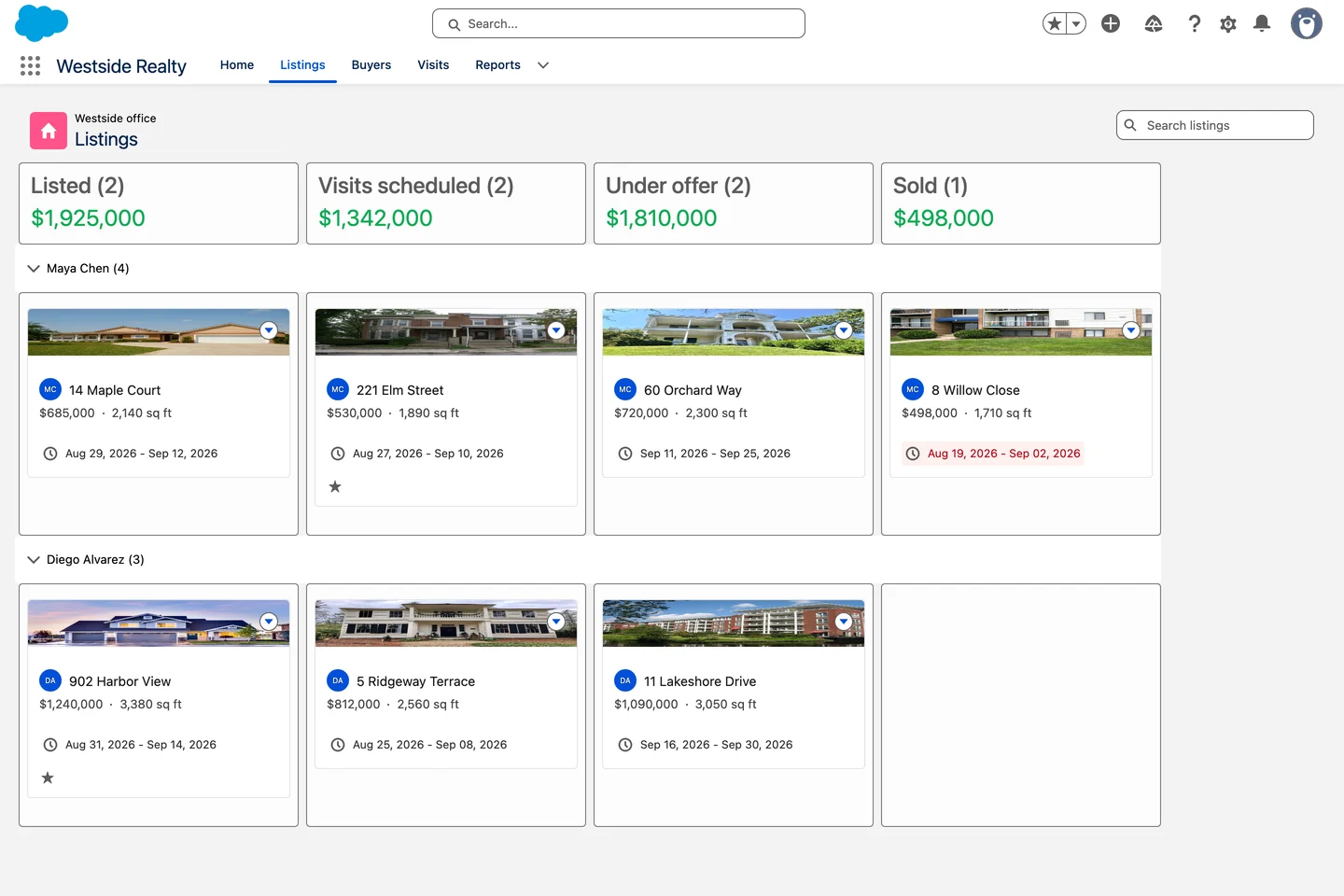
Listings board

A board, not a report. Listings by stage, one swimlane per agent, drag and drop updates the record.

0
lines of code

Configured in a builder, on your own objects and fields.

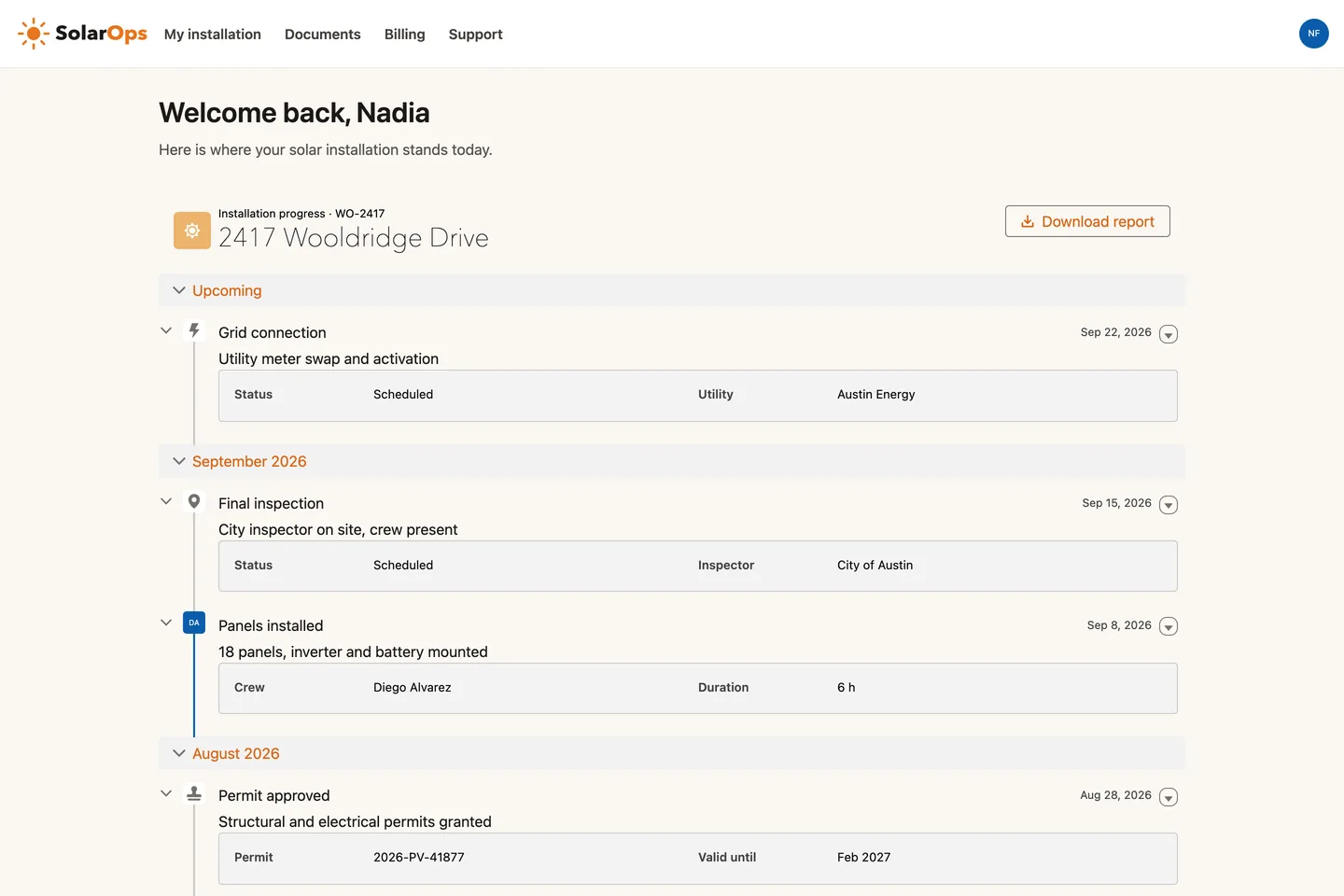
Track my installation

A portal customers actually use. Seven installation steps on one timeline, no Salesforce login needed.

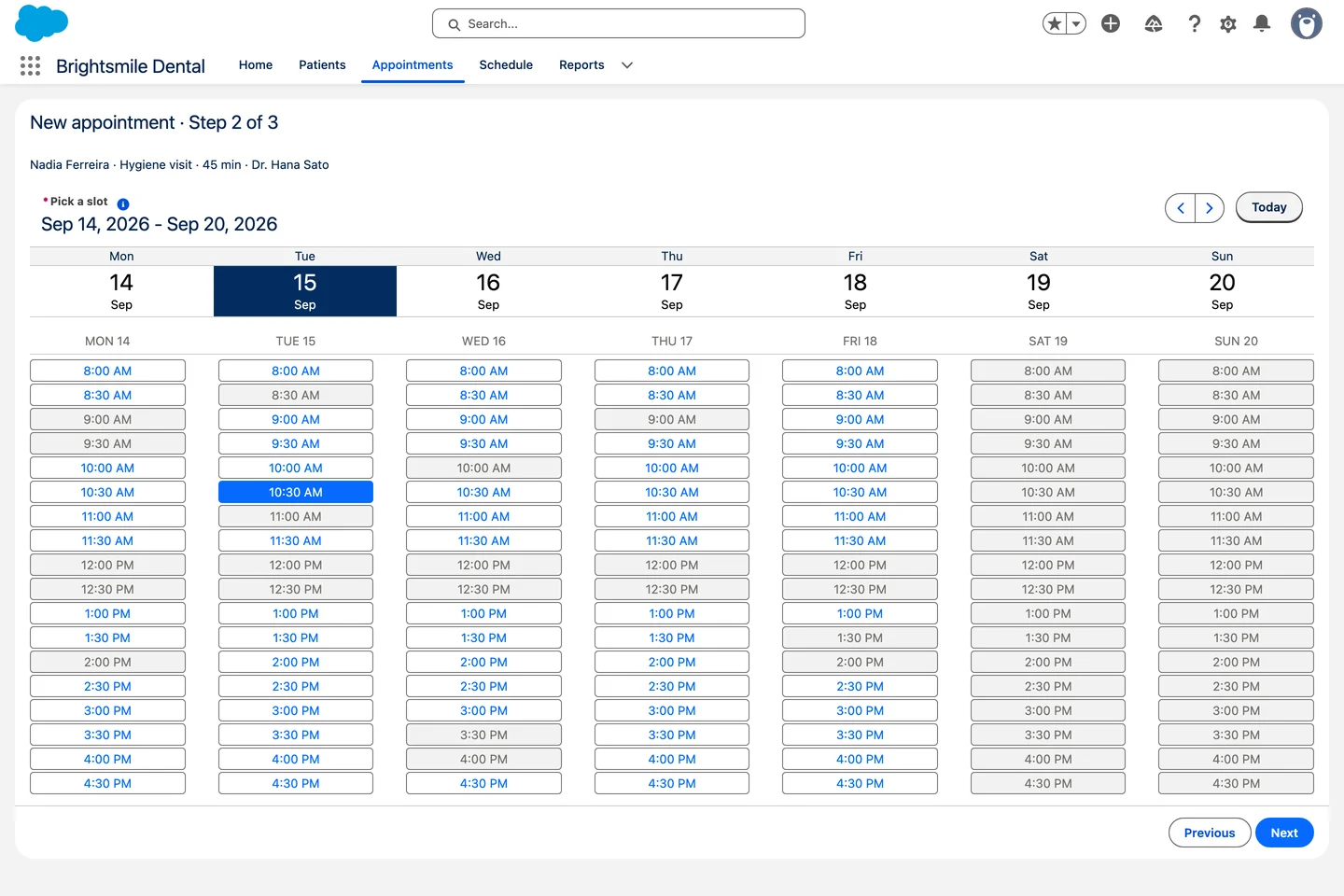
Book the next appointment

A flow that feels designed. One week of slots, one tap to book, straight into the record.

See them in real orgs
Agent Skills

Say it in plain English. Your AI assistant builds it.

Tell Claude what the page should do. It picks real Avonni components, writes the configuration and hands it back for your review. You stay the admin. You just stopped waiting.

Shown in Claude desktop

One sentence. One component.

The Avonni skill checks the real catalog first, then writes the definition with documented settings only. Nothing changes in your org until you say so.

Salesforce logo

Works with Claude, Cursor, Copilot, Gemini and Agentforce

Claude ⌄Avonni MCP server connected
Add a Kanban of open Cases to the
Account page, grouped by Status.
I'll check the real Avonni catalog before building anything.
Avonni MCPlist_componentsdynamic
Avonni MCPget_component_docsdcKanban
Skillavonni-dynamic-components
Done. A Kanban of open Cases in four columns, drag and drop updates the status.
Account_Cases_Kanban.jsonforce-app/main/default/avonni
Nothing has been deployed. Review the file, then deploy it or open it in the Component Builder.
Reply to Claude…
Where to build it

One suite, every surface you own

Start here
App and record pages

Dynamic Components

Configure data tables, kanban, and interactions in a builder, then drop them on any Lightning page.

Learn more →
Guided processes

Flow Screen Components

Rich inputs and data views inside Screen Flows, so intake and update processes feel built for the job.

Learn more →
External portals

Experience Cloud Components

Bring the same components to Experience sites, so partner and customer portals match your brand.

Learn more →
From a Salesforce team
“Avonni has enabled our team to spend more time on strategic development and user interface enhancement changes than ever before. Gone are the days when lengthy code blocks and customisation are required. Having the ability to respond quickly to user requirements by implementing such a tool is invaluable. A true gem within the AppStore.”
Craig Ashton-Chalmers
Linklaters
Admin FAQ

What admins ask before installing

Do I need a sandbox to try it?
No. You can install in a sandbox for free and unlimited to test, then move to production when you are ready. Sandboxes never count against your licenses.
Did it pass the security review?
Yes. Every package is listed on the AppExchange and passed the Salesforce security review, so it runs natively in your org.
Does it survive Salesforce releases?
Yes. The components are SLDS-native and maintained across every Salesforce release, so upgrades do not break your pages.
How is it licensed?
You get 10 free production licenses plus unlimited sandbox use. Beyond that, licensing scales with your team. Experience sites are quoted separately.

Ship the interface your users have been asking for

Install Dynamic Components and rebuild a record page this week. Free for up to 10 production users, unlimited in sandboxes.