

For Business Analysts

Show the screen before anyone builds it.

Configure a working screen on real Salesforce data during the workshop. Stakeholders click instead of imagining, and what they approve is what ships.

85+
components across the suite
50+
interactions, no code
10
free production licenses
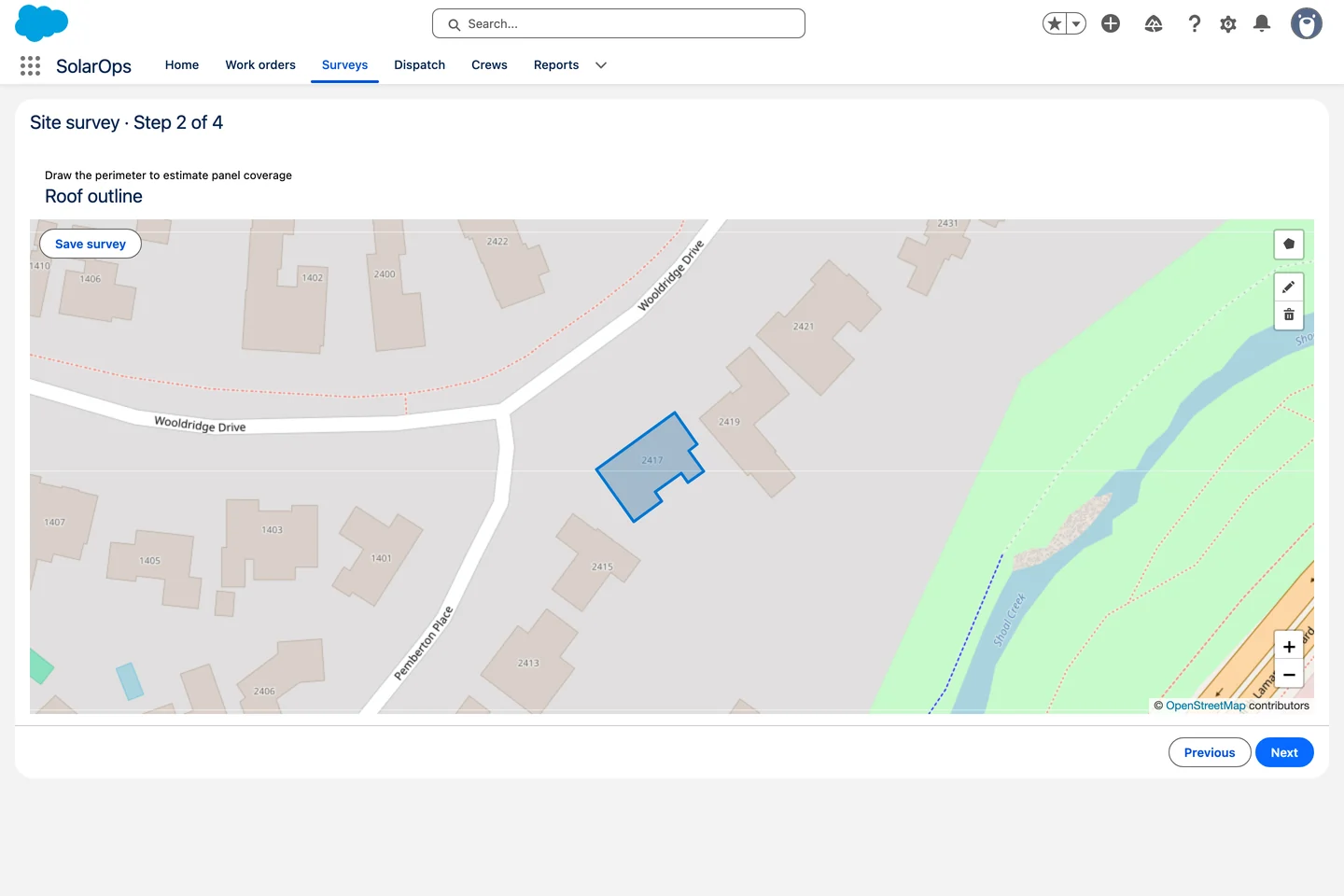
Site survey inside a flow
What changes

Requirements people can see.

Real screens from real orgs, each one configured in an afternoon on the org's own objects.

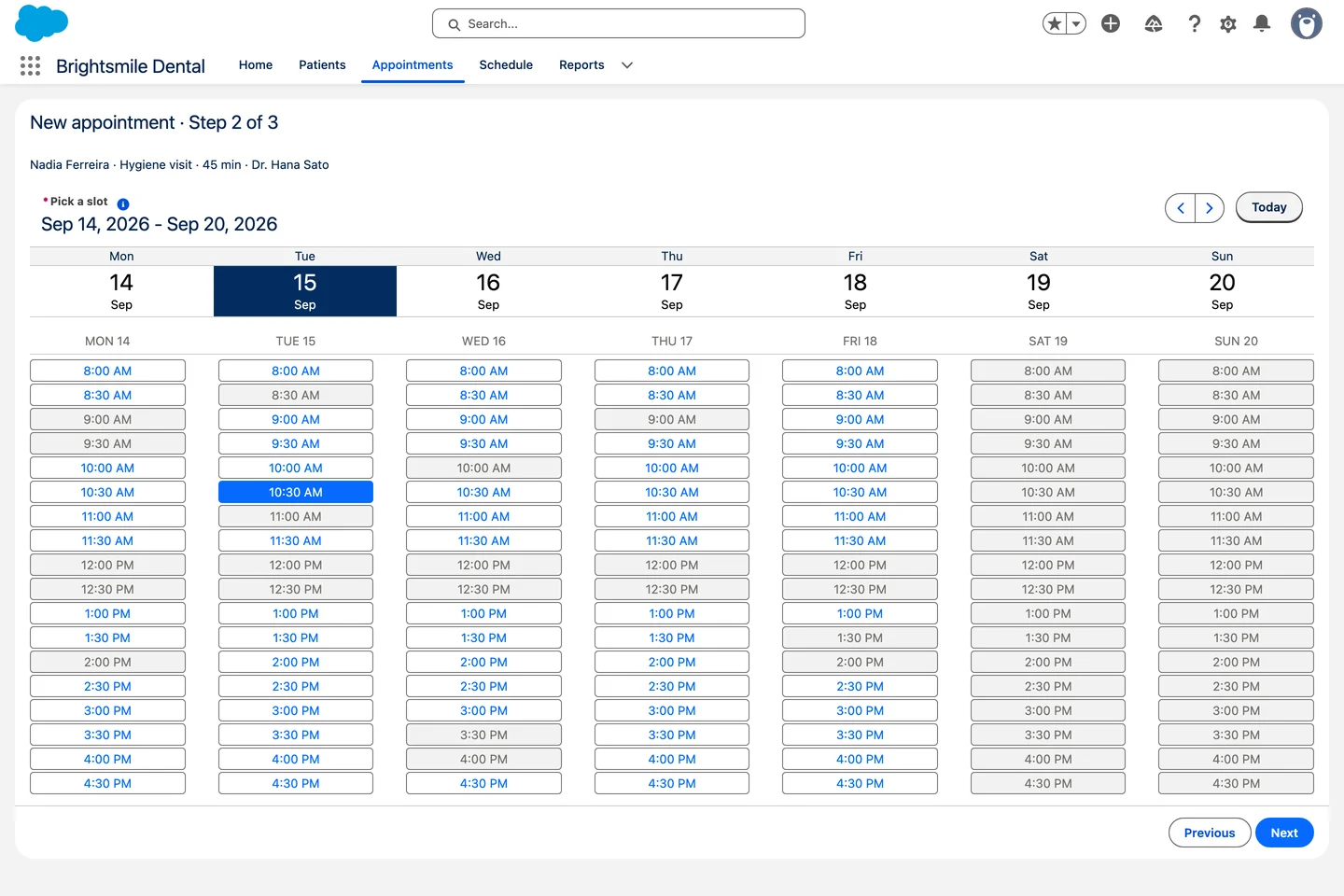
Book the next appointment

The requirement, as a screen. One week of slots, the taken ones greyed out, one tap to pick.

0
lines of code

A sandbox and an afternoon are enough to have something to show.

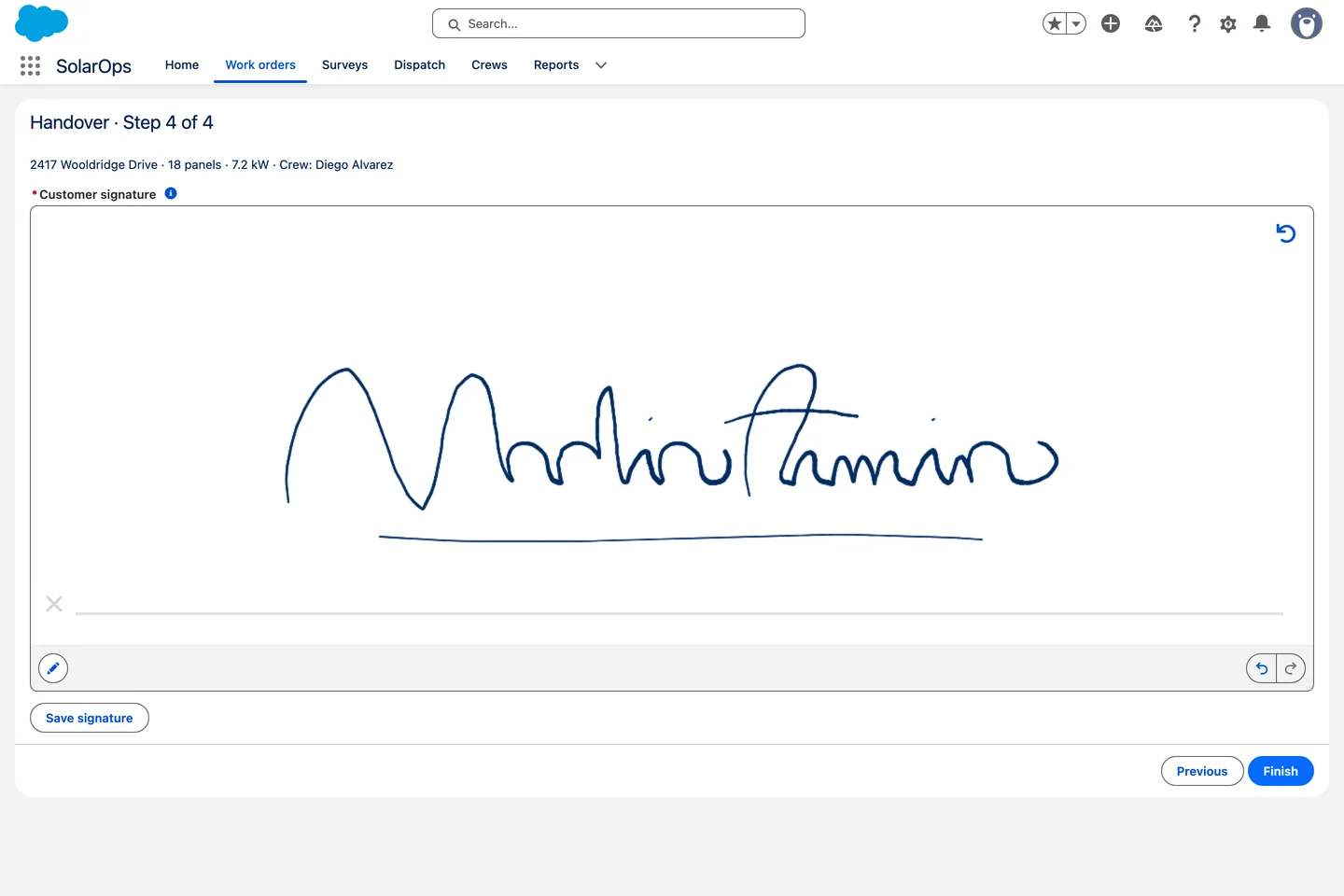
Customer sign-off inside a flow

Sign-off that lands on the record. The signature becomes a file on the work order.

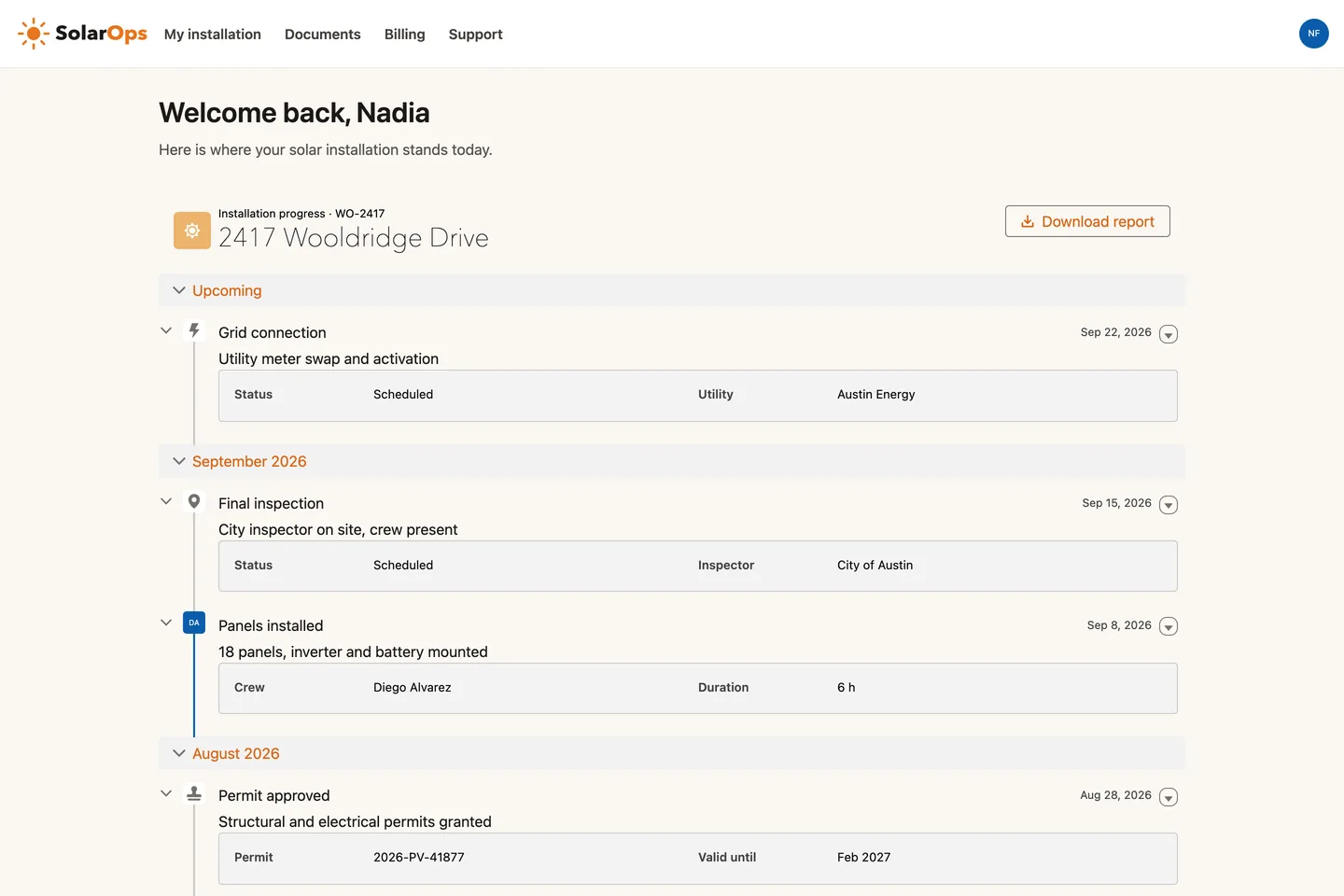
Track my installation

The customer's view, made visible. Seven steps on a timeline, without a login.

See them in real orgs
→
Agent Skills

Type the requirement. See the screen.

Describe the process in plain English and Claude builds the screen with real Avonni components, ready to review in the sandbox. The spec and the build stop drifting, because they are the same thing.

Shown in Claude desktop

One requirement. One screen.

The Avonni skill checks the real catalog first, then writes the flow with documented settings only. Nothing changes in the org until you say so.

Salesforce logo

Works with Claude, Cursor, Copilot, Gemini and Agentforce

Claude ⌄Avonni MCP server connected
Build a screen flow where the
customer signs off the installation.
✦
I'll check the real Avonni catalog before building anything.
Avonni MCPlist_componentsflow✓
Avonni MCPget_component_docsinputPen✓
Skillavonni-flow-components✓
✦
Done. A four step flow, the signature pad on the last screen, the drawing saved as a file on the work order.
Installation_Signoff.flow-meta.xmlforce-app/main/default/flows
Nothing has been deployed. Review the flow, then deploy it to your sandbox.
Reply to Claude…
Why analysts switch

The distance between the doc and the build

The old way

You write the requirement, everyone signs off on a description, and the disagreement appears at UAT when the screen finally exists.

→
With Avonni

You configure the screen on real data, the room reacts to it immediately, and sign-off happens on something everyone has actually seen.

The fine print

What you can promise the project

✓
Real data, not lorem ipsum

Components read your objects and fields, so the screen shows the org as it is.

✓
No developer to start

Configuration is point and click, so the first screen never waits on a developer's backlog.

✓
Nothing thrown away

What you configured in the workshop is what moves forward. It is not a mock that gets rebuilt.

✓
Native to the platform

Sharing rules, field-level security, and the org's permissions apply exactly as they already do.

“

It is definitely a great tool that needs to be added to Admins, Developers and Business Analysts' toolbox.

Lethabo Ntshudisane · AppExchange review · September 2024
Before you install

What analysts ask

Do I need to write code or SOQL?

No. You pick the object and the fields in a configuration panel, and the component queries the data for you.

Can I try this without involving IT?

Install it in a free developer org or a sandbox and build on your own. Ten production licenses are free when the project moves forward.

Is the workshop screen throwaway?

No. It is a real configuration on the platform, so the team continues from it rather than rebuilding it.

What about security and sharing?

Components run inside Salesforce and respect the org's sharing rules and field-level security as they stand.

Bring a screen to your next workshop

Install the package in a sandbox and configure one requirement before the next session. Free for up to 10 production users, unlimited in sandboxes.