Use cases

Find the screen your team needs.

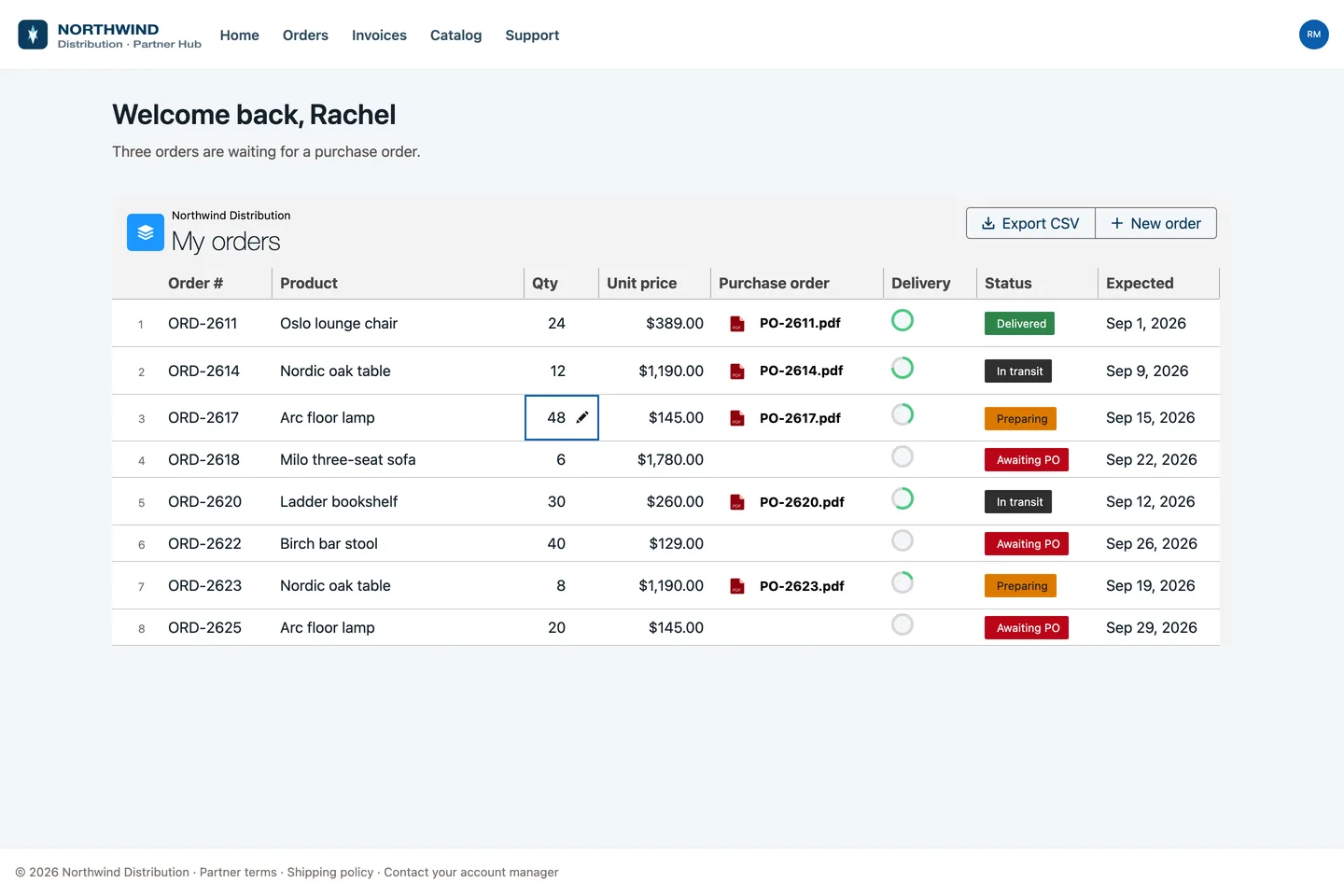
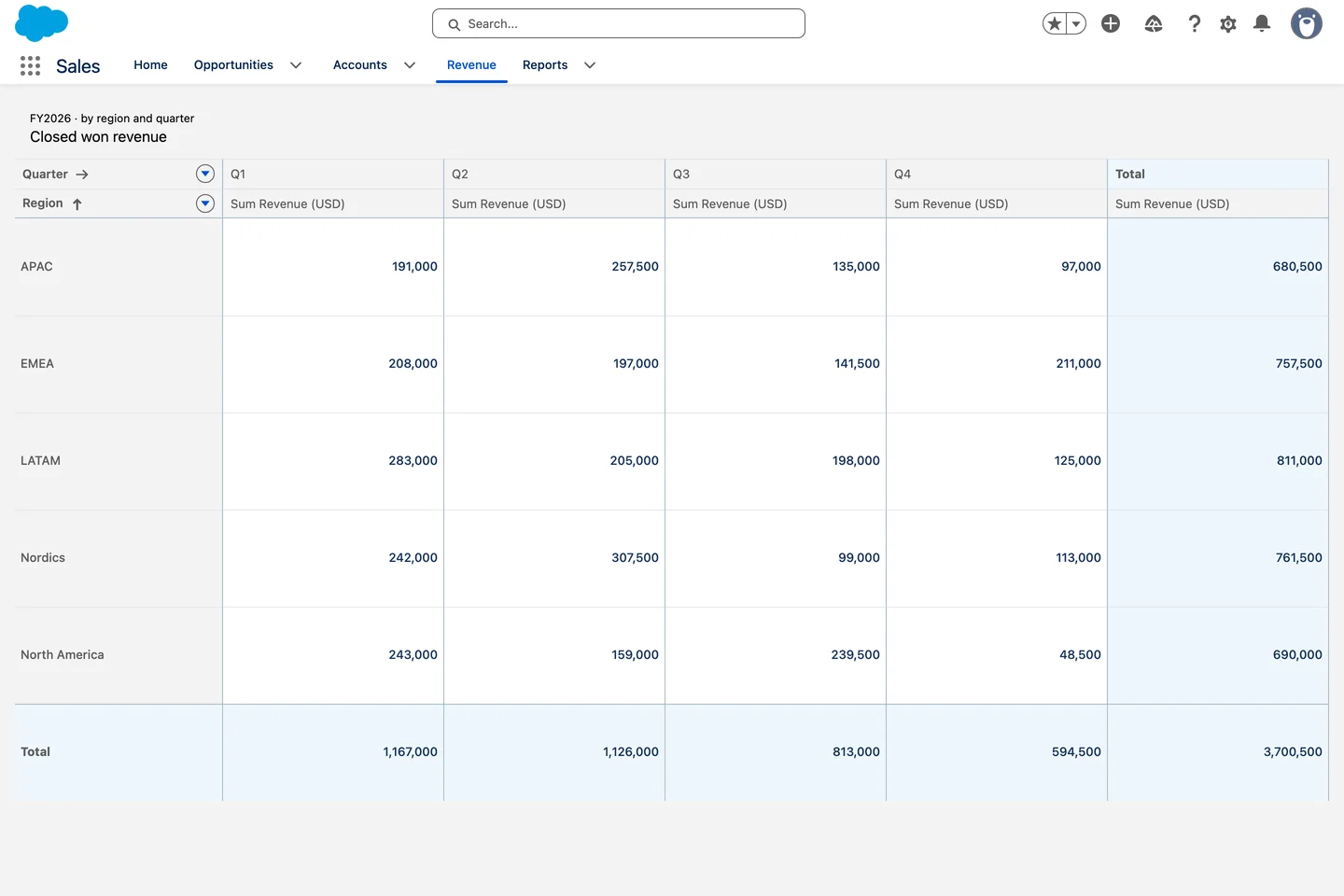
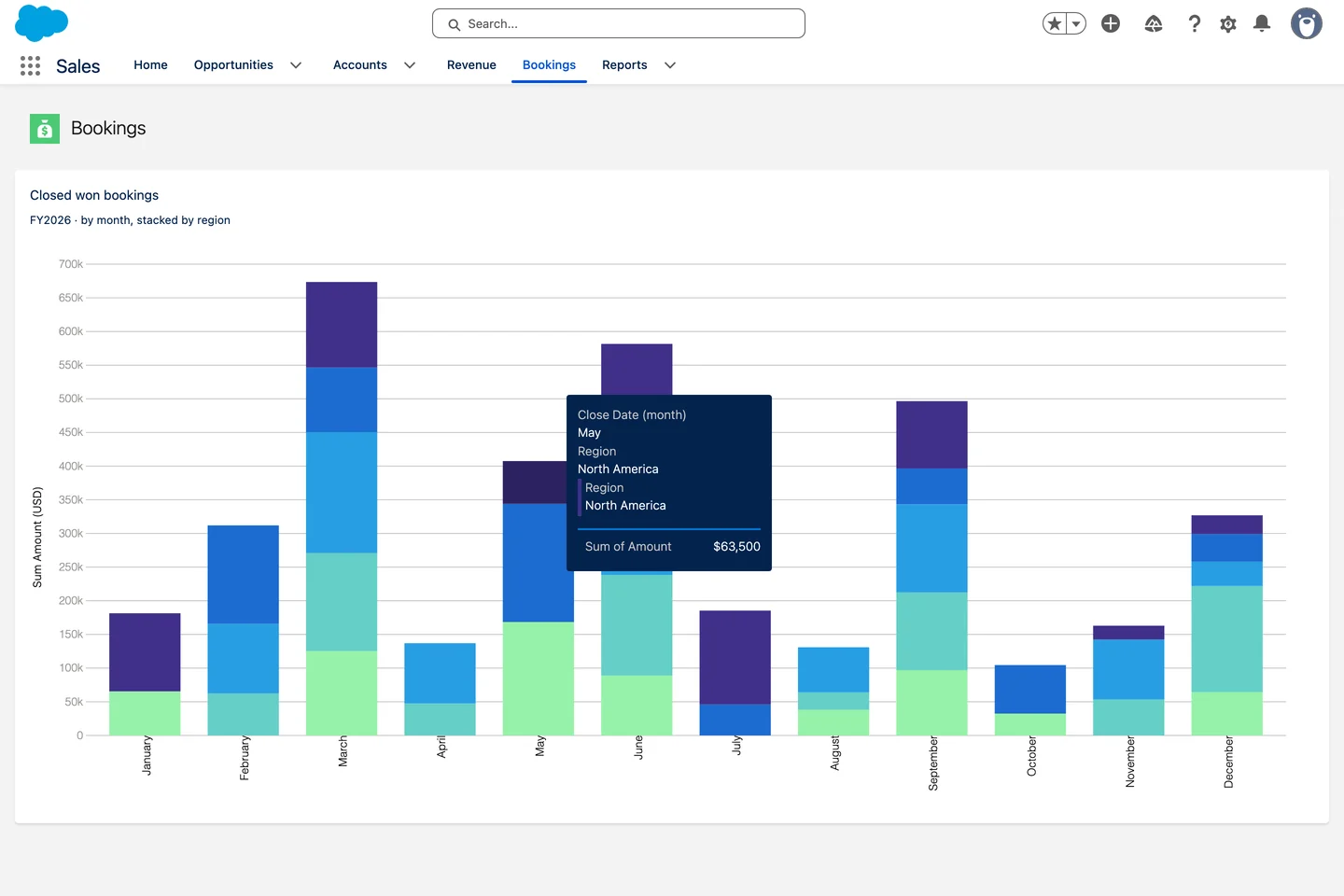
Sixteen real jobs, each one built with Avonni and captured in a real Salesforce org. Pick your team, open a screen, and copy the settings that make it work.

Every screen captured in a real org. No mockups.
16real use cases
5teams
4Salesforce surfaces
16Avonni components at work
LWC · Live crew board
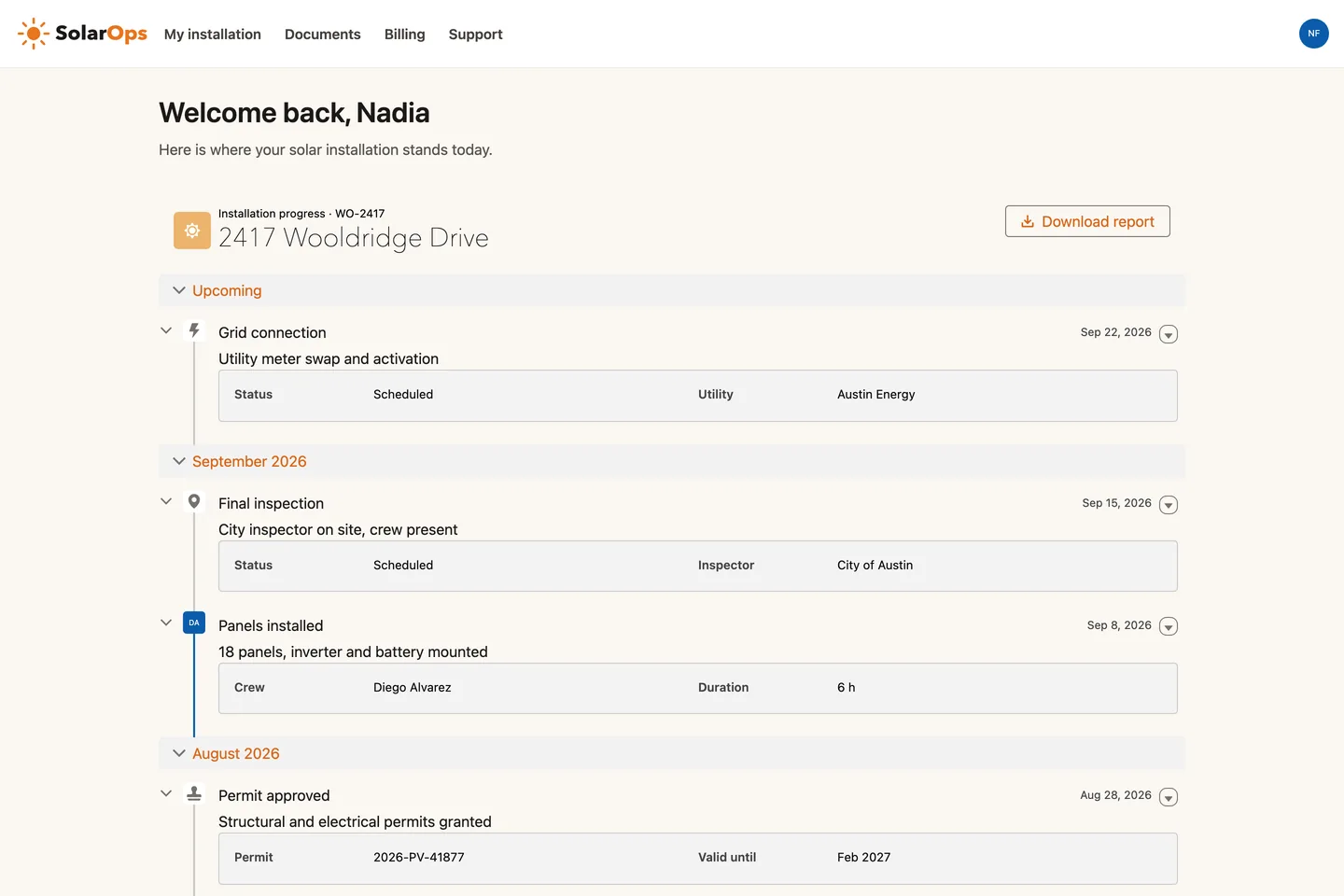
Experience Sites · Track my installation
Lightning Pages · Listings board
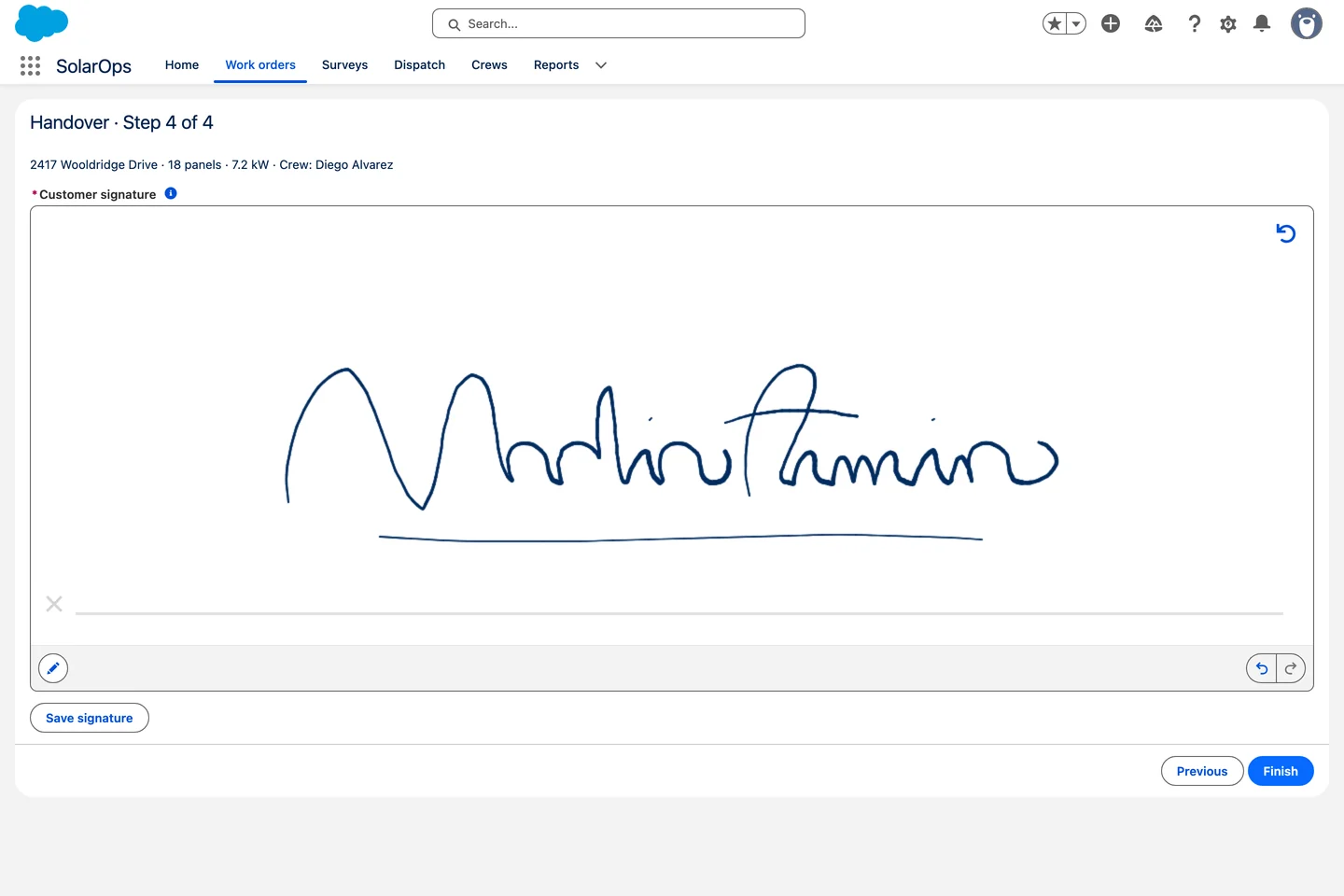
Avonni Pen Input on the last screen of a Salesforce flow: a customer signature on a signature pad Screen Flows · Customer sign-off

✦ Built with AI

6 of these use cases were built by an AI assistant from one sentence, with Avonni Agent Skills. Look for the badge.

Nothing matches yet. Tell us the screen you need.
Suggest a use case

✦ Built with AI

{"steps":[{"user":"Show this account's opportunities on the Account page in a table with the stage, amount and close date."},{"ai":"I'll start by exploring the project to understand what we're working with."},{"more":2},{"tool":{"src":"Skill","k":"avonni-dynamic-components"}},{"more":3},{"tool":{"src":"Avonni MCP","k":"list_components","arg":"dynamic"}},{"tool":{"src":"Avonni MCP","k":"get_component_docs","arg":"dcDatatable"}},{"more":1},{"tool":{"src":"Salesforce CLI","k":"sf sobject list","arg":"","n":2}},{"tool":{"src":"Salesforce CLI","k":"sf sobject describe","arg":"Opportunity"}},{"more":1},{"ai":"Plan: Account Opportunities table. Does this look right, or would you like changes before I build it?","files":[]},{"user":"Looks good, go ahead."},{"ai":"Plan approved."},{"more":2},{"tool":{"src":"Skill script","k":"query-versions"}},{"tool":{"src":"Skill script","k":"create-component"}},{"more":1},{"tool":{"src":"Skill script","k":"create-component"}},{"ai":"Done: Account Opportunities table.","files":["avdynamic__AvonniDynamicComponent.Account_Opportunities_1.md-meta.xml"]}],"result":{"label":"Salesforce · Lakeshore Cold Chain","video":"https://cdn.prod.website-files.com/655e59288ce041f5fc52373b/6ab5600557a7d8a9dfb712f6_uc-ai-opportunity-table-clip.mp4"}}

Lightning Pages

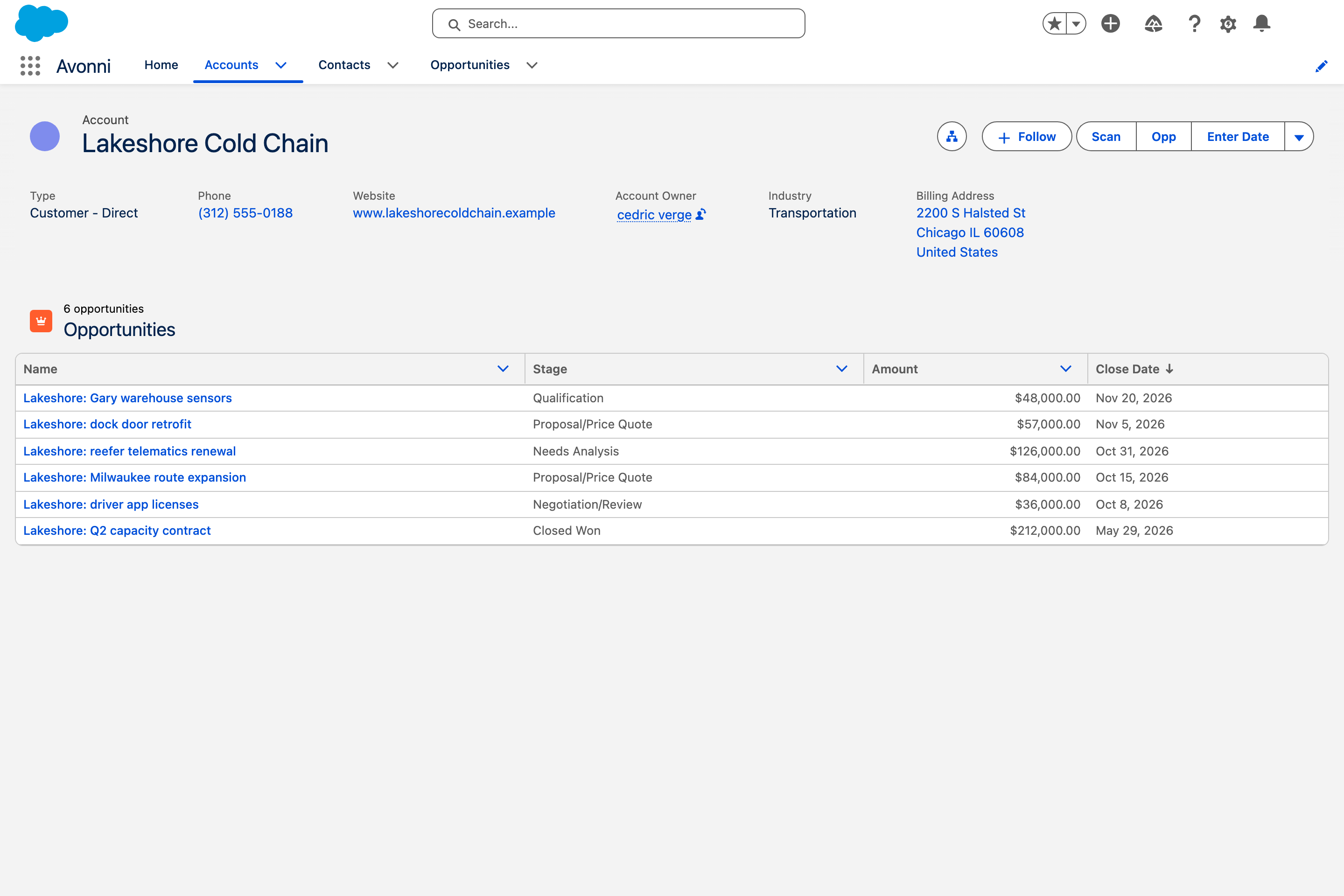
Opportunity table, built from one sentence

The account's opportunities in a sortable table on the Account page: name, stage, amount and close date. Built by an AI assistant from the Avonni catalog.

Sales

Show this account's opportunities on the Account page in a table with the stage, amount and close date.

Data Table

✦ Built with AI

{"steps":[{"user":"Create a screen flow where the customer rates the service from 1 to 5 stars with the Avonni Rating component, then sees a thank you screen that repeats the rating."},{"ai":"I'll use the Avonni flow components skill for this."},{"tool":{"src":"Skill","k":"avonni-flow-components"}},{"more":3},{"tool":{"src":"Avonni MCP","k":"list_components","arg":"flow"}},{"tool":{"src":"Avonni MCP","k":"get_component_docs","arg":"rating"}},{"tool":{"src":"Avonni MCP","k":"get_component_docs","arg":"illustration"}},{"ai":"Flow: Service Rating (Service_Rating): Screen Flow, 2 screens. Does this look right, or would you like changes (labels, illustration style, icon, scale)?","files":[]},{"user":"Looks good, go ahead."},{"ai":"Validation passes."},{"tool":{"src":"Skill script","k":"create-flow"}},{"more":2},{"tool":{"src":"Skill script","k":"create-flow"}},{"more":2},{"tool":{"src":"Skill script","k":"fix-flow"}},{"ai":"Created: force-app/main/default/flows/Service_Rating.flow-meta.xml.","files":["Service_Rating.flow-meta.xml"]}],"result":{"label":"Salesforce · Service Rating flow","video":"https://cdn.prod.website-files.com/655e59288ce041f5fc52373b/6ab56005872210fc093c99fd_uc-ai-service-rating-clip.mp4"}}

Screen Flows

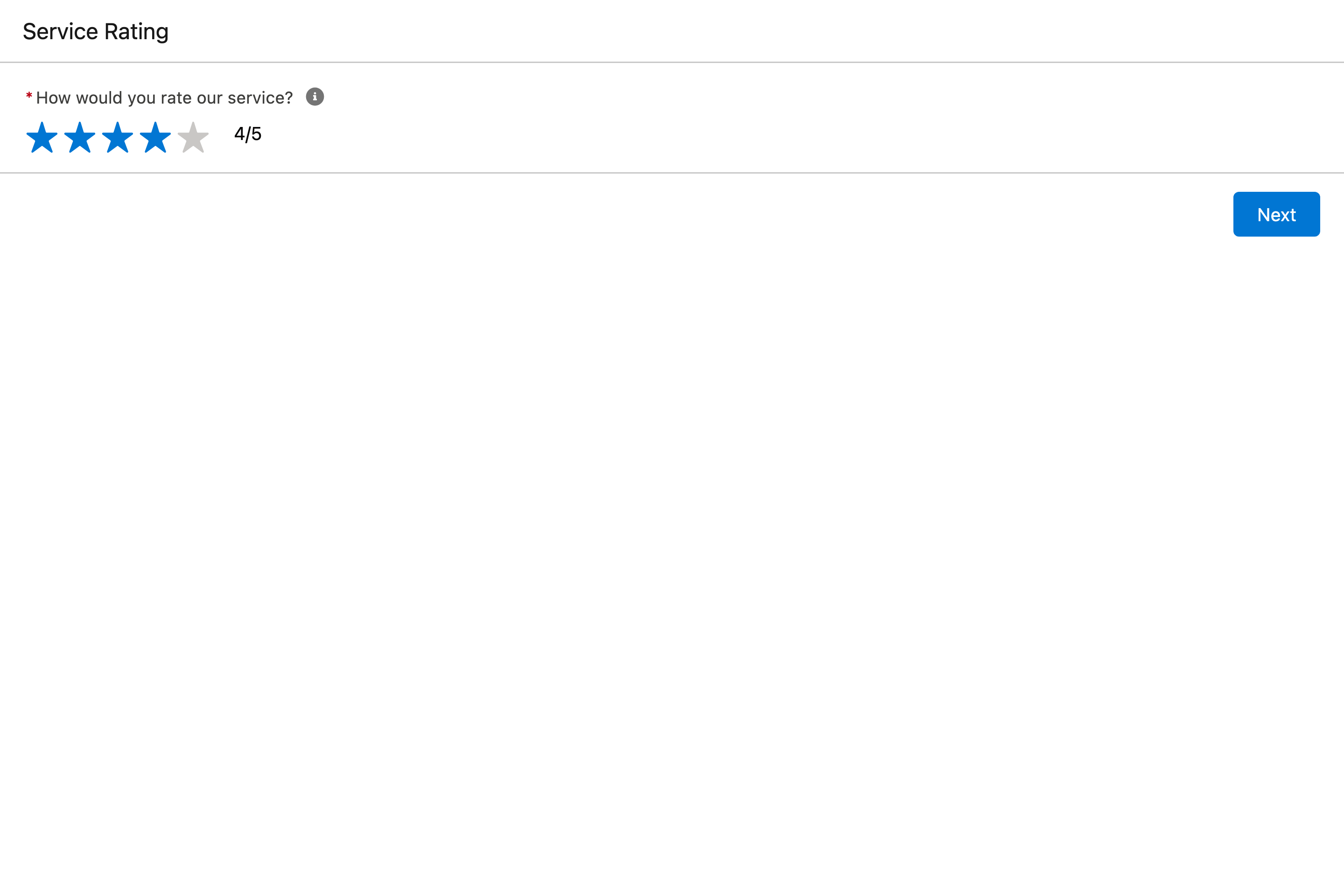
Star rating, built from one sentence

A screen flow where the customer rates the service from 1 to 5 stars, then sees a thank you screen that plays the rating back. Built by an AI assistant from the Avonni catalog.

Service & bookings

Create a screen flow where the customer rates the service from 1 to 5 stars with the Avonni Rating component, then sees a thank you screen that repeats the rating.

Rating

✦ Built with AI

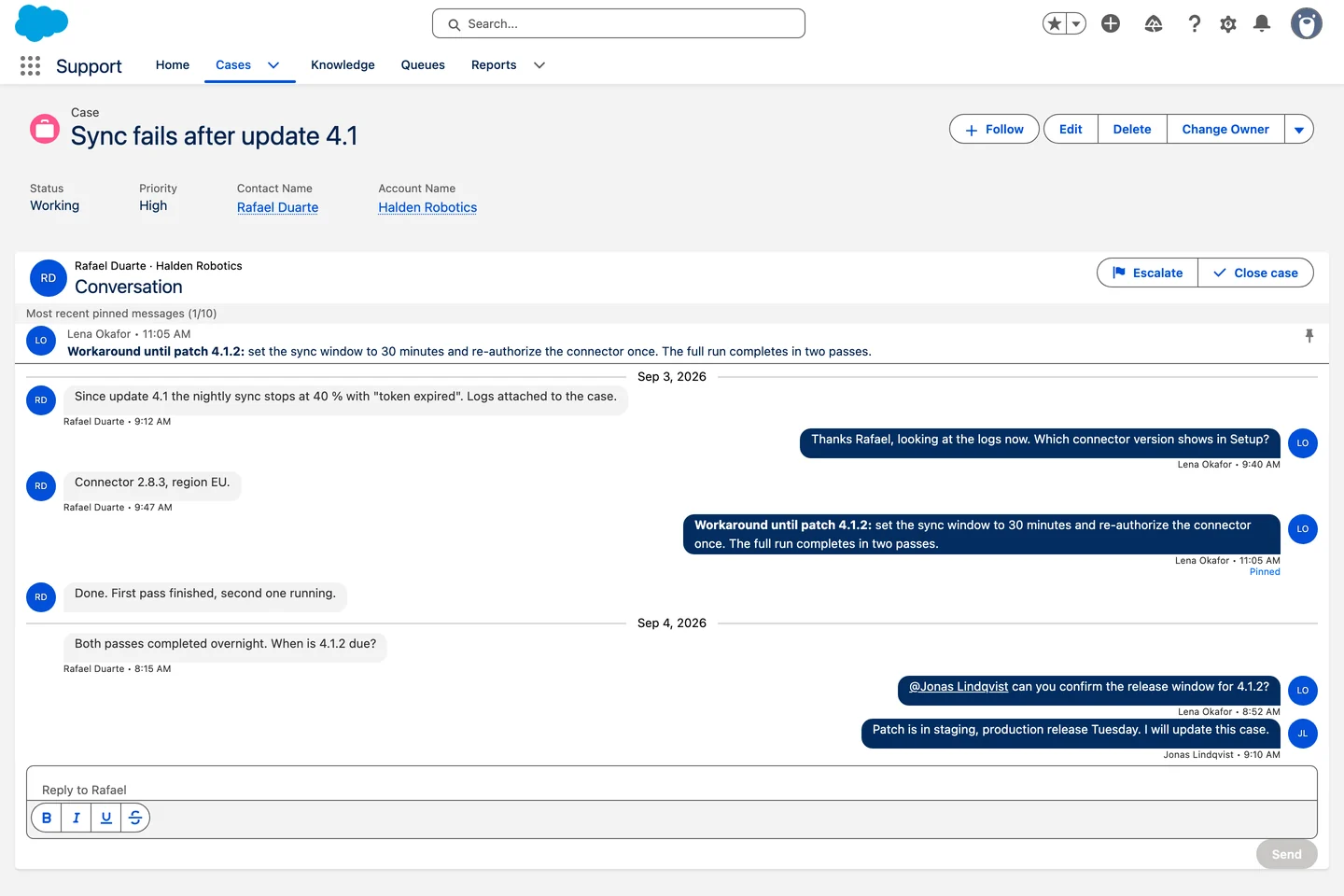
{"steps":[{"user":"Show this account's cases on the Account page as a list with the subject, status and priority, newest first."},{"ai":"I'll start by exploring the project to understand what we're working with."},{"more":2},{"tool":{"src":"Skill","k":"avonni-dynamic-components"}},{"more":3},{"tool":{"src":"Avonni MCP","k":"list_components","arg":"dynamic"}},{"tool":{"src":"Avonni MCP","k":"get_component_docs","arg":"dcList"}},{"more":1},{"tool":{"src":"Salesforce CLI","k":"sf sobject list","arg":"","n":2}},{"tool":{"src":"Salesforce CLI","k":"sf sobject describe","arg":"Case"}},{"more":1},{"ai":"Plan: \"Account Cases\" Dynamic Component. Does this look right?","files":[]},{"user":"Looks good, go ahead."},{"ai":"Plan confirmed."},{"more":2},{"tool":{"src":"Skill script","k":"query-versions"}},{"tool":{"src":"Skill script","k":"create-component"}},{"more":1},{"tool":{"src":"Skill script","k":"create-component"}},{"more":1},{"ai":"Done: validation passed and the component was saved.","files":["avdynamic__AvonniDynamicComponent.Account_Cases_1.md-meta.xml"]}],"result":{"label":"Salesforce · Lakeshore Cold Chain","video":"https://cdn.prod.website-files.com/655e59288ce041f5fc52373b/6ab560057a0645c8d51662d0_uc-ai-case-list-clip.mp4"}}

Lightning Pages

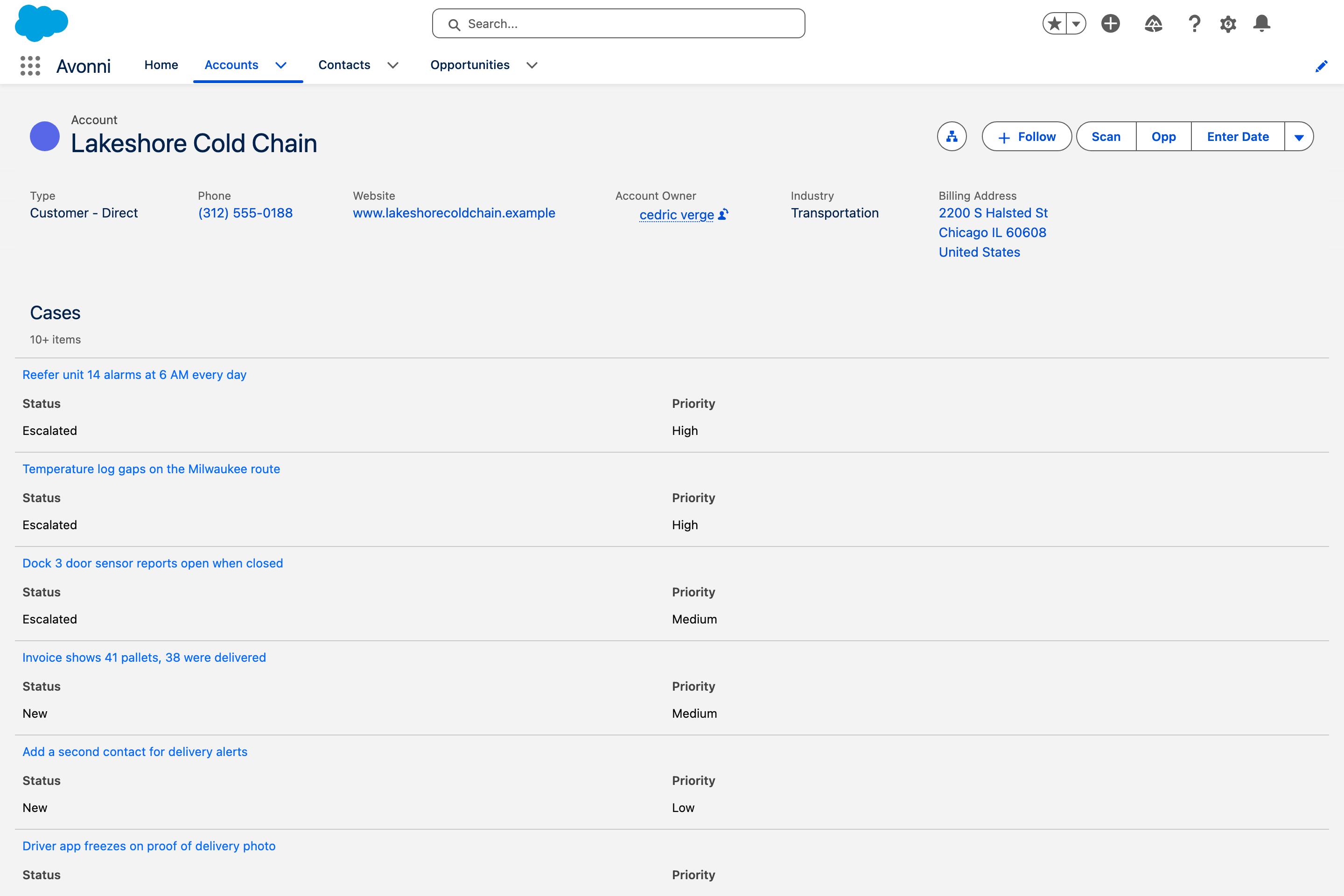
Case list, built from one sentence

The account's cases as a list on the Account page: subject, status and priority, newest first. Built by an AI assistant from the Avonni catalog.

Service & bookings

Show this account's cases on the Account page as a list with the subject, status and priority, newest first.

List

✦ Built with AI

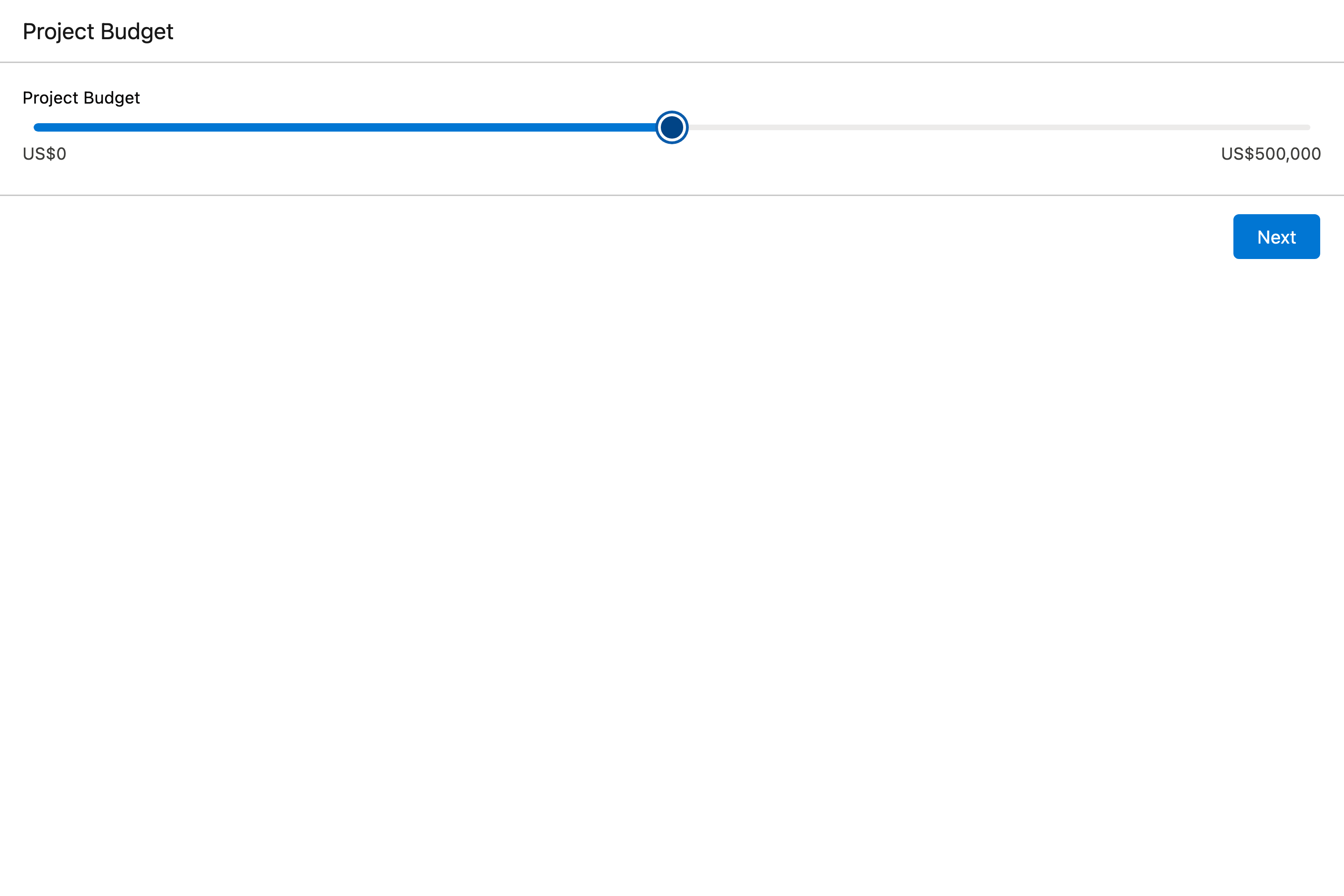
{"steps":[{"user":"Create a screen flow where the user sets a project budget with an Avonni Slider, then sees the amount on a summary screen."},{"ai":"I'll use the Avonni flow components skill for this."},{"tool":{"src":"Skill","k":"avonni-flow-components"}},{"more":2},{"tool":{"src":"Avonni MCP","k":"list_components","arg":"flow"}},{"more":1},{"tool":{"src":"Avonni MCP","k":"get_component_docs","arg":"slider"}},{"tool":{"src":"Avonni MCP","k":"get_component_docs","arg":"metric"}},{"ai":"Both components confirmed via MCP. Does this look right, or would you like changes (different range/step, a different currency, extra detail on the summary screen)?","files":[]},{"user":"Looks good, go ahead."},{"ai":"Now I'll add the second screen and the two Avonni component fields."},{"tool":{"src":"Skill script","k":"create-flow"}},{"more":2},{"tool":{"src":"Skill script","k":"create-flow"}},{"more":2},{"tool":{"src":"Skill script","k":"fix-flow"}},{"ai":"Done: force-app/main/default/flows/Project_Budget.flow-meta.xml.","files":["Project_Budget.flow-meta.xml"]}],"result":{"label":"Salesforce · Project Budget flow","video":"https://cdn.prod.website-files.com/655e59288ce041f5fc52373b/6ab5600557a7d8a9dfb7130b_uc-ai-project-budget-clip.mp4"}}

Screen Flows

Budget slider, built from one sentence

A screen flow where the user sets a project budget with a slider, then sees the amount as a large figure on a summary screen. Built by an AI assistant from the Avonni catalog.

Finance

Create a screen flow where the user sets a project budget with an Avonni Slider, then sees the amount on a summary screen.

Slider

✦ Built with AI

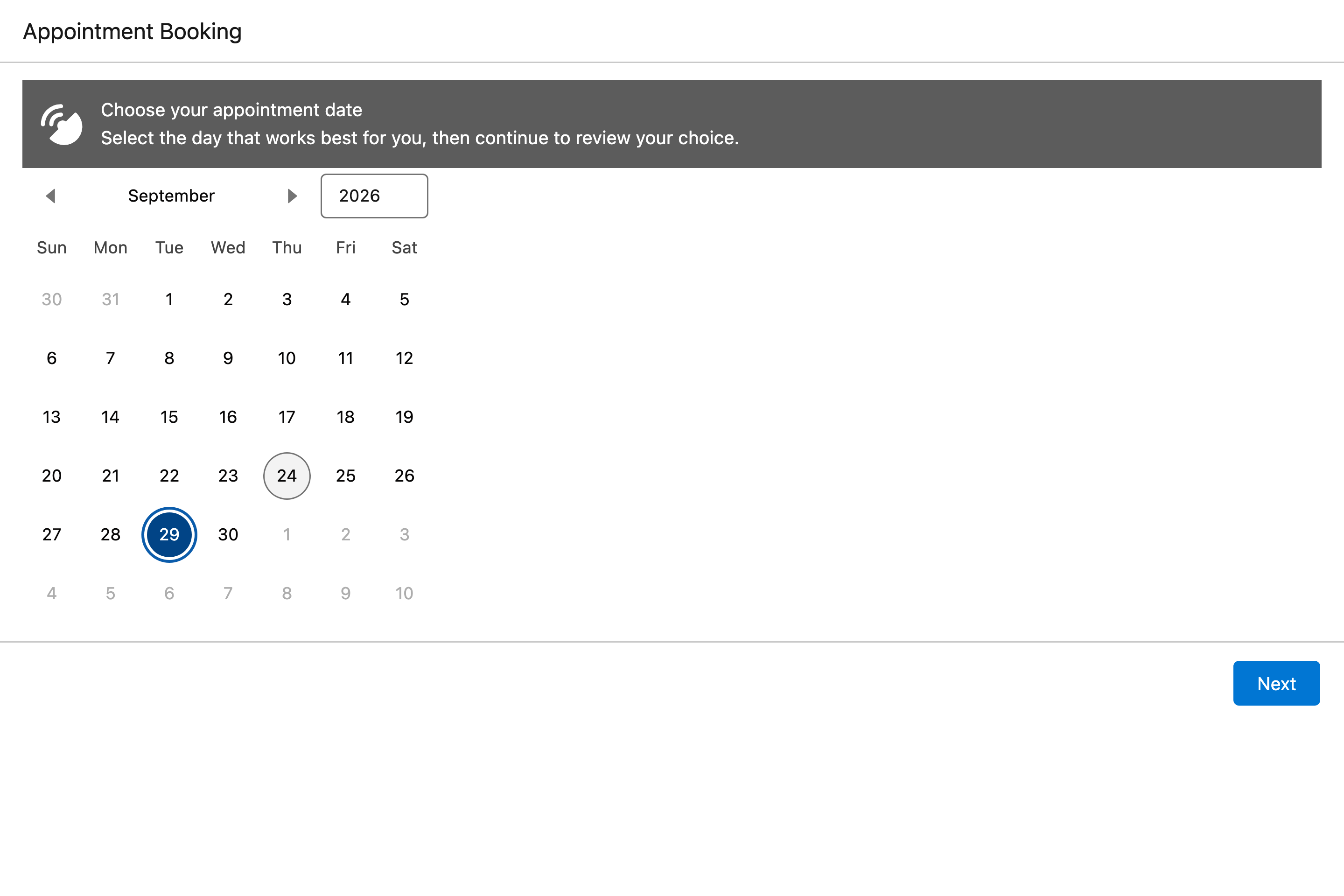
{"steps":[{"user":"Create a screen flow where the user picks an appointment date on an Avonni Date Picker, then confirms on a summary screen."},{"ai":"I'll use the Avonni flow components skill for this."},{"tool":{"src":"Skill","k":"avonni-flow-components"}},{"more":3},{"tool":{"src":"Avonni MCP","k":"list_components","arg":"flow"}},{"tool":{"src":"Avonni MCP","k":"get_component_docs","arg":"calendar"}},{"tool":{"src":"Avonni MCP","k":"get_component_docs","arg":"formattedValue"}},{"tool":{"src":"Avonni MCP","k":"get_component_docs","arg":"scopedNotification"}},{"tool":{"src":"Avonni MCP","k":"list_interactions","arg":"flow"}},{"ai":"Plan: Screen flow \"Appointment Booking\". Does this look right?","files":[]},{"user":"Looks good, go ahead."},{"ai":"Now I'll add the second screen and the Avonni component fields."},{"tool":{"src":"Skill script","k":"create-flow"}},{"more":2},{"tool":{"src":"Skill script","k":"create-flow"}},{"more":2},{"tool":{"src":"Skill script","k":"fix-flow"}},{"ai":"Validation passes: 4 Avonni fields, no errors.","files":["Appointment_Booking.flow-meta.xml"]}],"result":{"label":"Salesforce · Appointment Booking flow","video":"https://cdn.prod.website-files.com/655e59288ce041f5fc52373b/6ab5441f0bc0a2b5dcd0f03f_uc-ai-appointment-flow-clip.mp4"}}

Screen Flows

Appointment date, built from one sentence

A screen flow where the user picks an appointment date on a calendar, then checks it on a summary screen. Built by an AI assistant from the Avonni catalog.

Service & bookings

Create a screen flow where the user picks an appointment date on an Avonni Date Picker, then confirms on a summary screen.

Calendar

✦ Built with AI

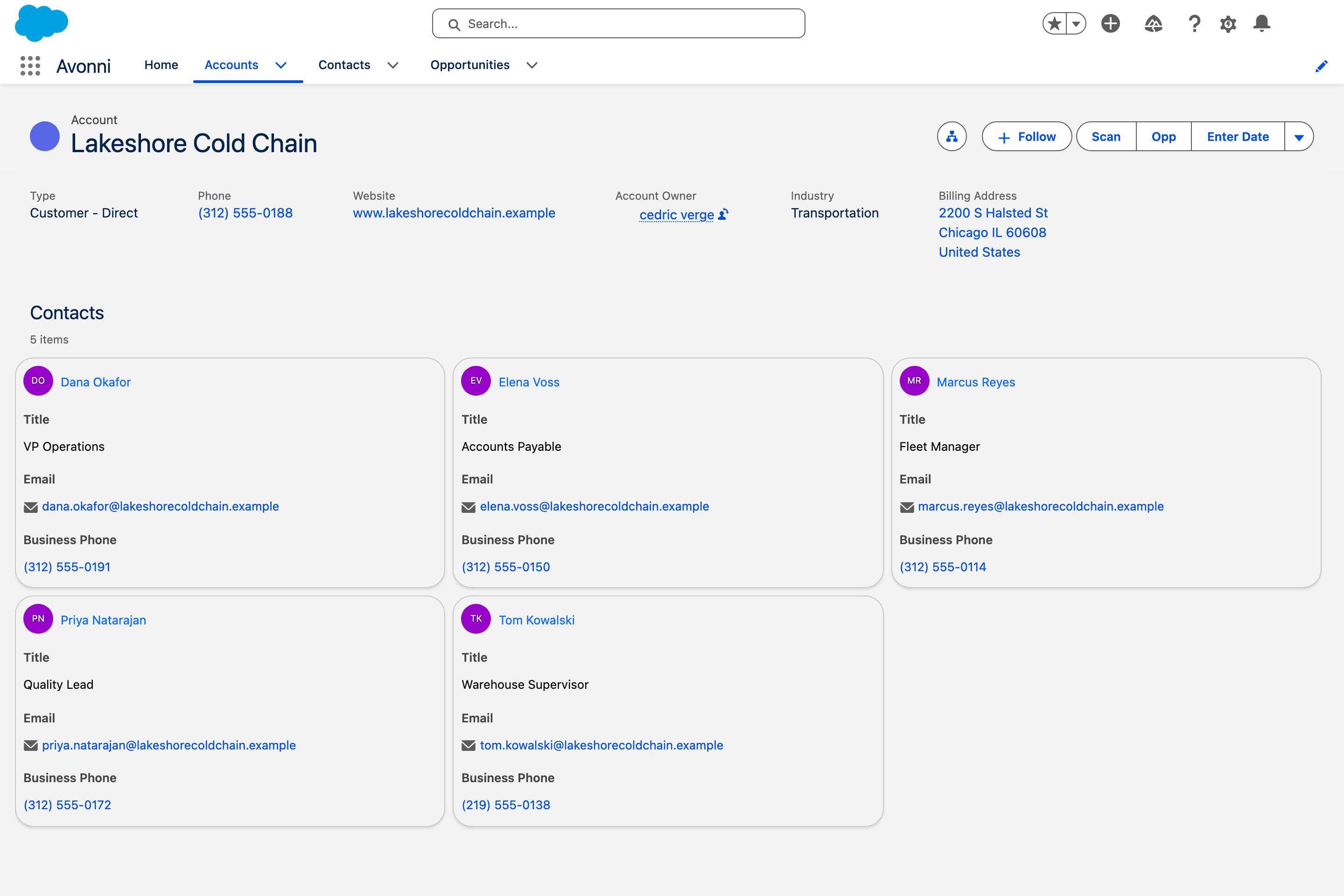
{"steps":[{"user":"Show the account's contacts on the Account page as cards with their title, email and phone."},{"ai":"This is a single Avonni Dynamic Component on the Account record page."},{"more":2},{"tool":{"src":"Skill","k":"avonni-dynamic-components"}},{"more":2},{"tool":{"src":"Avonni MCP","k":"list_components","arg":"dynamic"}},{"more":1},{"tool":{"src":"Avonni MCP","k":"get_component_docs","arg":"dcList"}},{"more":1},{"tool":{"src":"Salesforce CLI","k":"sf sobject list","arg":""}},{"tool":{"src":"Salesforce CLI","k":"sf sobject describe","arg":"Contact"}},{"ai":"Plan: Account Contacts cards. Does this look right, or would you like changes before I build it?","files":[]},{"user":"Looks good, go ahead."},{"ai":"Plan approved."},{"more":3},{"tool":{"src":"Skill script","k":"query-versions"}},{"tool":{"src":"Skill script","k":"create-component"}},{"more":1},{"tool":{"src":"Skill script","k":"create-component"}},{"ai":"Done: Account Contacts cards.","files":["avdynamic__AvonniDynamicComponent.Account_Contact_Cards_1.md-meta.xml"]}],"result":{"label":"Salesforce · Lakeshore Cold Chain","video":"https://cdn.prod.website-files.com/655e59288ce041f5fc52373b/6ab5442097e30bcb6f94684e_uc-ai-contact-cards-clip.mp4"}}

Lightning Pages

Contact cards, built from one sentence

The account's contacts as cards on the Account page: initials, title, email and phone, three across. Built by an AI assistant from the Avonni catalog.

Sales

Show the account's contacts on the Account page as cards with their title, email and phone.

List
Built with AI

Built from one sentence.

An AI assistant with Avonni Agent Skills read the catalog, planned the screen and wrote it. We deployed the file unchanged. Here is the sentence, and here is the result.

By component

Or start from the component.

Your job is not here? Tell us.

Describe the screen you need. Every request reaches the product team, and the ones that ship land on the Shipped Ideas page.

×
Suggest a use case
Tell us the screen you need
Describe the job and the team that does it. The best requests become the next use cases on this page.
Thanks! Your request is in. We will get back to you shortly.
Something went wrong. Email us directly at cedric@avonni.app.