For Salesforce Developers

Write the logic. Skip the plumbing.

55+ production LWC components you drop into your own markup, documented for you and for your AI assistant. One tag per data table, scheduler or map, maintained by us.

55+
production LWC components
8
MCP tools for your AI
10
free production licenses
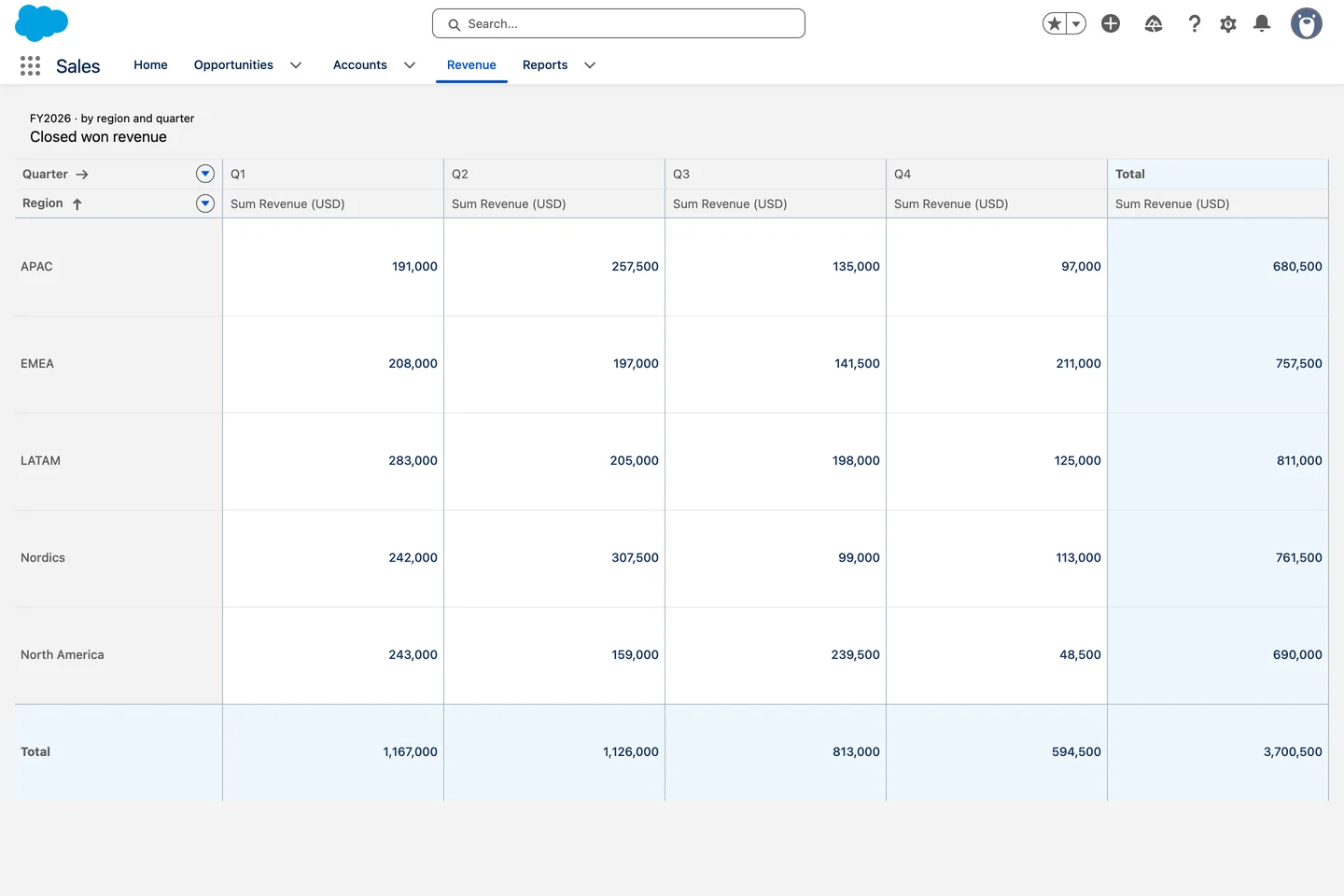
Revenue cube without a report
What you ship

The screens you were going to write anyway.

Real LWC screens from real orgs. Each one is one Avonni tag and a query, the rest is yours.

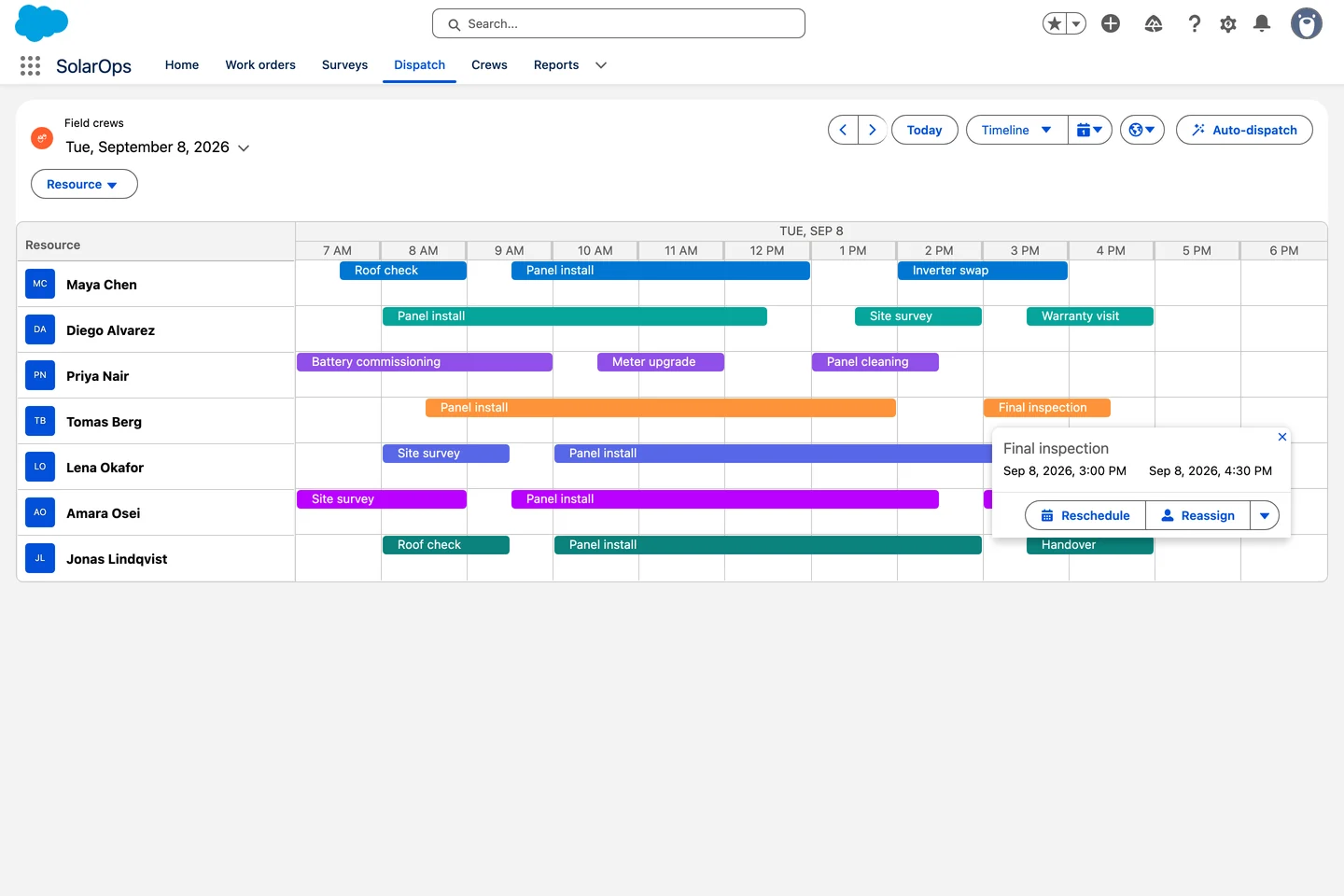
Live crew board

A scheduler in one tag. Seven technicians on a timeline, reschedule and reassign from the popover.

1
tag

Query, columns, sorting, inline edit and pagination, configured, not coded.

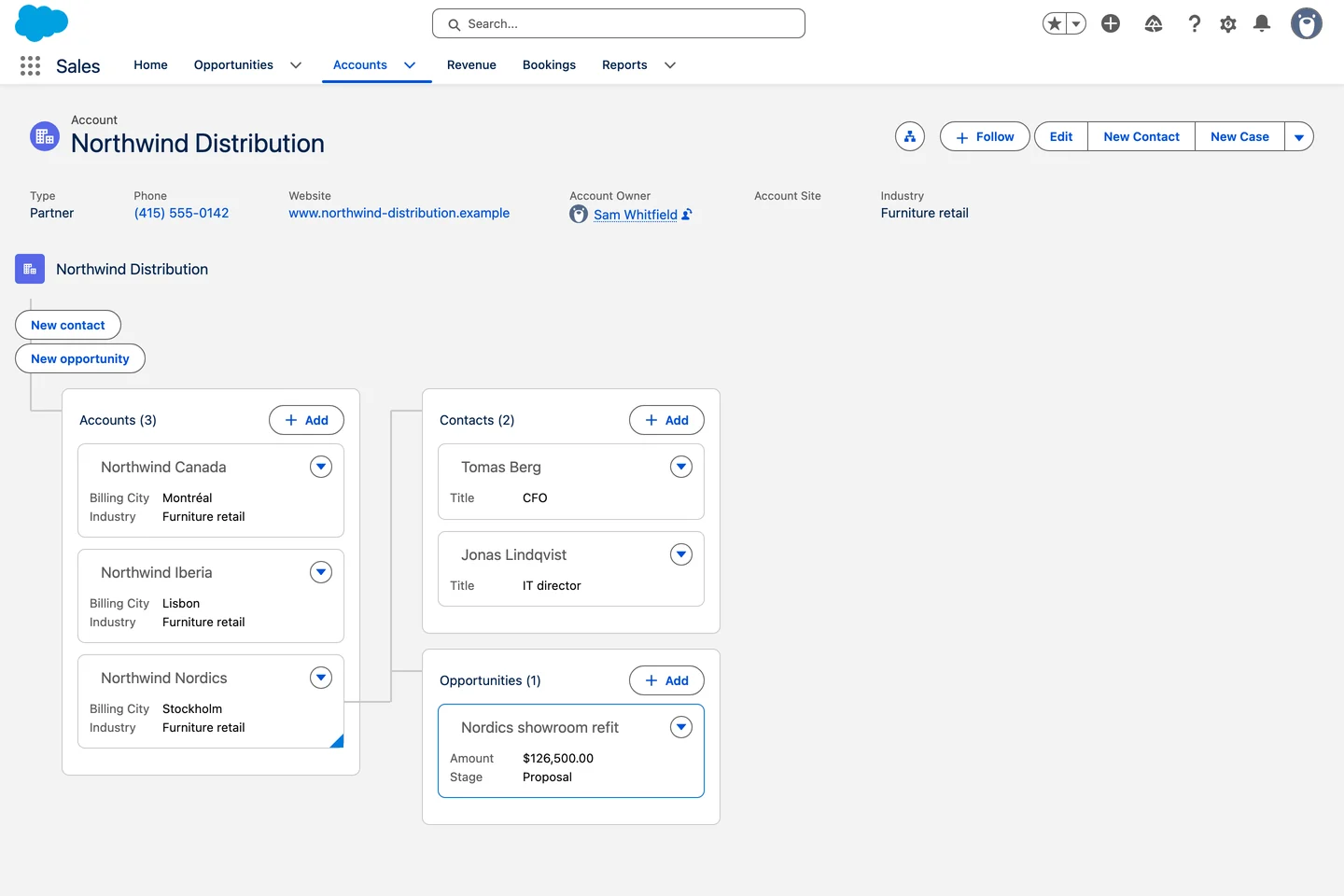
Account map in one tag

The account tree, no Apex. Subsidiaries, contacts and deals from one nested query.

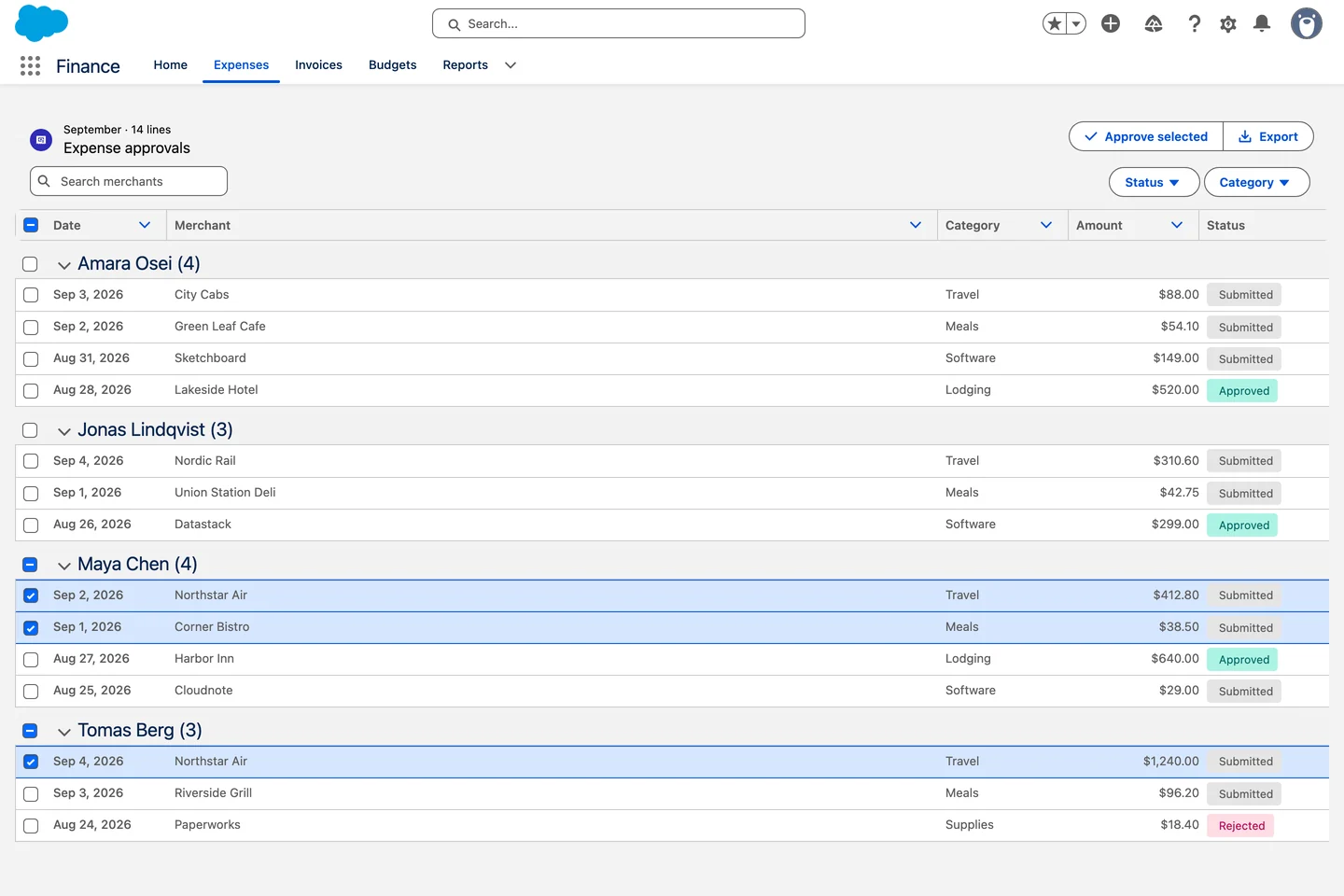
Expense approvals, grouped by employee

Grouped, filtered, approvable. Fourteen lines by employee, select and act from the header.

See them in real orgs
Agent Skills

Your AI assistant already speaks Avonni.

Claude Code, Cursor or Copilot reads the real component docs through the Avonni MCP server and writes markup with attributes that exist. You review the diff and keep the logic.

Shown in Cursor

One prompt. One tag.

The avonni-lwc-components skill resolves every attribute and type before writing a line. Documented API in, working markup out.

Salesforce logo

Works with Claude, Cursor, Copilot, Gemini and Agentforce

accountCases.html — avonni-org — Cursor
EXPLORER
⌄ lwc
⌄ accountCases
accountCases.html
accountCases.js
accountCases.css
› accountHeader
› caseTimeline
accountCases.htmlaccountCases.js
1<template>
2 <avonni-dd-datatable
3 header-title="Open Cases"
4 query={query}
5 columns={columns}
6 show-pagination
7 onsave={handleSave}>
8 </avonni-dd-datatable>
9</template>
Agent ⌘I
Add a table of open Cases to
accountCases, editable inline.
I'll check the real Avonni LWC catalog before writing any markup.
MCP list_components
MCP get_component_docs
MCP get_type DdElementQuery
Skill avonni-lwc-components
Edited accountCases.html
Done. One tag, attributes from the docs. Nothing is deployed until you say so.
AcceptReject
Ask anything (⌘L)
Where to build it

Three ways to ship, one subscription

For developers
Writing your own code

LWC Components

Drop production-grade components straight into your LWC markup. Real attributes, real events, no scaffolding.

Learn more →
Building a page

Dynamic Components

For the record pages and app screens your admins own, configured in a builder instead of code.

Learn more →
Running a guided process

Flow Screen Components

Rich inputs and data views inside Screen Flows, so guided processes stop looking like default Flow.

Learn more →
How it fits your stack

Configuration you write once, in the tools you already use

accountTable.js
import
{ LightningElement } from 'lwc';
 
export default class AccountTable
extends LightningElement {
query = { objectApiName: 'Account' };
columns = [
{ fieldName: 'Name', editable: true },
{ fieldName: 'Industry' }
];
}
No Apex query layer to write
SLDS-native, ready for SLDS2
Security reviewed on AppExchange
FLS and sharing rules respected
Documented APIs, versioned releases
Works with your packaging and tests
From a lead architect
“We considered building our own global components or even delving into our own Lightning Web Components (LWC), but Avonni’s value proposition was unbeatable. The return on investment, coupled with the ability to deliver a stellar user experience to our end users without writing a single line of code within a short amount of time, made Avonni our top choice.”
Tyler Teachman
Hitachi High Tech America
Developer FAQ

The questions developers actually ask

Is it really native, or a wrapper around an iframe?
Fully native. The components are Lightning Web Components that run in your org, respect FLS and sharing rules, and passed the AppExchange security review.
Can I extend the components in my own code?
Yes. You drop them into your own LWC markup, pass data and config through documented attributes, and handle their events like any other component.
How does the MCP server work with Claude Code or Cursor?
MCP is an open standard, so any MCP client can connect. The server exposes the real component documentation, so your AI generates markup with attributes that exist instead of guessing.
What about tests and packaging?
The components ship as a managed package and version cleanly alongside your own metadata, so they fit your existing SFDX and deployment workflow.

Spend your time on the logic, not the plumbing

Install the LWC Components package and ship your first data-rich screen this afternoon. Free for up to 10 production users, unlimited in sandboxes.