

For Solution Engineers

The demo that looks like their org.

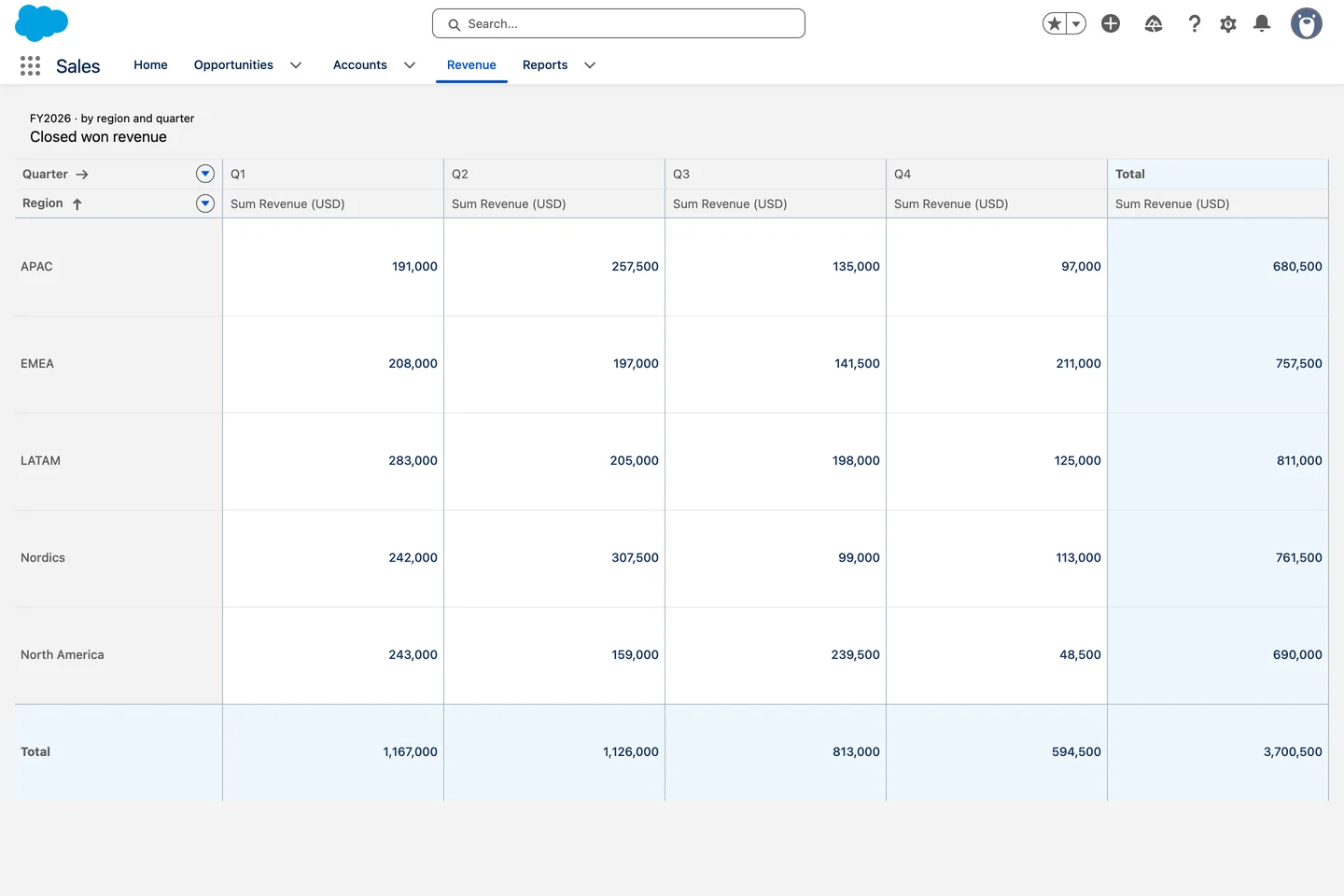
Pipeline boards, renewal tables and schedules configured on real records in your demo org, the same afternoon. When the prospect asks if it can do that, you click.

85+
components across the suite
50+
interactions, no code
10
free production licenses
Revenue cube without a report
What you can stand up

A demo org that looks like their org.

Real screens from real demo orgs, configured against the objects you loaded.

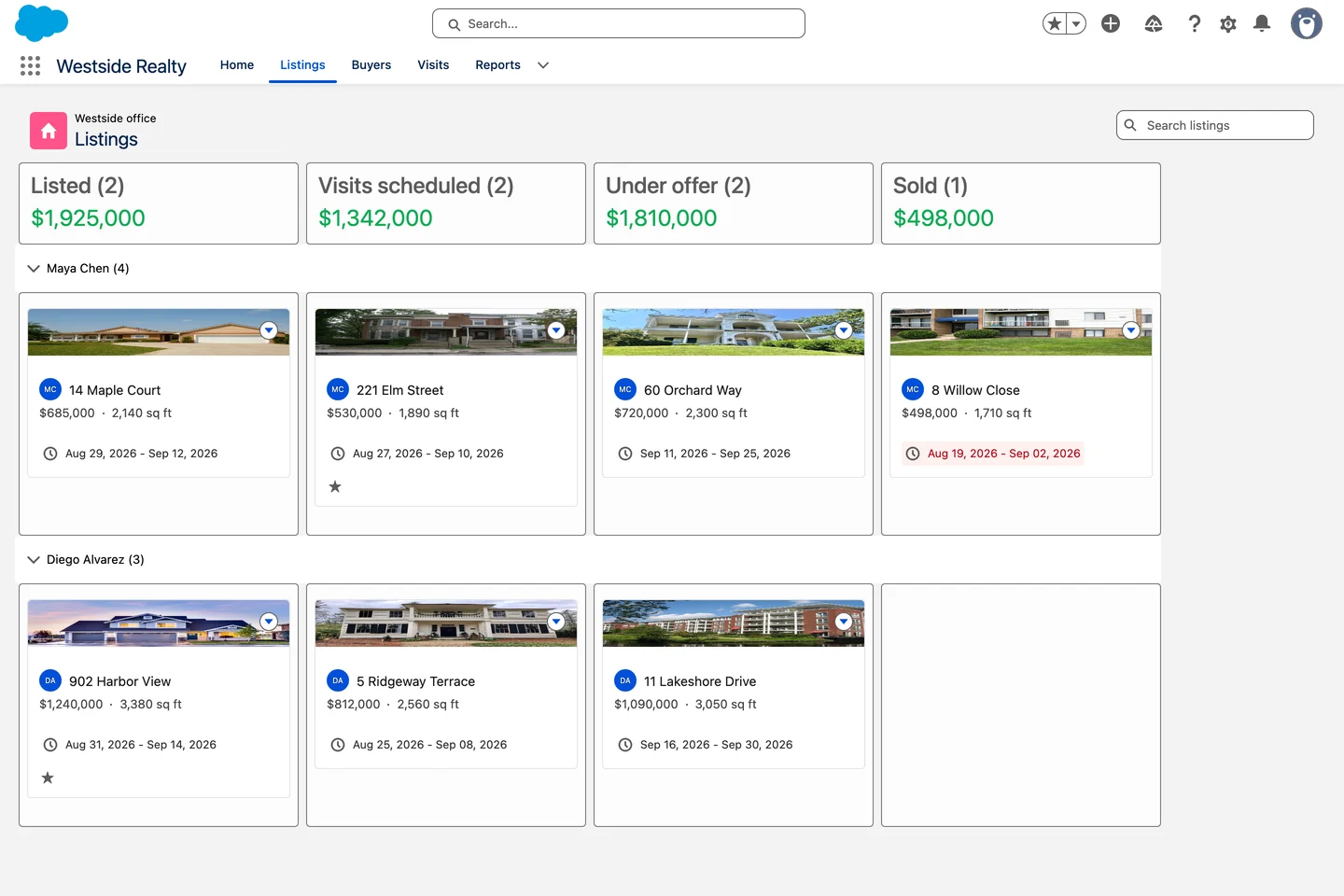
Listings board

The pipeline board they asked for. Grouped by stage, totals per column, drag and drop that updates the record.

1
afternoon

From the discovery call to a clickable demo.

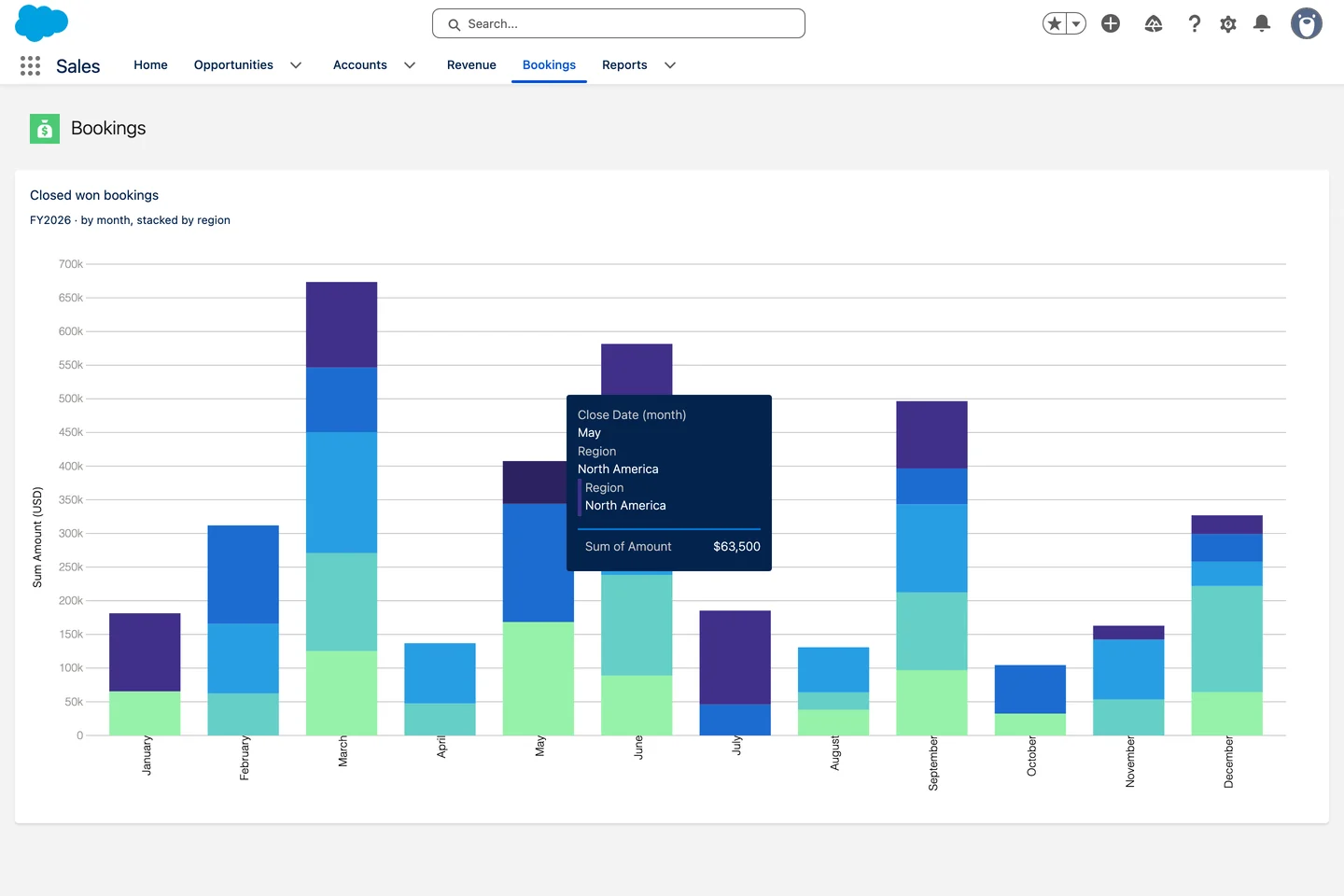
Bookings stacked by region

Numbers that carry the story. Twelve months of bookings, live from the opportunities you loaded.

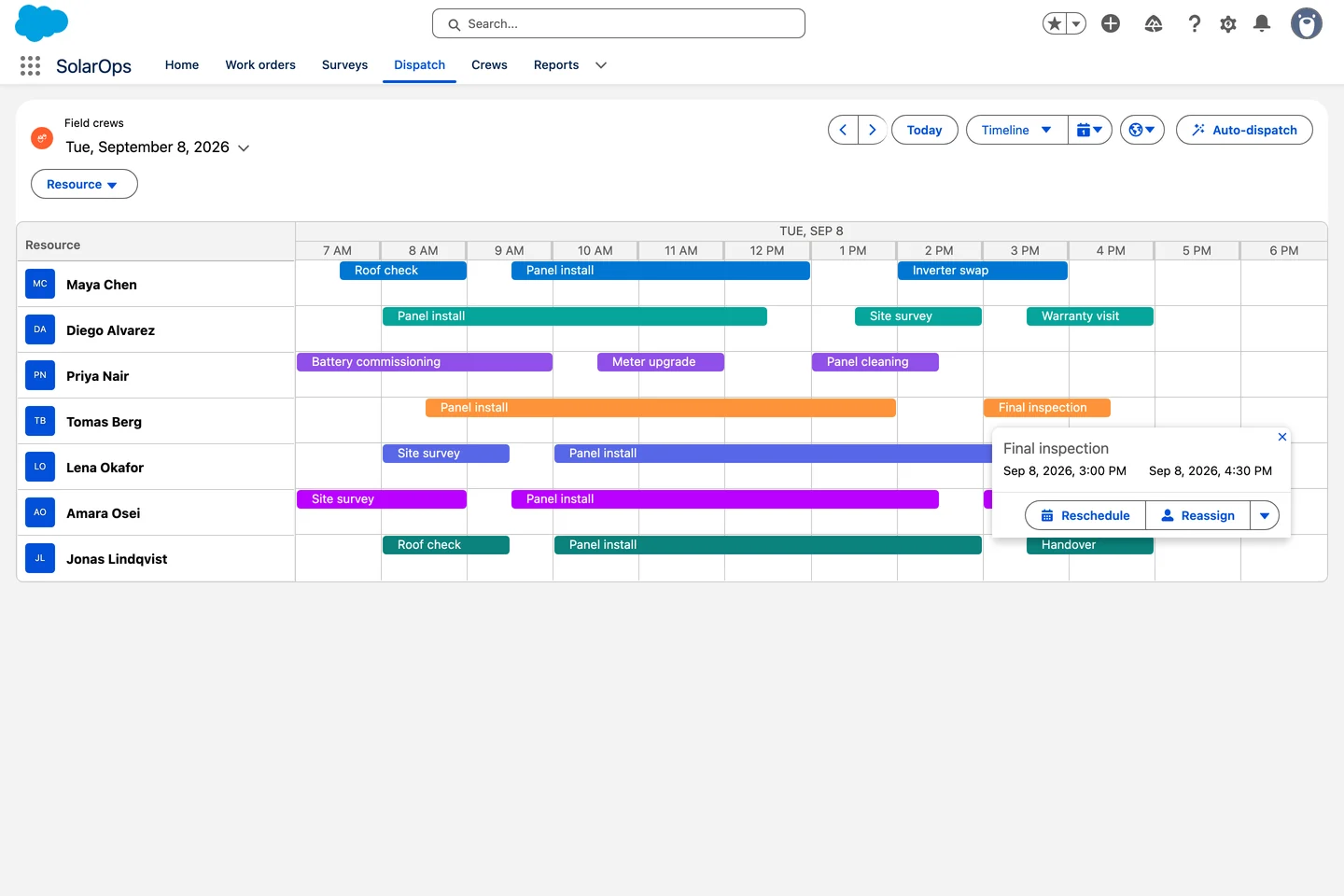
Live crew board

Field service on a timeline. Seven technicians, reschedule and reassign from the popover.

See them in real orgs
→
Agent Skills

From discovery notes to demo, in one prompt.

Paste what the prospect described. Claude picks real Avonni components, writes the configuration and you drop it in the demo org. Follow-up questions get a click, not a slide.

Shown in Claude desktop

One prompt. One demo screen.

The Avonni skill checks the real catalog first, then writes the definition with documented settings only. Nothing changes in the org until you say so.

Salesforce logo

Works with Claude, Cursor, Copilot, Gemini and Agentforce

Claude ⌄Avonni MCP server connected
Add a chart of closed won bookings
by month, stacked by region.
✦
I'll check the real Avonni catalog before building anything.
Avonni MCPlist_componentsdynamic✓
Avonni MCPget_component_docsdcChart✓
Skillavonni-dynamic-components✓
✦
Done. Twelve stacked columns, one per month, one color per region, read live from the opportunities you loaded.
Sales_Bookings_Chart.jsonforce-app/main/default/avonni
Nothing has been deployed. Review the file, then deploy it or open it in the Component Builder.
Reply to Claude…
Why SEs switch

The demo gap

The old way

The prospect asks to see their process. You show a standard record page, promise the rest is possible, and hope the slide carries it.

→
With Avonni

You configure the board, the table, and the schedule they described, and the demo answers the follow-up questions instead of deferring them.

The fine print

What survives the technical review

✓
Passed the Security Review

A managed package on AppExchange, reviewed by Salesforce, which is the first question their architect will ask.

✓
Unlimited sandboxes

Demo orgs and sandboxes are free, so you can keep as many scenarios standing as you need.

✓
Runs on the platform

Sharing rules and field-level security apply, so the demo behaves the way their org will.

✓
Nothing to rebuild after the win

The configuration you demoed is deployable. Delivery starts from it rather than from a slide.

“

Super easy to prototype and build beautiful and interactive UIs. Saved soo many hours of LWC development!

Jeff Douglas · AppExchange review · September 2024
Before you install

What SEs ask

Can I install this in a demo org?

Yes. Sandboxes and developer orgs are unlimited and free, so you can keep several demo scenarios standing at once.

What do I say when their architect asks about security?

It is a managed package that passed the Salesforce Security Review, and it runs inside the org under existing sharing rules.

Does the demo transfer to delivery?

The configuration is real platform configuration, so the implementation team continues from it instead of starting over.

How long before I have something to show?

Install from AppExchange, point a component at an object, and you have a working screen the same session.

Stand up your next demo this week

Install the package in a demo org and build one scenario before the next call. Free for up to 10 production users, unlimited in sandboxes.