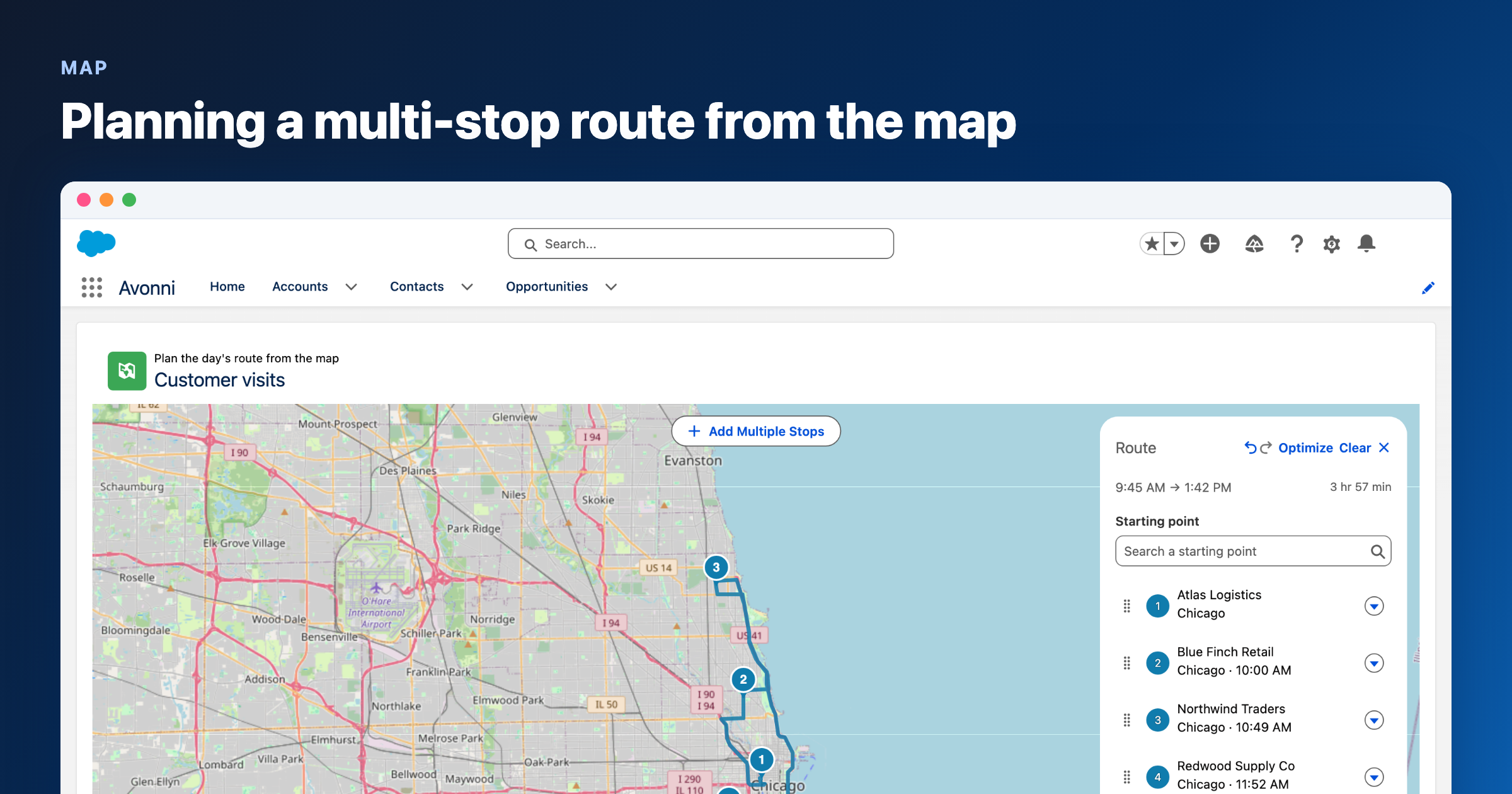
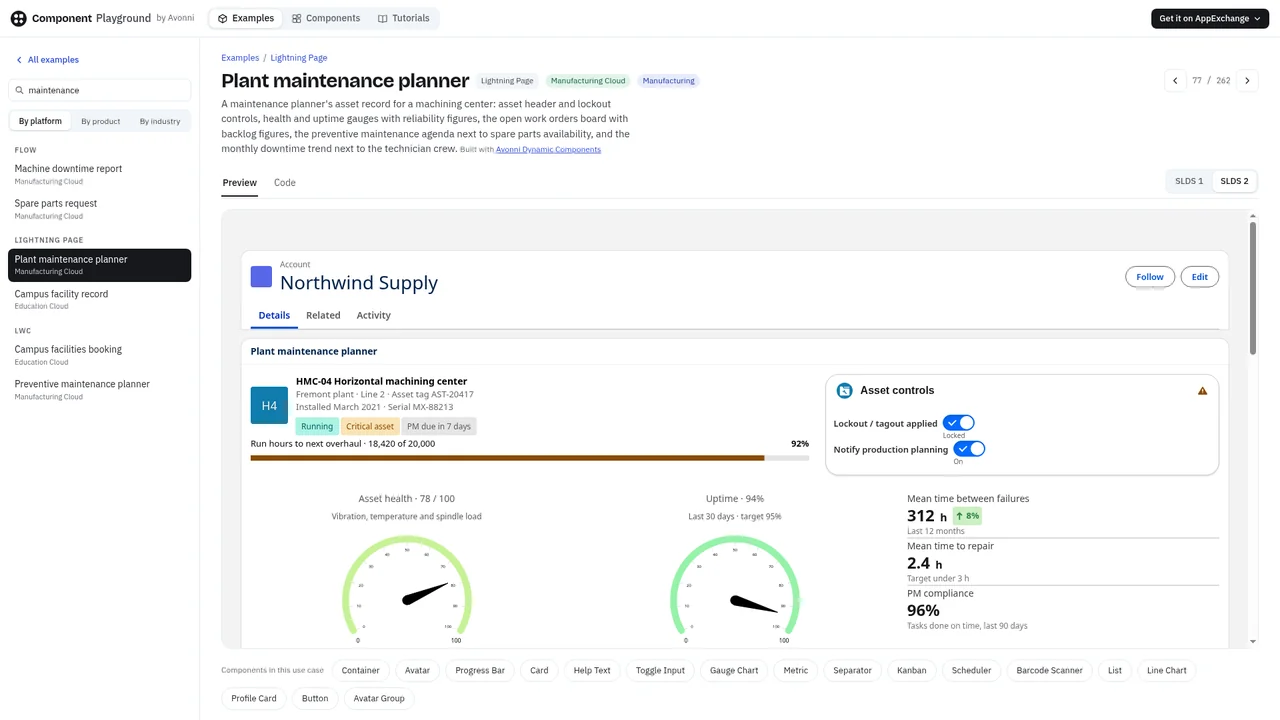
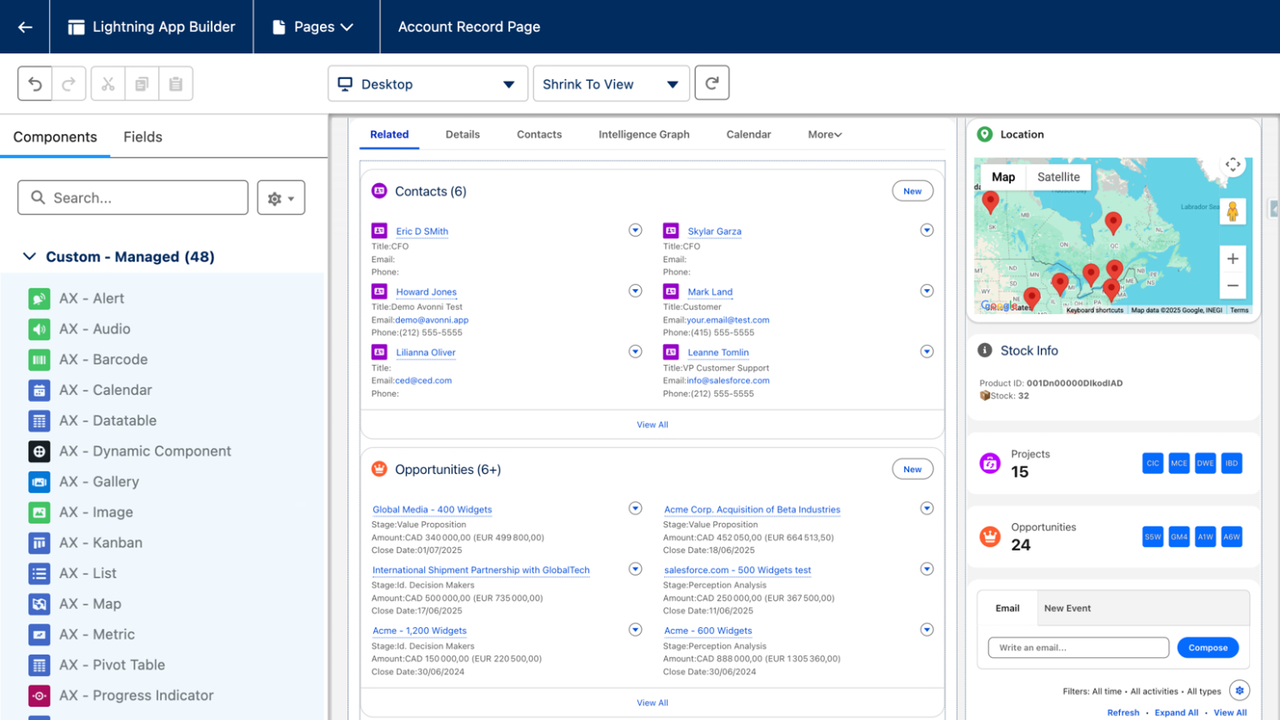
The October 16 releases are out: LWC Components 1.13, Dynamic Components 1.56, Flow Components 6.34 and Experience Components 1.29. The headline is on the Map: you can now plan a day of visits right on it, stop by stop, and see when you will reach each one. Around it: four new chart types and a Tree Grid that shows a whole account hierarchy from any record in it.
The 4-minute video walks through route planning, the new charts and the account hierarchy.
Watch What's New on YouTube (4 min 33 s)
October 16, 2026 versions
| LWC Components | 1.13 |
| Dynamic Components | 1.56 |
| Flow Components | 6.34 |
| Experience Components | 1.29 |
Route planning, right on the map
A field rep with five customer visits tomorrow usually plans the order somewhere else: a separate maps app, a spreadsheet, a guess. The accounts are already pinned on the Avonni Map, so that is where the planning should happen.
Open the new Route panel on a Leaflet map and click the markers you want to visit, or draw an area to add several at once. Calculate the route and the map draws it along the roads. The panel lists every stop with its arrival time, plus the start time, the end time and the total for the day. You can reorder the stops by hand, let the panel optimize the order, or export the list as a CSV.
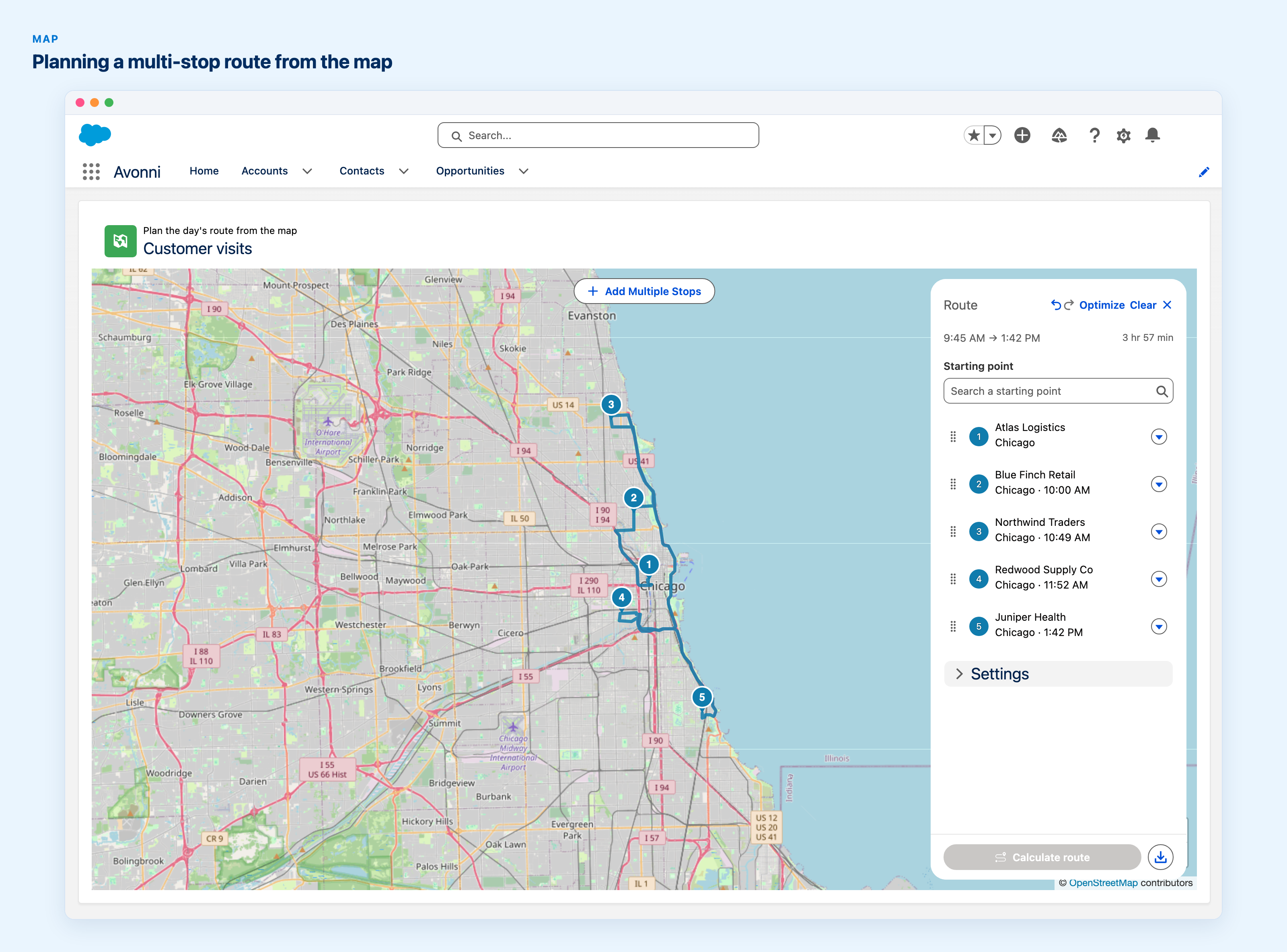
Five customer visits in Chicago, routed on the map: the panel lists each stop with its arrival time and the whole day takes just under four hours.
Setup for admins, once per org
- Get a key from OpenRouteService or Mapbox.
- In Setup, add a Remote Site Setting for your provider: https://api.heigit.org for OpenRouteService, https://api.mapbox.com for Mapbox.
- In the Avonni app, open the Settings tab, go to the Routing card, click Enable routing and paste the key.
- Turn on Show Route Panel on the maps that need it.
Available in Dynamic Components, Flow Components and Experience Components. Routing Setup guide:
Dynamic,
Flow,
Experience.
Four new ways to draw a chart
Some questions don't fit a bar chart. Which days of the year were the busiest? Which lead source brings in big deals that rarely close? The Chart component has four new types for those, in Dynamic Components and Flow Components.
Calendar Heatmap lays a measure out over time as a calendar grid, and the measure sets each cell's color. Group it by year, quarter, month, week or day.
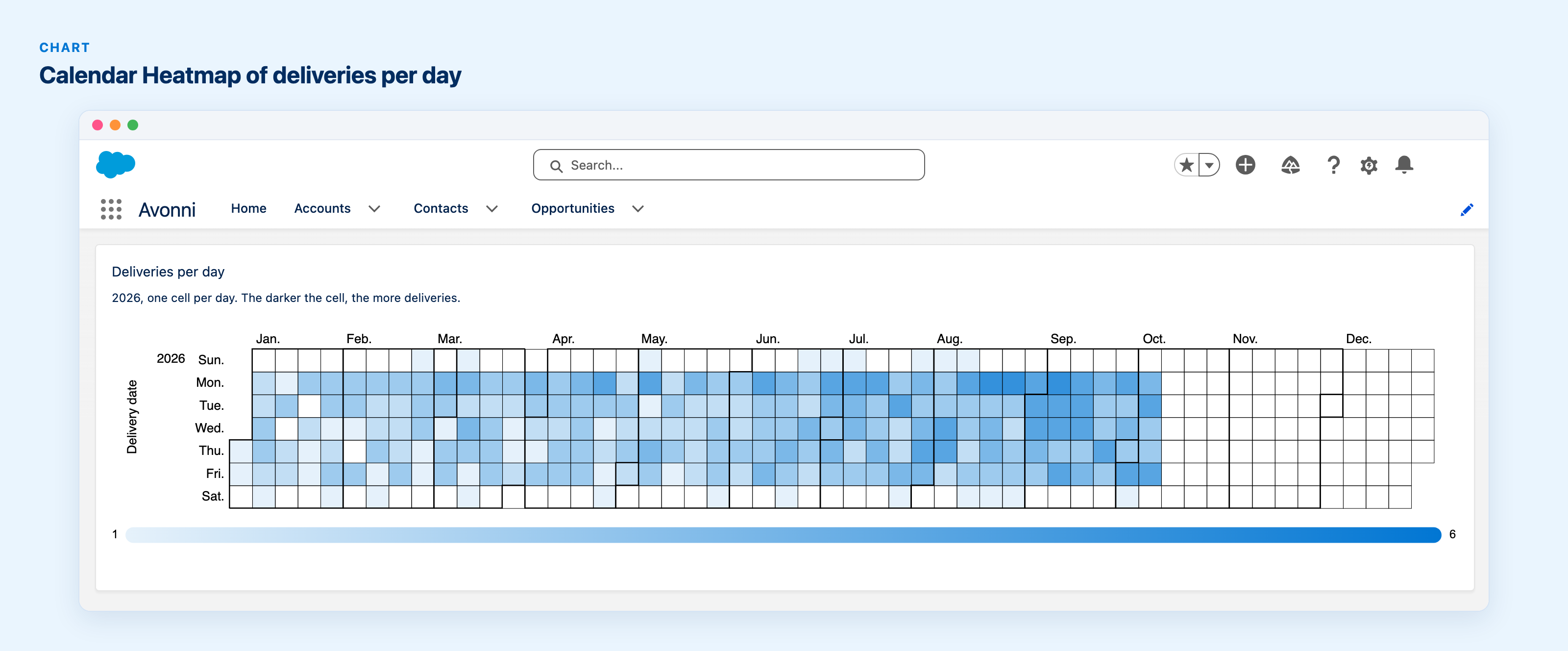
Calendar Heatmap: a year of deliveries laid out day by day, the darker the cell, the busier the day.
Matrix is a bubble grid that shows two measures at once: one sets the bubble's size, the other its color. Put lead sources in rows and close months in columns, size the bubbles by amount and shade them by probability, and you can see where the money is and how likely it is to land.
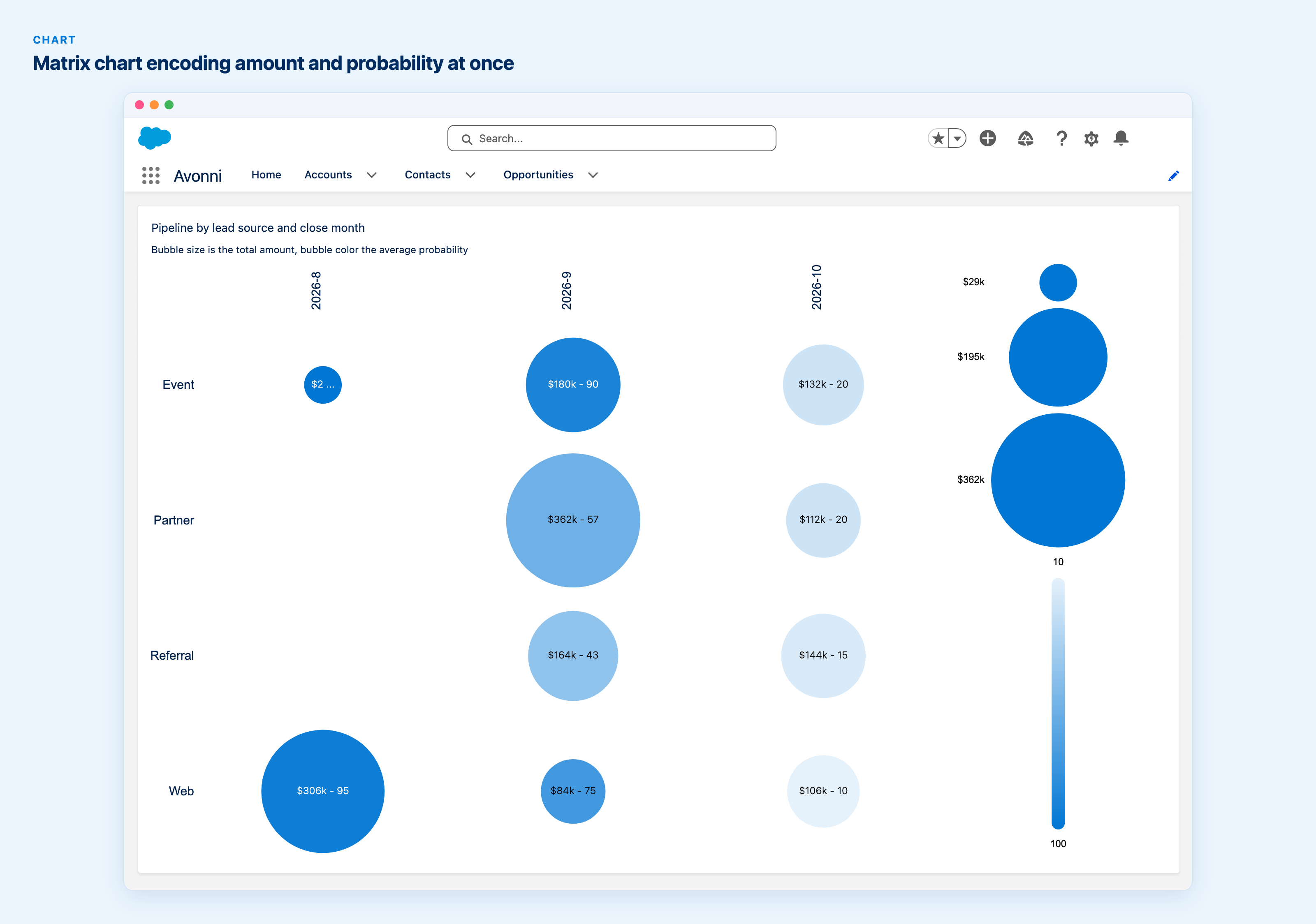
Matrix: pipeline by lead source and close month, bubble size for the total amount and bubble color for the average probability.
Area fills the space under a line chart's series. It takes the same mapping as a Line chart. Map several measures and the series stack on their own, which is how on-time and late deliveries add up to the month's total below.
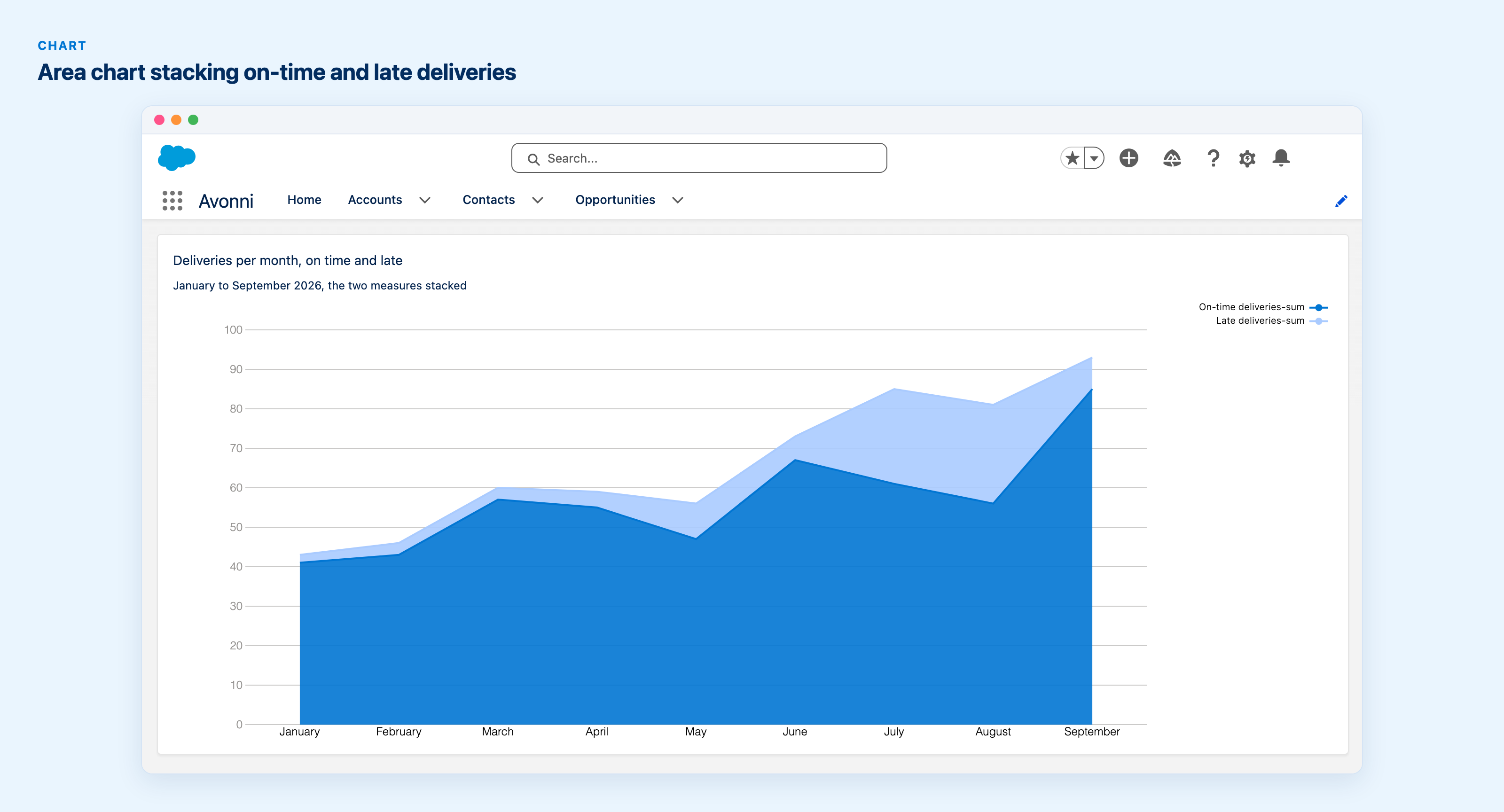
Area: on-time and late deliveries mapped as two measures, stacked automatically month by month.
Funnel breaks a measure down by a category into segments sized in proportion, with an optional total.
Existing charts are easier to read, too: value labels switch between light and dark to stay legible, and legends show the field label instead of the API name. Chart in Dynamic Components · Chart in Flow Components
The whole account hierarchy, from any account in it
Salesforce's View Account Hierarchy opens the tree on a page of its own. The Tree Grid now has a Hierarchy mode, an interactive version of the same view that you can place on the record page. Give it a Parent Lookup Field and the current record's Id. It climbs to the top of that branch, draws the tree from there and marks the row you started from.
Deeper levels load as you expand them, and the root query's filters and sort apply at every level. Columns can also carry their own header actions, wired to a Column Header Action Click interaction, the same way the Data Table does it.

Opened from Meridian Chicago Hub, the Tree Grid climbs to Meridian Group and shows the whole hierarchy, with the current account marked. The Annual revenue column carries its own header actions.
Hierarchy mode is in Dynamic Components, Flow Components and Experience Components. Tree Grid documentation
A Data Table you can preset, and filters with operators
Columns can now carry their own header actions, so a finance team can compare a deal to quota or send it to finance straight from the Amount column. Each action fires the new Column Header Action Click interaction. Filters gain a Custom Label and a default value applied when the table loads. Unlike a query filter, the user can still change or clear it.

The Amount column carries its own actions in its header menu, and the Deal stage filter is already set when the table loads.
A Max Row Edit and Selection setting caps how many rows someone can edit at once (developers get it on avonni-datatable as max-edit-limit). And filters are no longer exact matches only: a list filter offers Equals, Not Equals, Empty and Not Empty, and a number, date or time range offers Between, Not Between and the comparison operators. Operators work in all four suites, the Filter Menu in LWC Components included. Data Table documentation
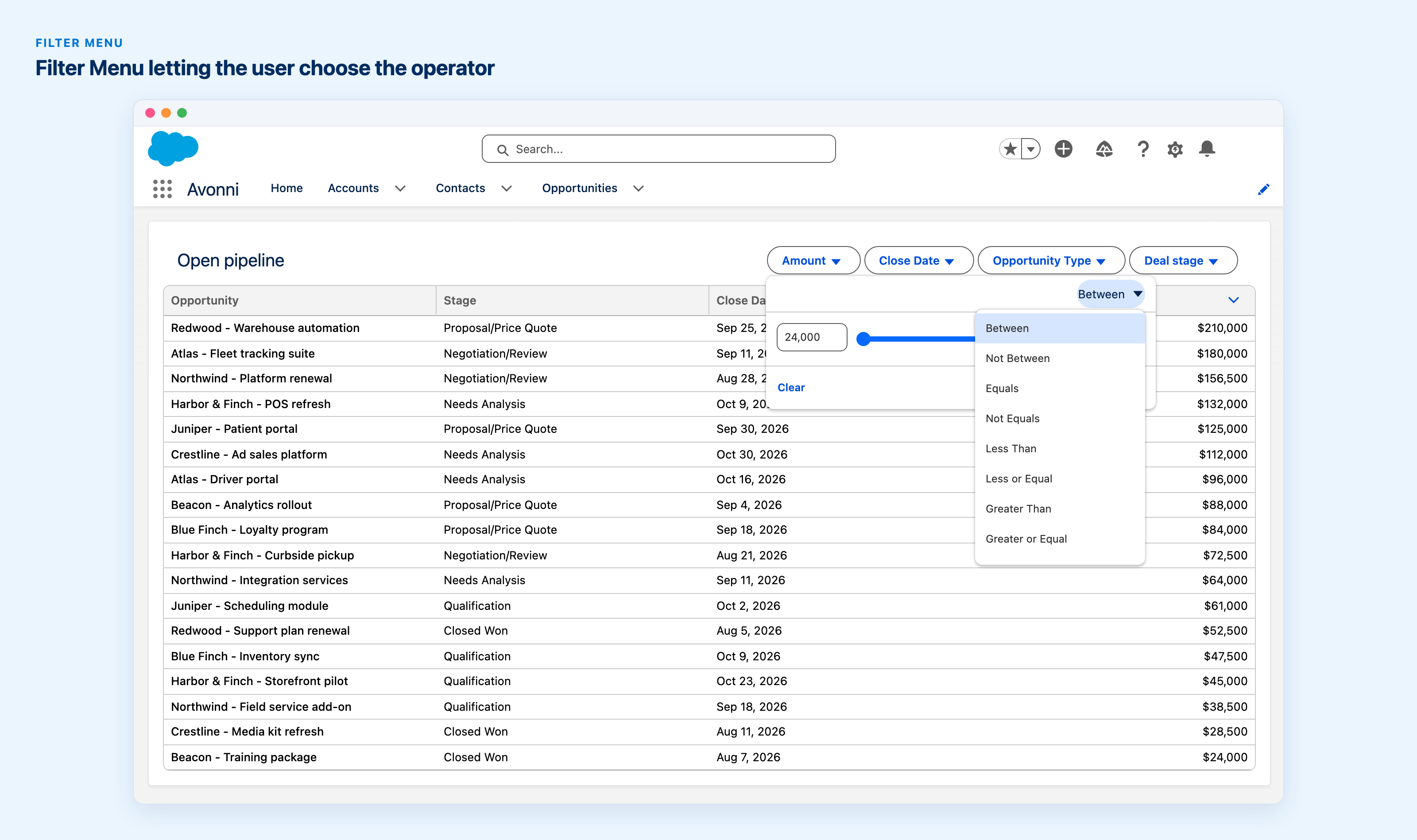
The Amount filter offers Between, Not Between, Equals and the comparison operators, picked from a menu inside the filter.
Your office calendar, next to your meetings
Holidays and the monthly all-hands usually live outside Salesforce, so people book client meetings without seeing them. Point the Scheduler's new ICS Calendars property (AX - Calendar on Experience sites) at .ics files stored in Salesforce or at ICS links, and their events show up next to your records, recurring ones included. Nothing is written to your records. A link's host needs a Remote Site Setting first.
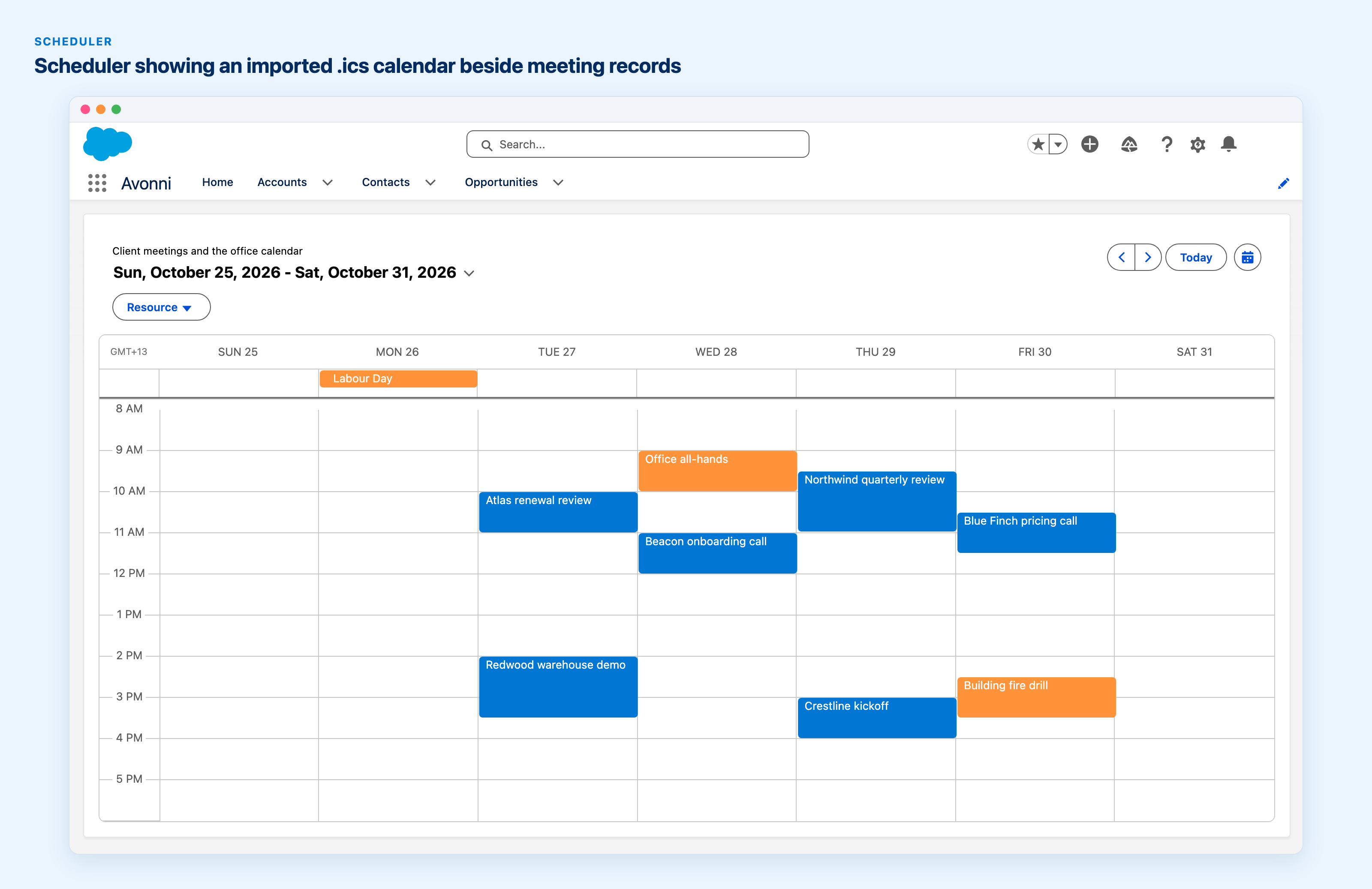
A week of client meetings, with an office calendar read from an .ics file stored in Salesforce shown alongside in orange: a public holiday, a recurring all-hands and a fire drill.
Smaller things worth knowing
Map search and filters can sit on the map itself, so the map keeps its full width. The drawing toolbar also gets its own Draw Controls style group.
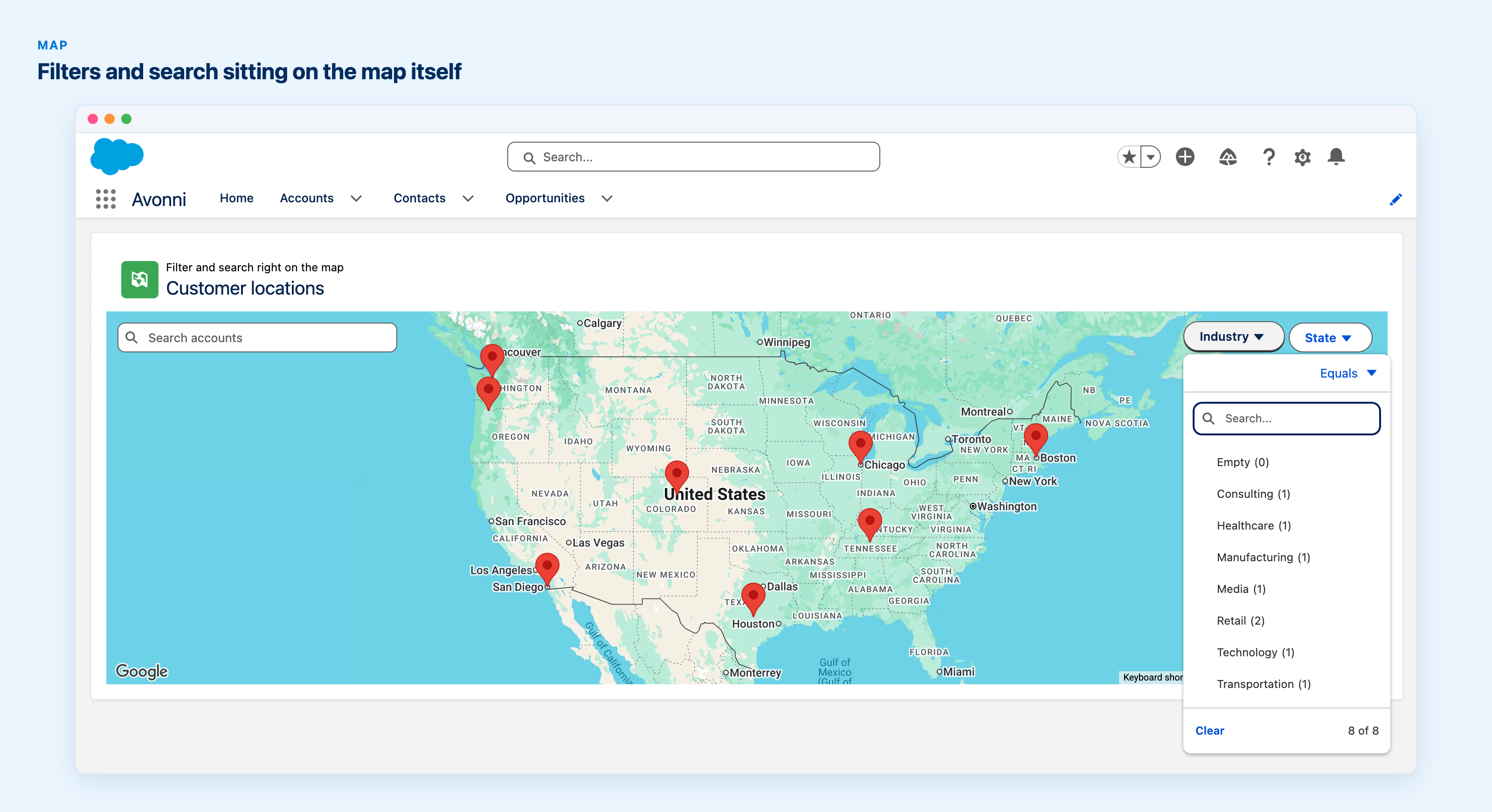
Search and filters sit on the map itself, so the map keeps its full width: here the Industry filter is open over eight customer pins.
On Experience sites, the AX - Combobox can run an autolaunched flow when a member changes their choice. The new Execute Flow interaction runs a flow in the background, without a dialog.
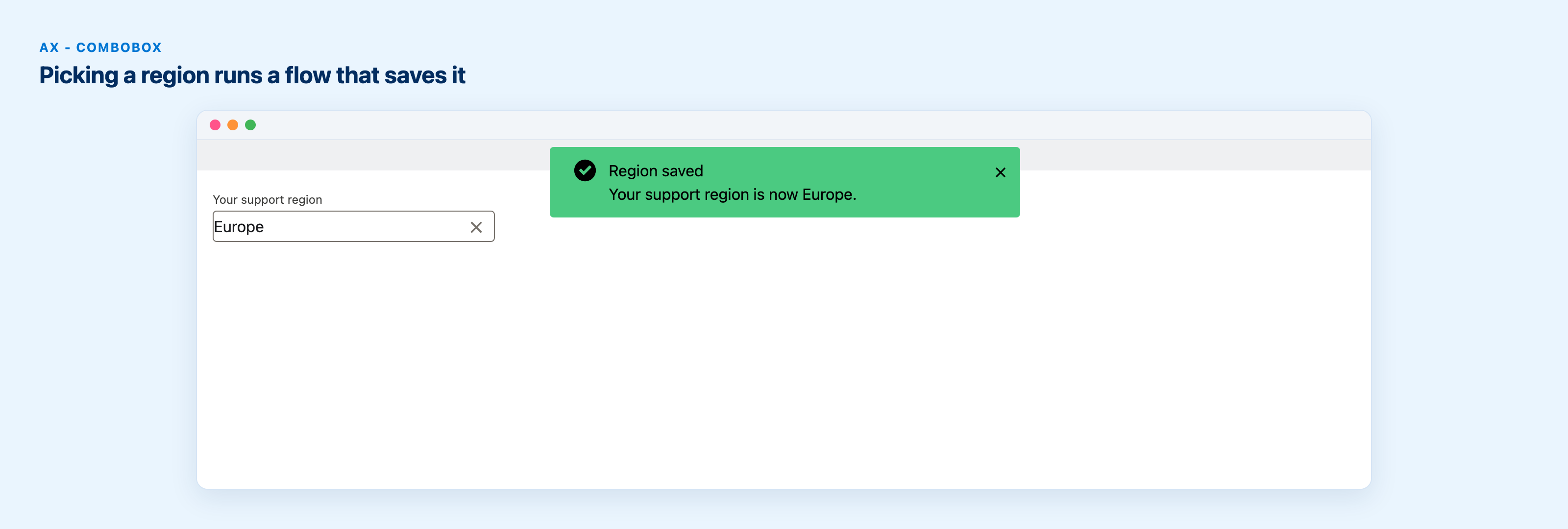
Picking a region in the combobox runs a flow that saves it, and the confirmation appears as soon as the flow finishes.
In Dynamic Components, each tab can show its own count or total next to its label.
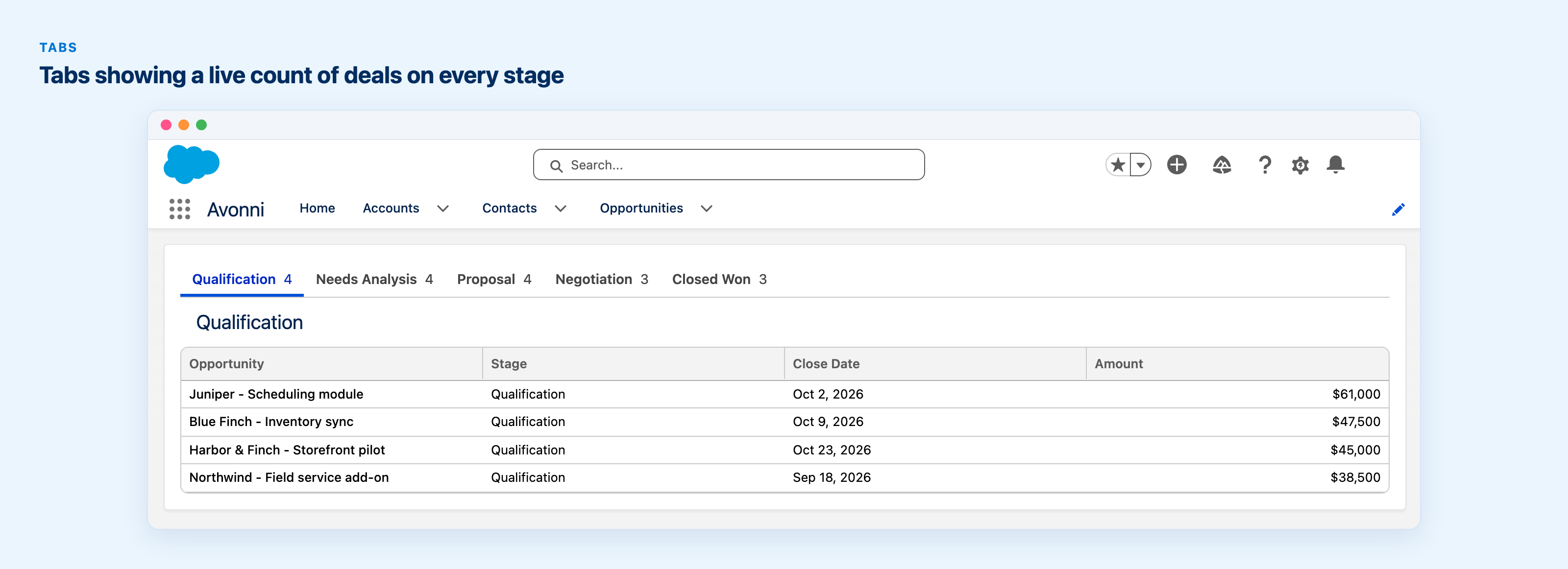
Each tab shows how many deals sit in its stage, counted live, so the pipeline reads at a glance without opening every tab.
LWC Components has a standalone Pagination component, avonni-pagination, shipped since 1.11.0 and announced now.
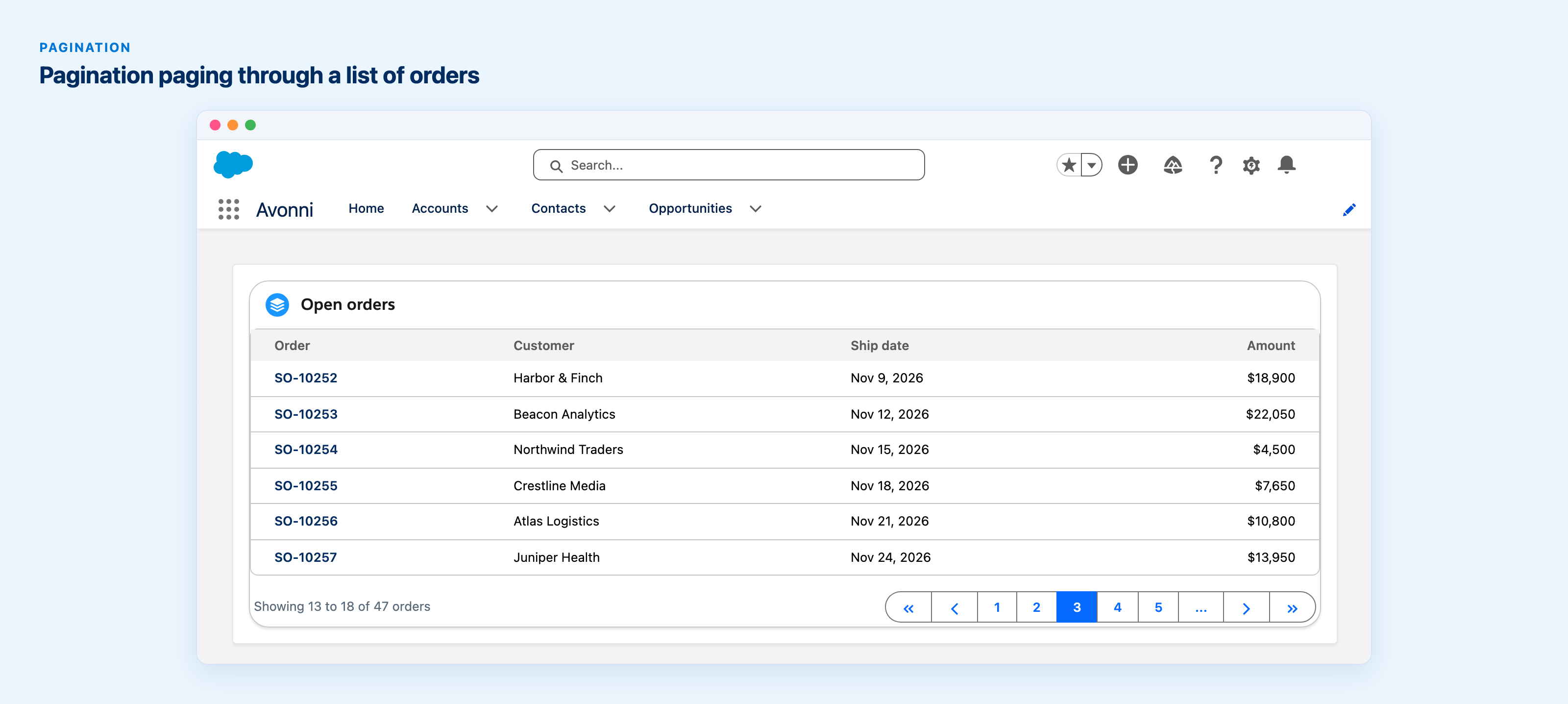
The Pagination component paging a list of 47 orders, six per page, with page 3 selected.
- Month and day names in the Calendar, the Scheduler and the date pickers follow the user's language.
- Color swatches have a thin outline, so white and pastel colors stay visible.
- Also: Trees and Tree Grids that open fully expanded, full-width Button Groups, File Upload chips, a configurable Chat pin action, click-to-dial Phone fields, Pivot Table header styling, and related fields in the Sort and Filters pickers.
Fixes
If your production org moved to Winter '27 and the PDF Viewer went blank, or CSV exports and the signature download stopped working, this release fixes both. Most other fixes land in the Data Table, the Scheduler, the Kanban and charts. The full list is in the release notes.
Get the update
Every install link and the complete list of changes are in the release notes. Direct installs for production: Experience Components 1.29 (recommended, which includes Dynamic Components), Flow Components 6.34 and LWC Components 1.13. If you still run the older standalone Dynamic Components package, its update is here: Dynamic Components 1.56 (standalone). As always, install in a sandbox first.