The component you were going to ask a developer for now takes one sentence
An assistant builds you a Kanban from one sentence. What you own afterwards is forty lines of configuration, not a codebase. Real prompts, real captures, and the honest limits.
It is Dreamforce week, and one question is doing the rounds again: now that an assistant can write the code, do admins still need to learn it?
We think the useful question sits one step further along. What does the assistant write when you ask it for something? That is what you will be living with in six months. This article walks through what that looks like with Avonni, prompt by prompt, with the real captures, and ends with the question a careful admin asks at this point: why not ask ChatGPT on its own, without Avonni at all?
Type the ticket
This is a prompt from our Prompt Library, word for word:
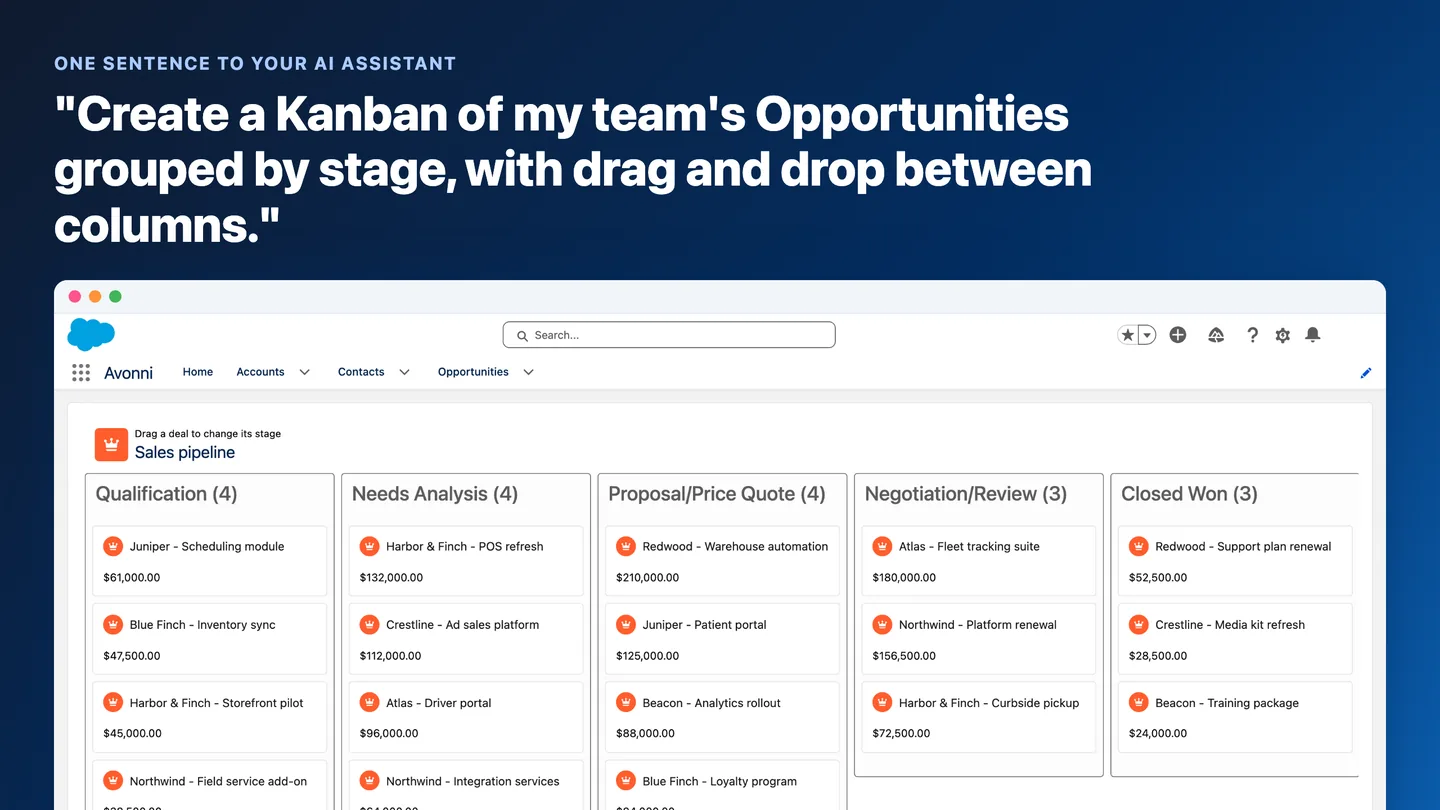
Create a Kanban of my team's Opportunities grouped by stage, with drag and drop between columns.
It reads like a ticket because it is one, the sentence an admin would have sent a developer. This is what it describes, running in a Salesforce org:
Opportunities grouped by stage, each column headed with its count. Cards drag between columns to move a deal.
How one sentence is enough
Two things turn a general-purpose assistant into an Avonni specialist. The first is the Avonni MCP server, a hosted documentation service at mcp.avonnicomponents.com. It tells the assistant what every component can do, with the properties, interactions and styling hooks that exist, refreshed with each release. There is nothing to install or run. The second is the Avonni Skills, step-by-step workflows from a public GitHub repository. They teach the assistant how to create and update each kind of Avonni artifact, and to verify every detail against the server before writing it.
The sentence goes in, a component comes out. The Skills supply the method and the MCP server supplies the facts, which is why both are installed.
The skills say what to do, the server says what is true. An assistant with neither is working from public training data, where its knowledge of Avonni is incomplete and out of date: it invents property names, guesses at styling hooks and misunderstands the metadata format. The result looks plausible and does not work.
What comes out of a connected assistant is a Dynamic Component metadata file, saved in a folder on your computer. Nothing is deployed. You read the file, then deploy it the way you deploy anything else.
Change your mind in the same conversation
Restyle my component to match our brand: white cards, rounded corners, and our primary color on buttons.
The same account component before and after that sentence: white card, rounded corners, the brand color on the button.
The change lands on the component's supported styling hooks, because the assistant looks them up rather than guessing CSS. Follow-ups work the same way, in the same conversation:
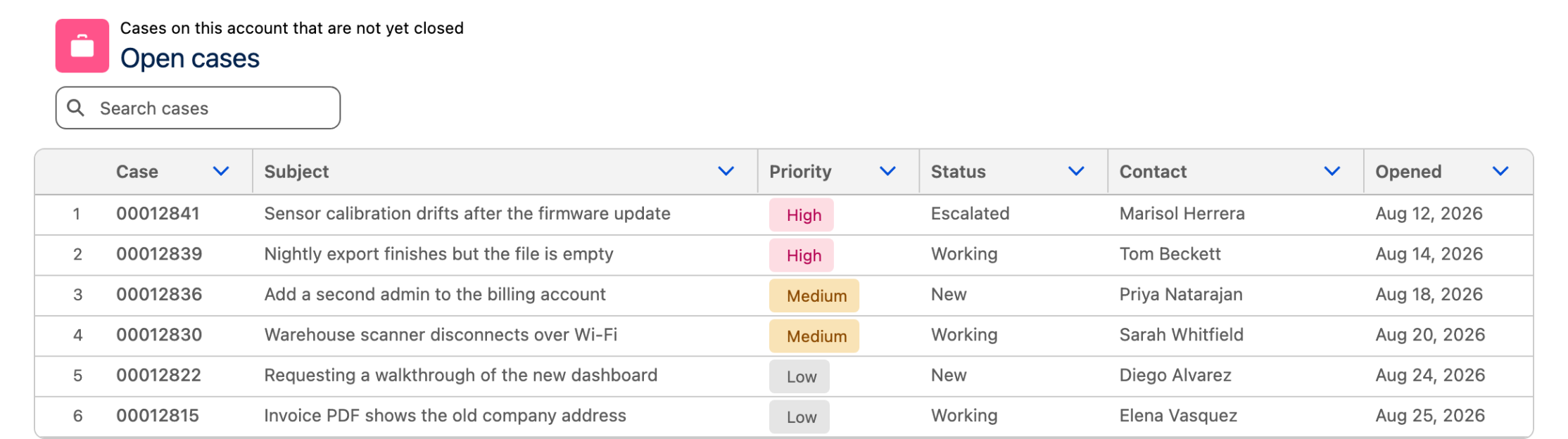
"Make the Data Table denser and add a search bar."
"Change the Kanban grouping from stage to owner."
"Reorder the Data Table columns and hide the Amount column."
"Add a search bar and pagination to the case list in my Dynamic Component."
Each time, the skill reads the file it already wrote, checks that the option exists through the server, and applies the change to the same component.
The first follow-up above, applied to a table of open cases: a search bar and tighter rows.
The tweak that used to wait for the next sprint takes about as long as typing it.
Ask for the flow in the same sentence
Real requests rarely stop at one component.
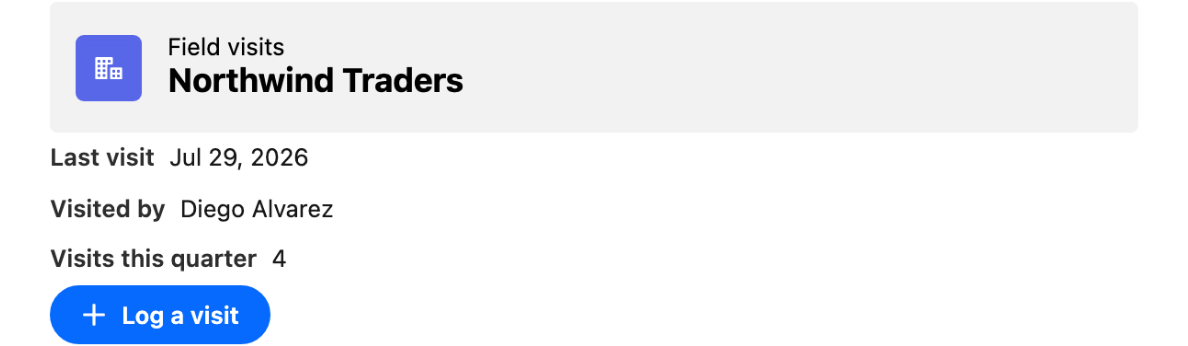
Create a screen flow for logging a customer visit, and a Dynamic Component with a button on the record page that launches it.
That spans two artifacts, so a different skill takes over. The architect skill plans the pieces, builds the flow first, then builds the component with its button already wired to that flow.
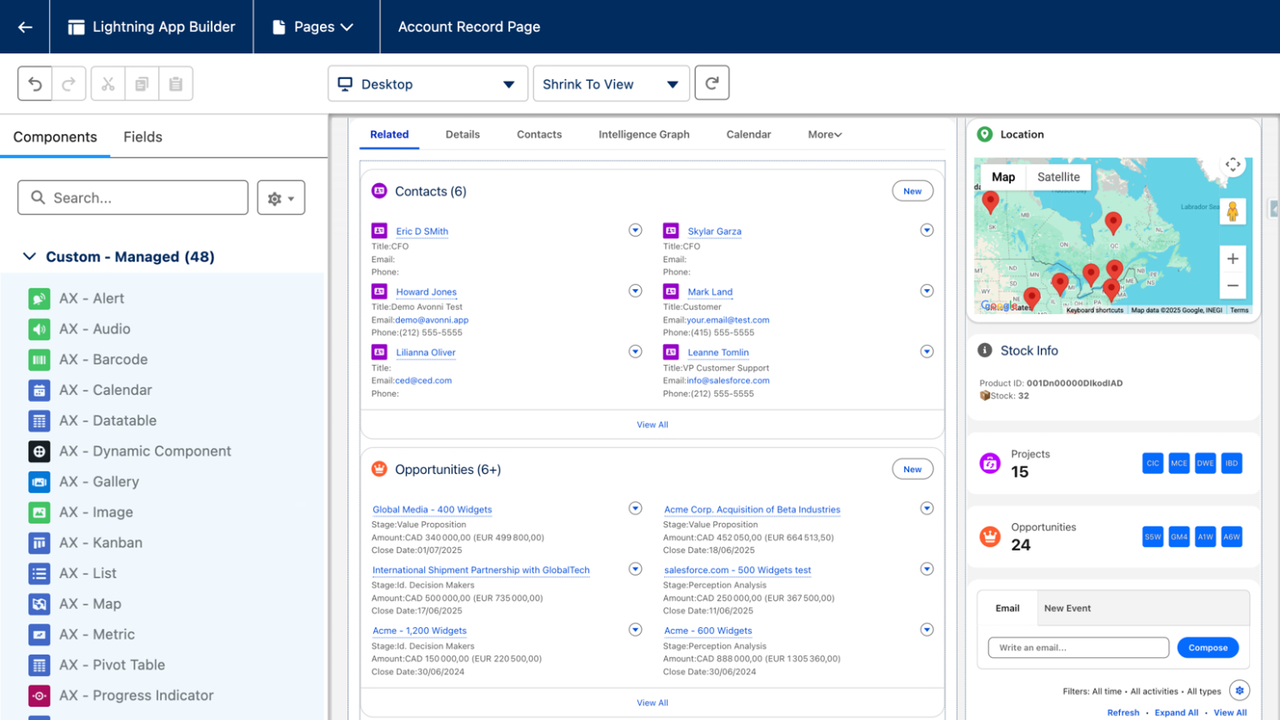
The record-page half of that prompt: the last visit, who made it, the count this quarter, and a Log a visit button that opens the screen flow the same prompt asked for.
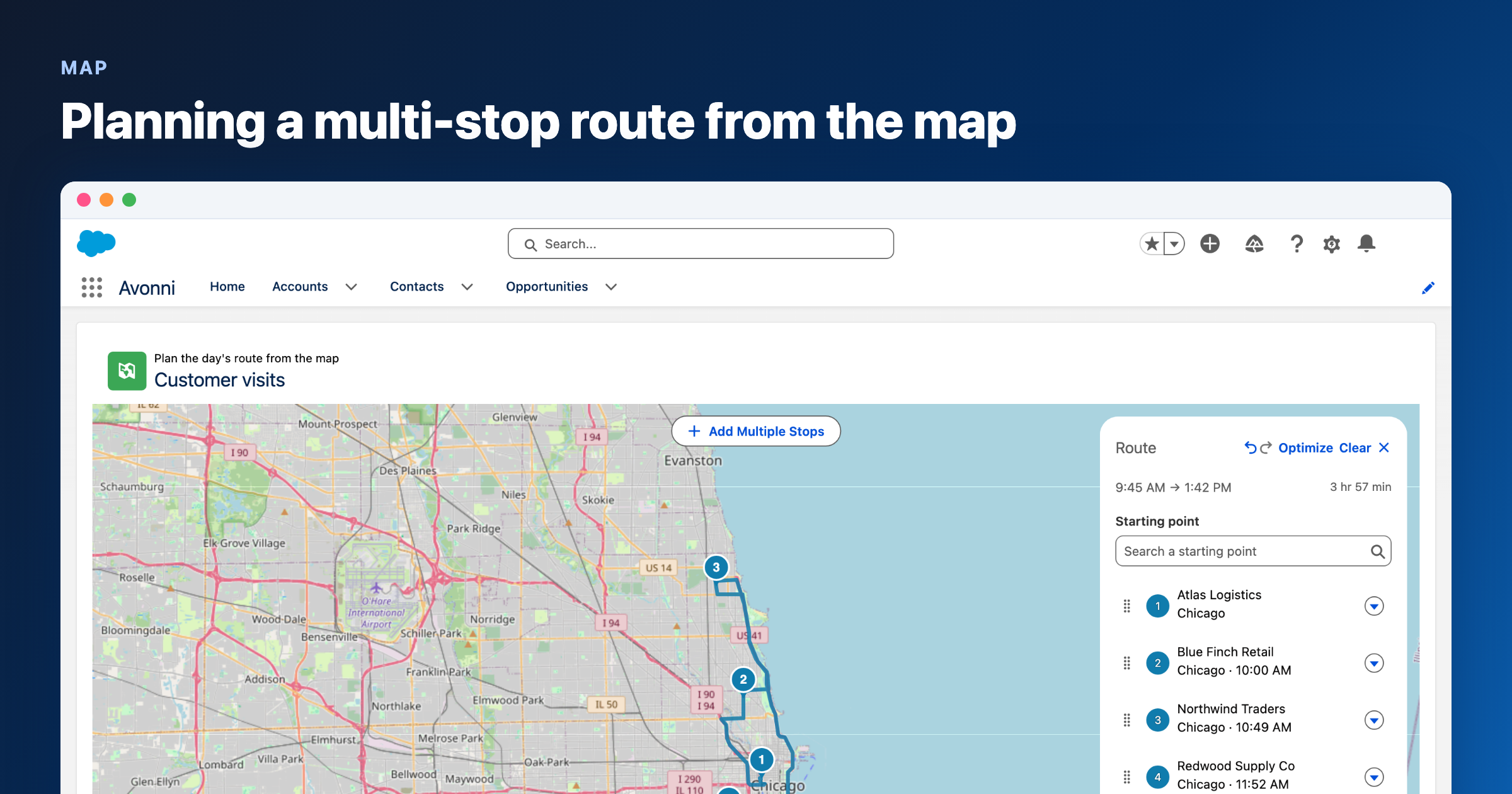
The sentence shape is the same on every surface. Ask for a Data Table of open Cases on a screen flow, a Kanban of Cases on a portal page, or avonni-* markup inside your own Lightning Web Component, and the matching skill activates against the same server. The Flow Screen Components library has its own set of prompts, including one that builds a booking flow and the record-page button that launches it.
The first screen of that booking flow, built from a prompt in the Flow library: a day to pick and a time slot under it. The record-page button that launches it lives on a different surface.
The first screen of that booking flow, built from a prompt in the Flow library: a day to pick and a time slot under it. The record-page button that launches it lives on a different surface.
Ask for the same Kanban without Avonni, and look at what you own
A careful admin asks the obvious question at this point. Claude or ChatGPT would build that Kanban without Avonni, so why add a package?
They would, and the demo would work. What changes is the column of things that are yours afterwards:
A hand-built data table with inline editing is 800 to 1,200 lines to own, written or generated: LWC markup, JavaScript, an Apex controller with its test classes, CSS, and the tests for all of it.
A Kanban demos quickly. Then the rollback when a drop fails, and the edge cases, are yours.
Pagination, search and filtering are custom logic every time.
Loading, error and empty states are built and tested by you, and so is the accessibility.
Every Salesforce release means regression tests, three times a year, on code nobody on the team wrote.
The security review is yours too. A managed package on the AppExchange has already passed one.
Ten generated data components leave an org owning more than 10,000 lines.
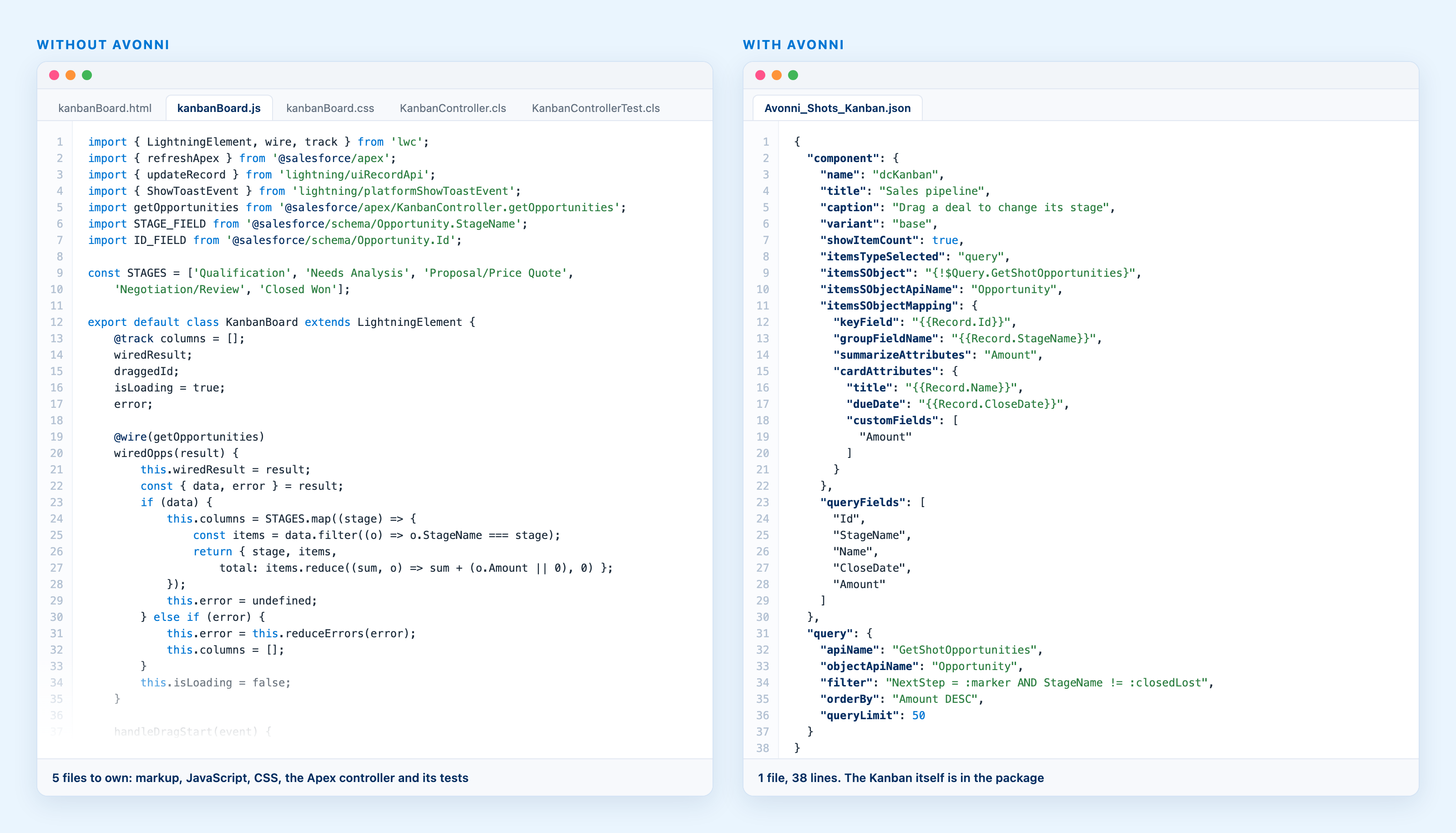
Left, the shape of a hand-built Kanban, illustrative: five files, the drag handlers, the rollback, the Apex and its tests, all yours. Right, the configuration behind the Kanban in this article, trimmed to what the prompt asked for.
There is also no builder for that code. The next change goes back through the assistant, and to the assistant its own output is a black box, where a component catalog is something it can look up.
With Avonni the assistant writes a few dozen lines of configuration around a component that already exists, 38 for the Kanban in this article: which component, which query, which fields on the card. The drag and drop, the rendering, the keyboard navigation and the edge cases live in the managed package, tested and updated by us with every release, security reviewed on the AppExchange. When Salesforce changes, you update the package and the thing you described keeps working.
And because it is the same Dynamic Component the Builder makes, it opens in the Builder once deployed, like any other. Nobody needs the assistant to change it afterwards.
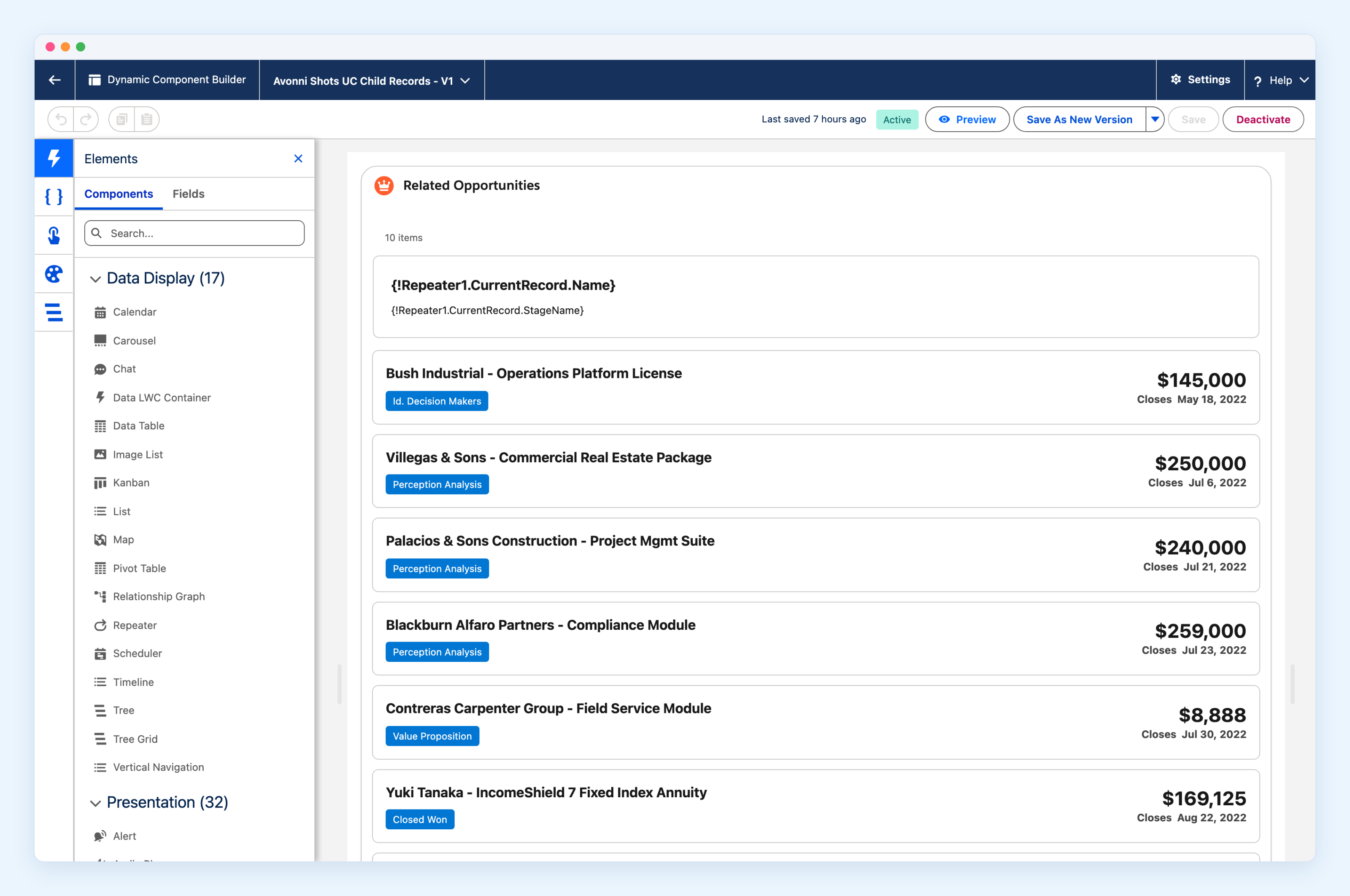
The Dynamic Component Builder, open on a component we built by hand for an earlier article. A generated one lands in the same place once deployed.
That is our answer to the question. You do not need to learn to code, but you do need to look at what the AI leaves behind. Forty lines of configuration and a thousand lines of code look identical in the demo. They age very differently. The line-by-line comparison goes through the whole checklist, with a five-year cost calculator you can run with your own numbers.
Set it up in about ten minutes
Five steps, one time. After that, you describe what you want.
First, pick your assistant. All of them build the same thing with the same components; what changes is how much plumbing you touch. The Claude desktop app is the easiest path if you are not a developer: you paste any setup command from the docs into the chat and Claude runs it for you, so you never open a terminal. Cursor, VS Code and GitHub Copilot are the natural choice if you already use them; the skills install with one command and the server goes in as a small JSON entry in the editor config. Gemini CLI works too, and is the path we have tested least.
Get the foundation ready. Install Node.js (version 18 or later) and the Salesforce CLI, then connect the CLI to your org with a browser login. Both install like any desktop app. Without them the assistant can read documentation but cannot build, save or deploy anything.
Open a project folder. The assistant works inside a folder on your computer, where it saves the files it creates. An empty folder on your Desktop is fine.
Install the Avonni Skills. One command installs all five skills into the open project, and the installer detects which assistant you use.
Connect the Avonni MCP server. The server is hosted by Avonni, so you only point your assistant at it: one command for Claude, a small JSON entry for the editors.
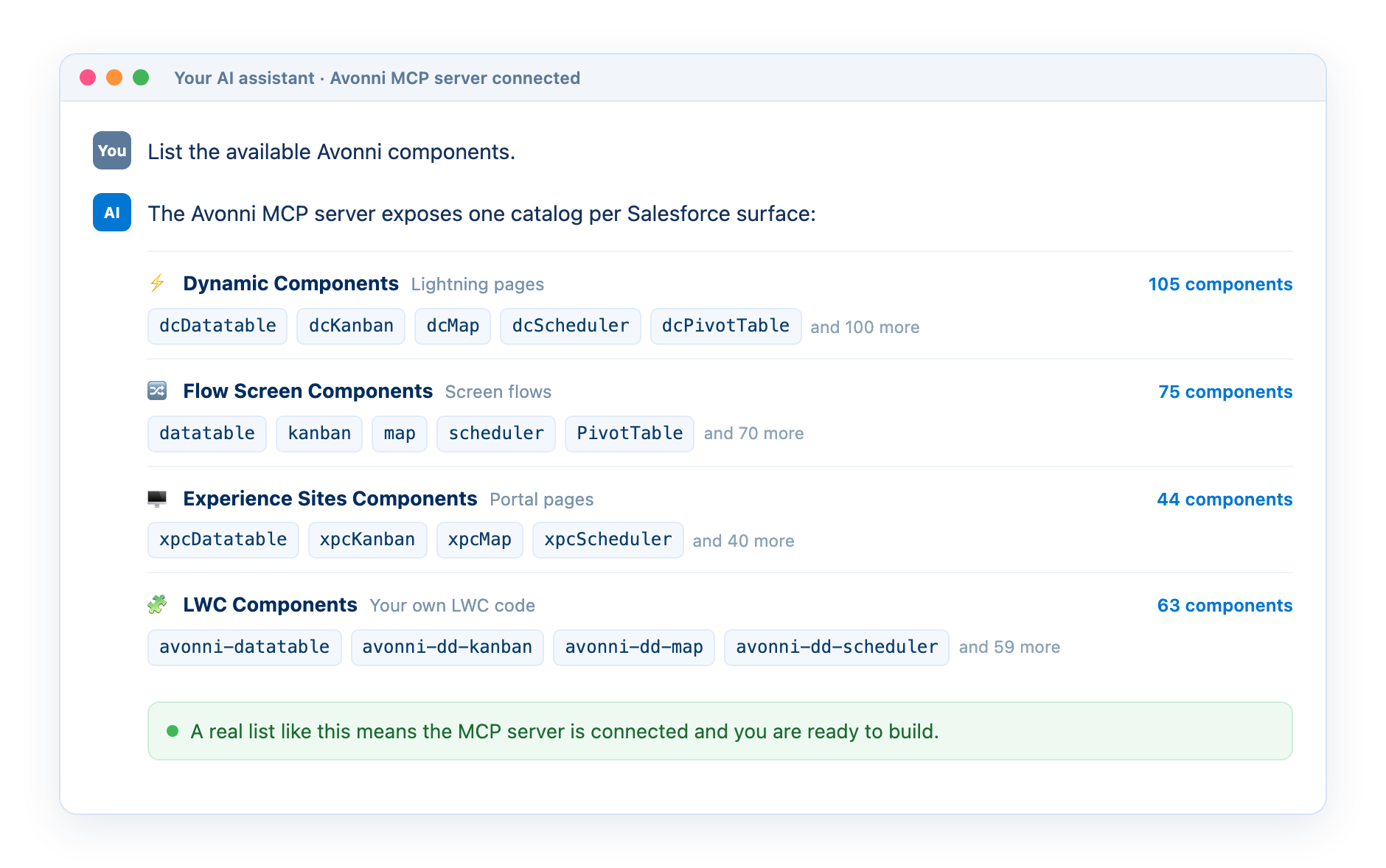
Test it. Ask your assistant to list the available Avonni components. A real component list means everything is connected.
What a connected assistant answers to the test question: one catalog per Salesforce surface.
The exact commands, per assistant, are on the Setup page. Avonni itself starts free: the packages come with ten production licenses at no charge and unlimited sandboxes, so trying this costs the ten minutes.
Where it stops
It is early access, and every page says so. The tools are deliberately narrow, and knowing where they stop saves you from expecting things they were never built to do:
Avonni artifacts only. The skills will not create your custom object or field, write Apex, add non-Avonni components, or build the decisions, assignments and loops of your flow. Do that in Setup and Flow Builder as you always have, then bring the Avonni pieces to the assistant.
Nothing is deployed. Every skill writes or edits files locally and stops there. Deploying the generated metadata is your call, with the Salesforce CLI or your usual process.
The server is a hard dependency. The skills refuse to run without it rather than guess. There is no offline mode.
The server documents the latest release. If your org is a version behind, the assistant may confidently use a property you do not have yet, so keep the packages current.
It asks before it builds. The assistant shows you a plan, with questions where the sentence left gaps: which object, which of its fields, who is allowed to see them.
That last one is the point. The Salesforce knowledge is still the job, just not the typing part. Knowing your org is what turns the sentence you type into a good one.
Try the sentence
The Build with AI hub has the setup and one prompt library per surface. The prompts in this article, with their captures, are on the Dynamic Components library. The skills are public on GitHub, and the documentation is built for assistants too: add .md to any page URL and it comes back as clean Markdown for the assistant to read.
One question. What is the last thing you wrote a ticket for that you could have described in a sentence? That is the one we would like to see you try first.
Filed under
Written by
Cédric Vergé
Co-Founder, Head of Customer Success
Co-founder of Avonni, Cédric leads Customer Success across the entire Salesforce-native product suite. He focuses on accelerating time-to-value and driving product adoption for admins and teams building high-performance UIs without code.