Two tools. Two different jobs.
Looking for a Flow Components comparison instead? See Dynamic Components vs Flow Screen Components.
Salesforce admins and architects looking for ways to build custom UIs without writing code have two options on the table: Avonni Dynamic Components and Salesforce OmniStudio. Both aim to reduce reliance on developers. Both use drag-and-drop builders. But they solve different problems, target different scenarios, and come with very different trade-offs.
We'll walk through both tools here — what they do well, where they fall short, and which situations call for one over the other.
In a nutshell
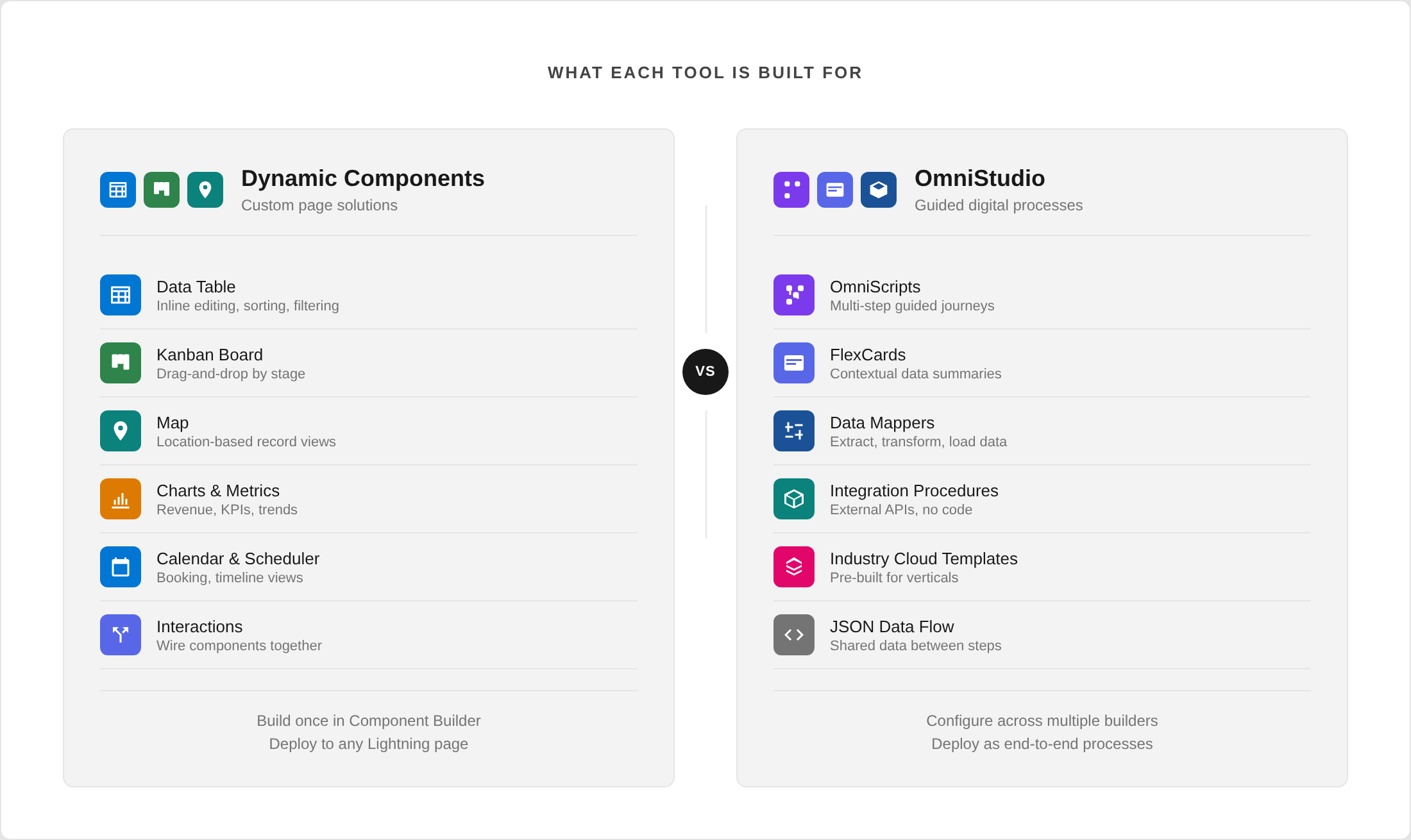
Dynamic Components = custom UI components for Lightning pages. Mix and match 85+ no-code components (Data Tables, Kanbans, Maps, Charts...) to build full page solutions. Fast to learn, fast to deploy, works with Salesforce data.
OmniStudio = guided multi-step processes for Industry Cloud. Build end-to-end digital journeys (insurance claims, loan apps, patient intake) with native external API integration. Powerful, but steep learning curve and higher licensing cost.
They don't compete — they solve different problems. One builds what users see on a page. The other builds what users walk through as a process. Many orgs use both.
Key differences at a glance:
Learning curve: days (DC) vs. weeks to months (OmniStudio)
Licensing: per end-user / flat-fee for enterprises (DC) vs. per-user, often bundled with Industry Cloud (OmniStudio)
External APIs: on the roadmap (DC) vs. native today (OmniStudio)
Deployment: instant (DC) vs. separate migration framework (OmniStudio)
What each tool actually is
Avonni Dynamic Components
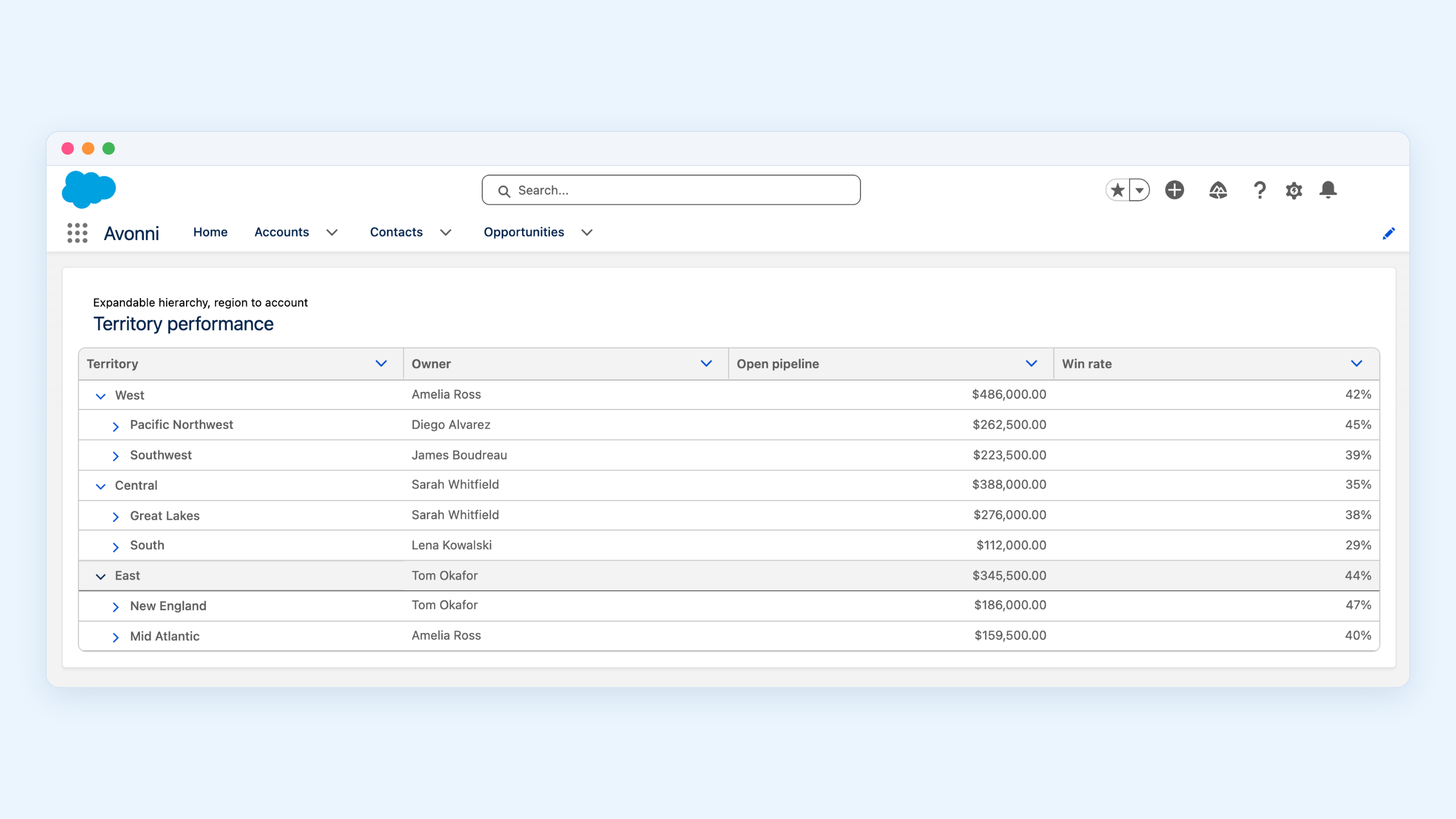
Dynamic Components is a no-code app that lets Salesforce admins — and developers — build fully custom Lightning components using a visual builder called the Component Builder. The app ships with a library of 85+ pre-built no-code components (Data Tables, Kanbans, Maps, Calendars, Charts, Schedulers, and more) that you can mix and match to create complete solutions.
You're not limited to dropping a single component on a page: you can combine multiple components into one dynamic component, wire them up with built-in interactions (filtering, navigation, conditional visibility, actions), and deploy the result onto any Lightning Record Page or Experience Site. The end product is a fully functional, custom-looking Lightning component — the kind of thing that would normally require a developer building a custom LWC from scratch.
Salesforce OmniStudio
OmniStudio is a toolkit originally developed by Vlocity (acquired by Salesforce in 2020) and now part of Salesforce Industries. It includes several interconnected tools: OmniScripts for building guided, multi-step user journeys; FlexCards for displaying contextual data summaries; Data Mappers (formerly DataRaptors) for extracting, transforming, and loading Salesforce data declaratively; and Integration Procedures for orchestrating server-side logic and external API calls without code.
OmniStudio is designed to build end-to-end digital processes — think insurance claim filing, patient intake, loan applications, or telecom service activations.
Architecture and approach
Dynamic Components
The architecture is simple. You work inside a single visual builder (the Component Builder) where you drag in the components you need, connect them to Salesforce data sources using SOQL queries, map your fields, configure behaviors (sorting, filtering, inline editing, actions), add interactions between components, and style the result. The output is a self-contained dynamic component you place on a page via Lightning App Builder.
There's no separate data layer to configure. No integration middleware. The component talks directly to Salesforce data. If you need to display Accounts on a Map, you build one Map component, point it at the Account object, map the address fields, and you're done.
This simplicity is both its strength and its limitation. It's fast to build and easy to maintain, but it's not designed to orchestrate complex multi-step workflows or call external APIs.
OmniStudio
OmniStudio's architecture is layered. A typical OmniStudio solution involves multiple pieces working together:
- An OmniScript defines the step-by-step flow the user walks through
- FlexCards display contextual information at various points in that flow
- Data Mappers handle reading from and writing to Salesforce objects
- Integration Procedures manage any server-side logic, calculations, or external API calls
Each of these pieces has its own builder and its own configuration model. They communicate through a shared JSON data structure that passes information between steps. This makes OmniStudio capable of handling complex scenarios, but it also means even a relatively simple project requires understanding how four or five different tools fit together.
Learning curve
This is where the two tools diverge sharply.
Dynamic Components has a short ramp-up for anyone who already knows Salesforce. If you understand objects, fields, and Lightning pages, you can build your first component in under an hour. The Component Builder uses familiar concepts — pick an object, map fields, set filters — and every configuration option is visible in one place. There's no new data model to learn, no JSON structures to manage, no separate deployment process.
OmniStudio requires a bigger investment upfront. Even though it's marketed as "low-code," the reality is more nuanced. You need to understand how OmniScripts, FlexCards, Data Mappers, and Integration Procedures work individually and together. You need to be comfortable with JSON data structures, because that's how data flows between components. You need to learn OmniStudio-specific concepts like DataJSON, element types, and remote actions that don't exist elsewhere in Salesforce.
Salesforce offers a dedicated OmniStudio Developer certification — which gives you a sense of the depth involved. Several community sources describe onboarding times of weeks to months for teams new to OmniStudio, compared to days for Dynamic Components.
That said, once a team has invested in OmniStudio expertise, they can build things that would be very difficult or impossible with simpler tools.
Use cases: where each tool fits
Dynamic Components excels at
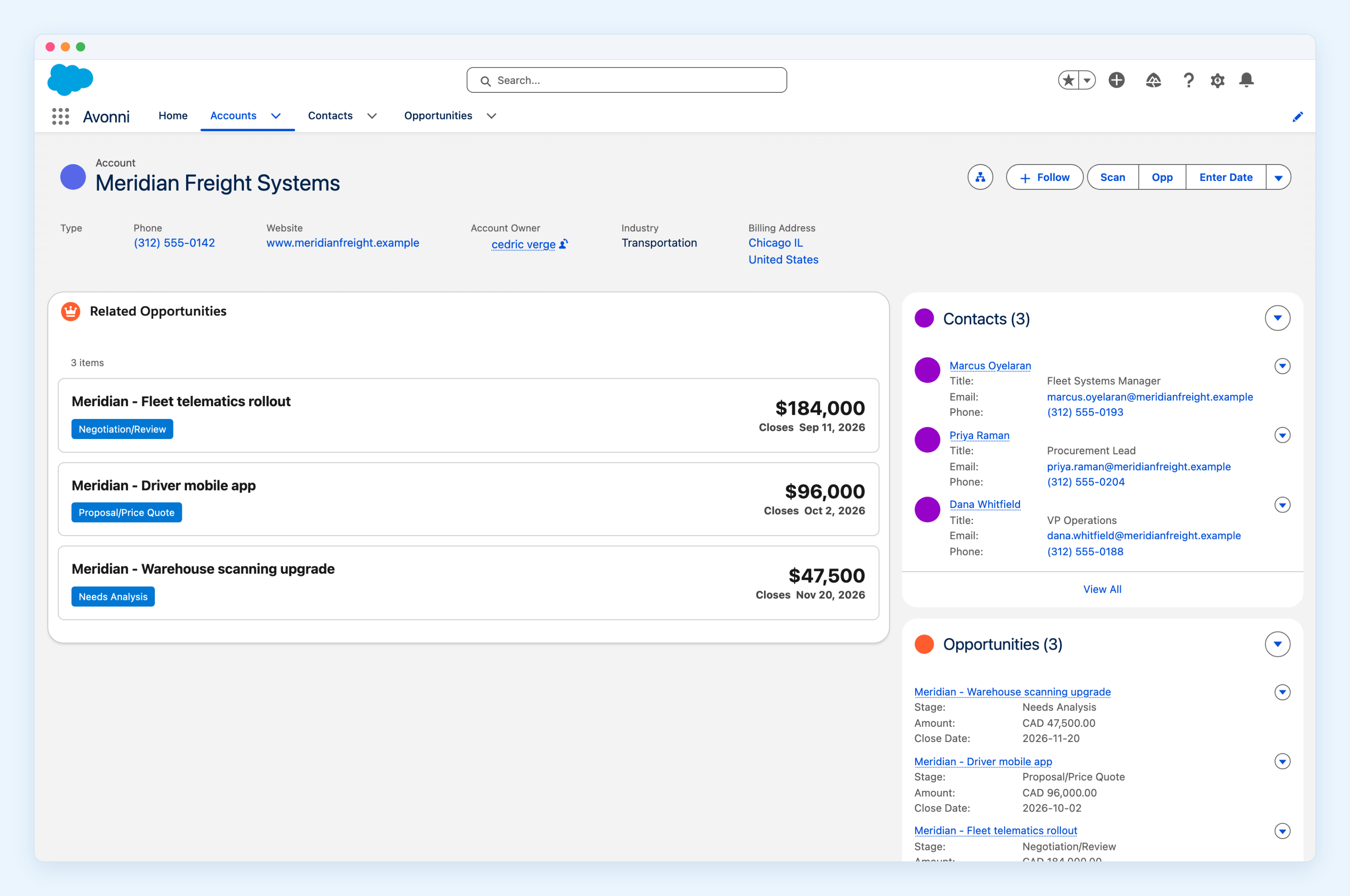
- Data-rich Record Pages. You need a page that shows a Data Table of related Cases, a Map of nearby Accounts, a Kanban of Opportunities by stage, and a Chart of revenue over time — all without writing code. This is the core use case.
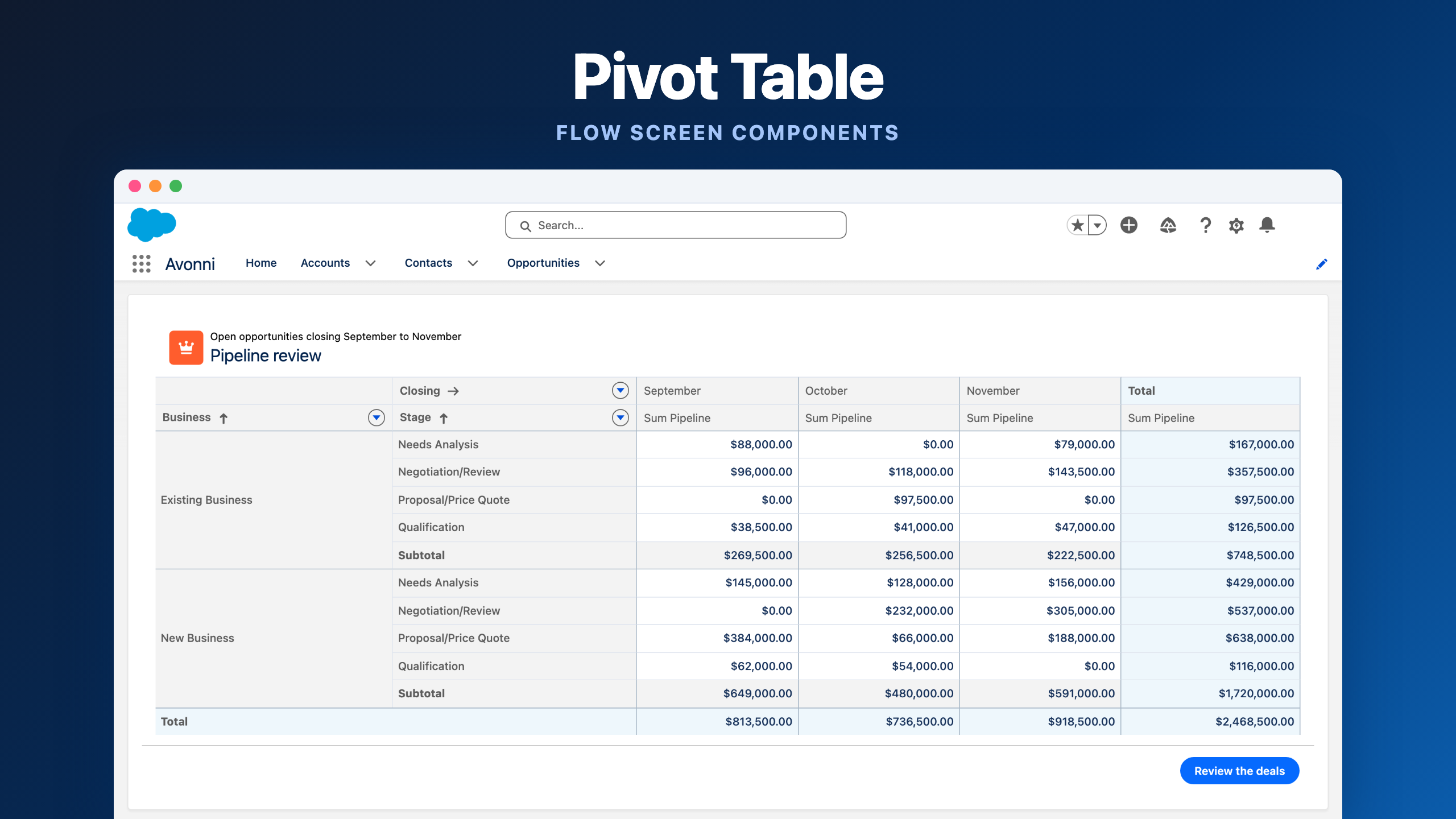
- Custom list views and dashboards. When standard Salesforce list views or reports don't provide the right layout, filtering, or interactivity, Dynamic Components fills the gap with purpose-built components like pivot tables, image lists, and schedulers.
- Quick admin wins. A request comes in: "Can we see our Contacts on a map?" or "Can we have a Kanban board for our custom object?" With Dynamic Components, an admin can deliver this in minutes, not sprint cycles.
- Experience Sites. Components can be placed on Experience Cloud pages to give external users interactive data views that go beyond what standard Experience Builder components offer.
OmniStudio excels at
- Guided multi-step processes. Insurance quoting, loan applications, patient onboarding, telecom service activation — any process where a user walks through a structured series of screens with branching logic, validations, and data collected along the way.
- External system integration. OmniStudio's Integration Procedures can call external APIs, transform the response, and feed it into the next step of an OmniScript — all declaratively. If your process needs to pull data from a third-party system mid-flow, OmniStudio handles this natively.
- Industry-specific solutions. OmniStudio was built for industries like insurance, healthcare, financial services, and telecom. If you're implementing a Salesforce Industry Cloud, OmniStudio components often come pre-configured for your vertical.
- Complex data transformations. Data Mappers let you extract data from multiple objects, reshape it, and load it back — useful when a single process touches many objects and needs data in specific formats.
- Portal and self-service experiences. When you need a polished, branded, multi-step experience for customers or partners, OmniStudio provides more control over the guided journey than standard Salesforce Flows.
Licensing and cost
This is an area where the two tools differ quite a bit.
Dynamic Components is available as an AppExchange package with per end-user pricing — each user who needs access to Avonni components on a Lightning page or Experience Site requires a license. For large enterprise customers, a flat-fee option is also available — no per-user counting. It doesn't require any specific Salesforce edition beyond what you're already running, and the pricing is predictable.
OmniStudio licensing is more complex. It's often bundled with Salesforce Industry Cloud licenses (Health Cloud, Financial Services Cloud, Communications Cloud, etc.). If you're not on an Industry Cloud, you can purchase OmniStudio as a standalone add-on, but this comes at a high per-user cost. Pricing varies by edition, and capacity add-ons for API calls and data operations can push the total higher. For organizations with large user bases, OmniStudio licensing can add up fast.
Already on Industry Cloud?
If your organization has Industry Cloud licenses, OmniStudio may already be included in your contract — which changes the cost equation entirely. Check with your Salesforce account team.
Data integration
Dynamic Components currently works with Salesforce data. You query objects, display fields, and write back changes through standard Salesforce mechanisms. If you need data from an external system today, you'd first bring that data into Salesforce (via an integration tool, middleware, or external objects) and then display it through a Dynamic Component. Native external API integration is on the product roadmap — so this gap will narrow over time.
OmniStudio can reach outside Salesforce natively. Integration Procedures can make HTTP callouts, parse responses, transform data, and pass it to FlexCards or OmniScripts — all without code. This is a real differentiator. If your use case involves pulling real-time data from external APIs during a user-facing process, OmniStudio handles this in a way that Dynamic Components wasn't designed to.
Deployment and maintenance
Dynamic Components are configured within the Avonni app and deployed to pages through Lightning App Builder. There's no separate deployment pipeline. When you update a component's configuration, the change takes effect right away. This makes iteration fast but also means you need your own governance process for production changes — just like any admin-level configuration.
OmniStudio deployments are more involved. OmniStudio components and standard Salesforce metadata often require different deployment processes. Teams typically deploy OmniStudio components separately from their regular Salesforce metadata, using OmniStudio-specific migration tools or the OmniStudio Deployment Framework. This adds overhead but also provides more control for organizations with formal release management processes.
On the maintenance side, OmniStudio's multi-layered architecture means that debugging a broken process may require tracing through an OmniScript, its linked Data Mappers, and its Integration Procedures to find the issue. Dynamic Components, being self-contained, tend to have a smaller surface area for things to go wrong.
Side-by-side comparison
Here's how the two tools compare across the dimensions that matter most.
Community and ecosystem
Dynamic Components has a growing user base within the Salesforce admin community. Documentation is maintained on a dedicated docs site, and support comes directly from the Avonni team. Because the tool targets admins specifically, the community around it tends to be admin-focused.
OmniStudio benefits from being a Salesforce-owned product. It has official Trailhead modules, a dedicated certification, and is covered extensively by community blogs (Salesforce Ben, Apex Hours, and others). However, the talent pool for OmniStudio specialists is smaller than for general Salesforce development — finding experienced OmniStudio developers or consultants can be a challenge, and this is something to factor into hiring or project staffing decisions.
Limitations to be aware of
Dynamic Components
- No multi-step guided processes. It builds components, not workflows. (For in-flow screens, see Avonni Flow Screen Components.)
- No native external API integration today (on the roadmap). Data must currently live in Salesforce.
- Not designed for complex data transformations between multiple objects.
- Less suited for heavily branded, portal-style user journeys.
OmniStudio
- Steep learning curve, even for experienced Salesforce admins.
- Licensing costs can be high, especially outside of Industry Cloud bundles.
- Deployment complexity adds operational overhead.
- Debugging can be difficult across multiple interconnected components.
- The talent pool for OmniStudio expertise is relatively small.
- Can feel like overkill for simple UI needs. As one community member put it: "If you're just doing a simple internal record update, stick to a standard Flow and don't over-engineer it."
What about Salesforce Flow?
Any honest comparison of these tools has to address the elephant in the room: Salesforce Flow. Flow is included with every Salesforce license, and with Screen Flows, it can build guided user experiences too.
So where does Flow fit relative to these two?
Dynamic Components and Flow complement each other naturally. An admin might use Flow for behind-the-scenes automation (record creation, field updates, approval processes) and Dynamic Components for the visual layer — the Data Table, Kanban, or Map that users actually see and interact with on a page. There's no overlap or conflict.
OmniStudio and Flow have more overlap, especially when it comes to guided screen-based processes. OmniScripts and Screen Flows can both walk a user through a multi-step journey. The key differences: OmniScripts offer more control over responsive design across devices, handle external API integration natively (without Apex), and provide richer UI customization for customer-facing portals. Screen Flows are simpler to build, included in the base license, and better integrated with the rest of the Salesforce automation ecosystem — and they can be extended with flow screen components when the native building blocks aren't enough.
For many organizations, the practical question is really "do we need OmniStudio on top of what Flow already gives us?" The answer depends on the complexity of your guided processes and whether you need native external integration or industry-specific pre-built templates.
Real-world scenario: building a service console
To make this concrete, imagine you're building a Service Console for a support team.
With Dynamic Components, an admin could build a Data Table showing open Cases sorted by priority, a Map showing the customer's location, a Kanban for tracking case stages, and a Chart showing resolution times by agent — all on a single record page, all configured in a few hours without a single line of code. The result is a rich, interactive page that gives agents everything they need at a glance.
With OmniStudio, you might build a guided case resolution flow using an OmniScript that walks the agent through diagnosis steps, pulls product information from an external API via an Integration Procedure, presents relevant knowledge articles through a FlexCard, and auto-generates a resolution summary. This takes longer to build and requires OmniStudio expertise, but it creates a structured, repeatable process for complex cases.
Neither approach is "better" — they solve different parts of the same problem. One gives agents a rich view of their data. The other guides them through a structured workflow. The most effective console might use both.
Decision framework
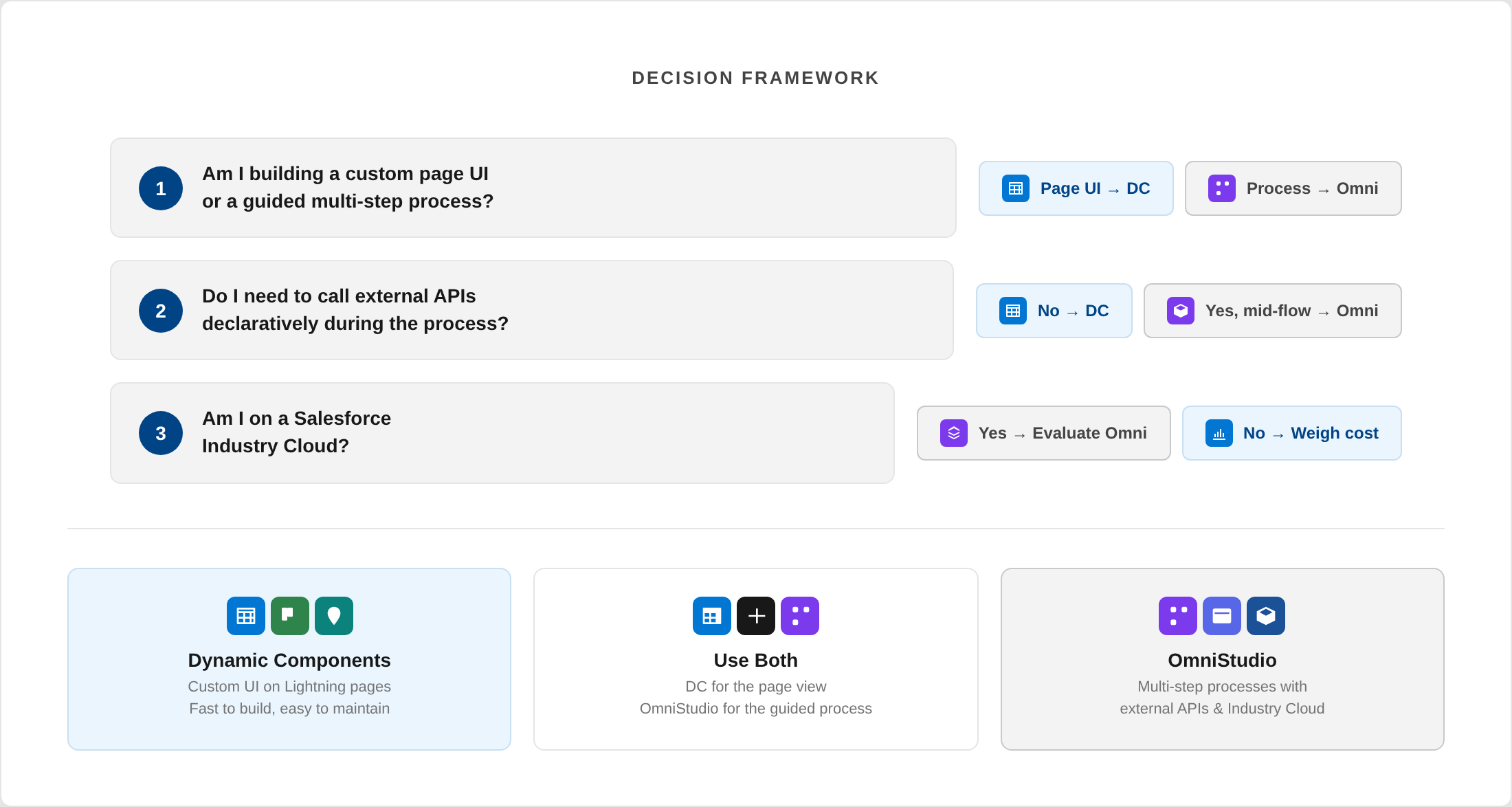
Ask yourself these three questions:
1. Am I building a custom page UI or a guided multi-step process?
Custom page UI → Dynamic Components
Guided multi-step process → OmniStudio
2. Do I need to call external APIs declaratively during the process?
Yes, mid-process → OmniStudio
No, data is in Salesforce → Dynamic Components
3. Am I on a Salesforce Industry Cloud?
Yes → Evaluate OmniStudio first (it may be bundled)
No → Consider whether the OmniStudio investment is justified for your use case
Consider using both when:
Your org has both needs. OmniStudio handles the complex guided processes (claim submission, service activation), while Dynamic Components handles the data-rich pages where users view and interact with records every day. They serve different purposes and don't conflict.
The bottom line
This isn't really an "either/or" comparison. Dynamic Components and OmniStudio solve different problems at different layers of the Salesforce experience. Framing it as a competition misses the point.
The right question isn't "which one is better?" — it's "what problem am I solving, and which tool is the right fit for that specific problem?"
Sometimes the answer is one. Sometimes it's the other. Sometimes it's both.






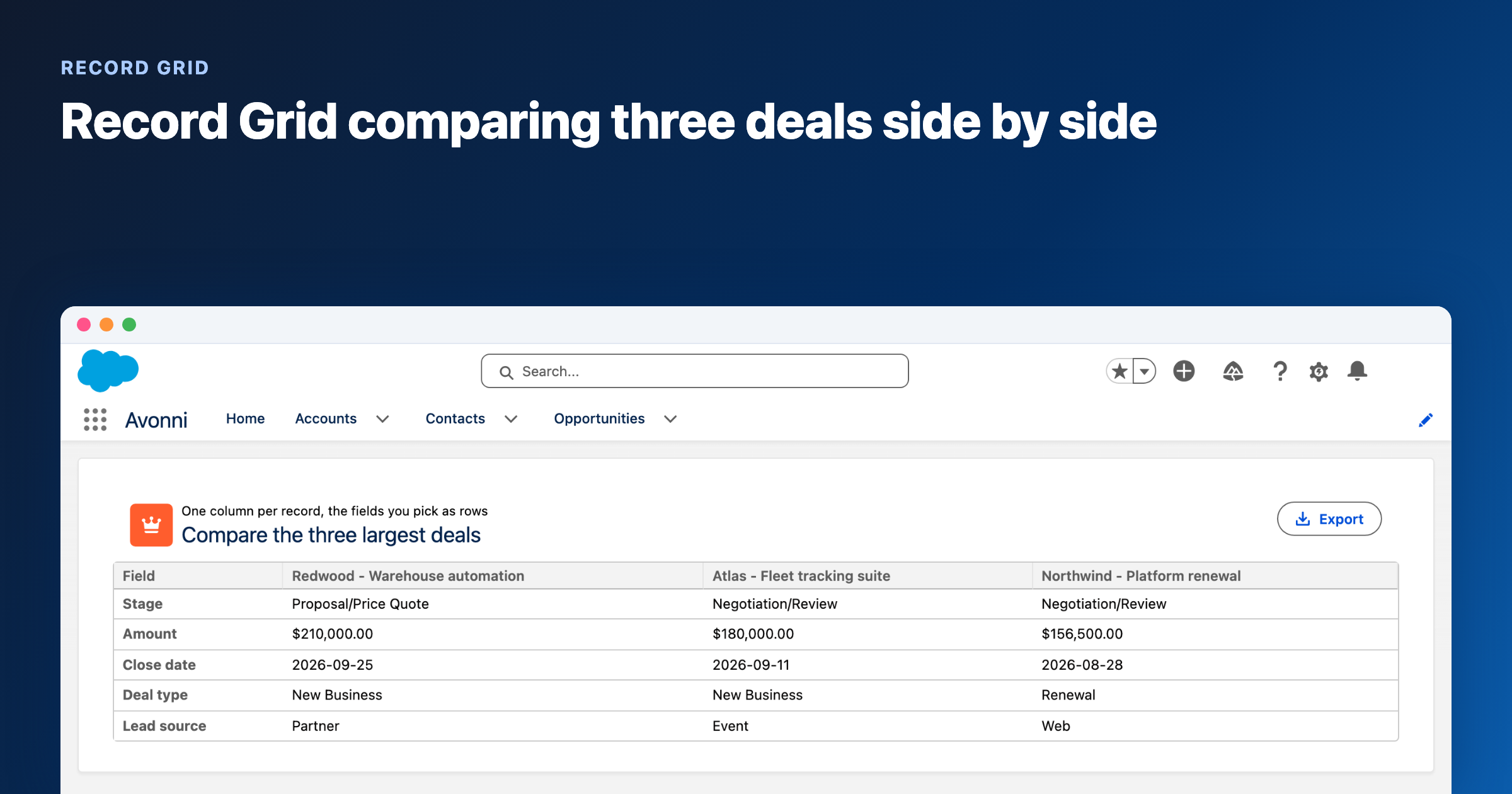
%20(Vignette%20YouTube)%20(81).png)
%20(Vignette%20YouTube)%20(78).png)
%20(Vignette%20YouTube)%20(79).png)
%20(Vignette%20YouTube)%20(11).png)