Take Your Salesforce User Experience to the Next Level. Create Salesforce Apps 10x faster. - 70+ Flow Screen Components - 40+ Experience Cloud Components - Free up to 10 users
Avonni Components passed Salesforce's security review and is listed on the AppExchange
Take Your Salesforce User Experience to the Next Level. Create Salesforce Apps 10x faster. - 60+ Flow Screen Components - 30+ Experience Cloud Components - Free up to 10 users
Avonni Components passed Salesforce's security review and is on the AppExchange
It all started with a simple idea: what if building custom UIs in Salesforce didn't require writing code? What if anyone, regardless of their technical skills, could create beautiful and engaging experiences for their users?
The Avonni Components Suite began by bringing 70+ no-code components to Salesforce Flows, letting users build dynamic, guided experiences. We then expanded to Experience Cloud Sites, tackling website customization with the same no-code approach.
Building on that momentum, we're launching a new managed package: Avonni Dynamic Components for Lightning Pages. Dynamic Components address a real need: creating custom UIs and displaying data directly within Salesforce, with a focus on performance.
Why we created the Avonni Dynamic Components
Building on the success of our components for Flows and Experience Cloud, we created Avonni Dynamic Components to bring our no-code approach natively onto Salesforce Lightning Pages.
This fills the gap for custom, reusable, high-performance UI elements directly on App and Record Pages -- outside the specific context of a Flow. Salesforce builders get visual components optimized for the Lightning Page environment, complementing what's available within Flow Builder.
Meet the Avonni Component Builder
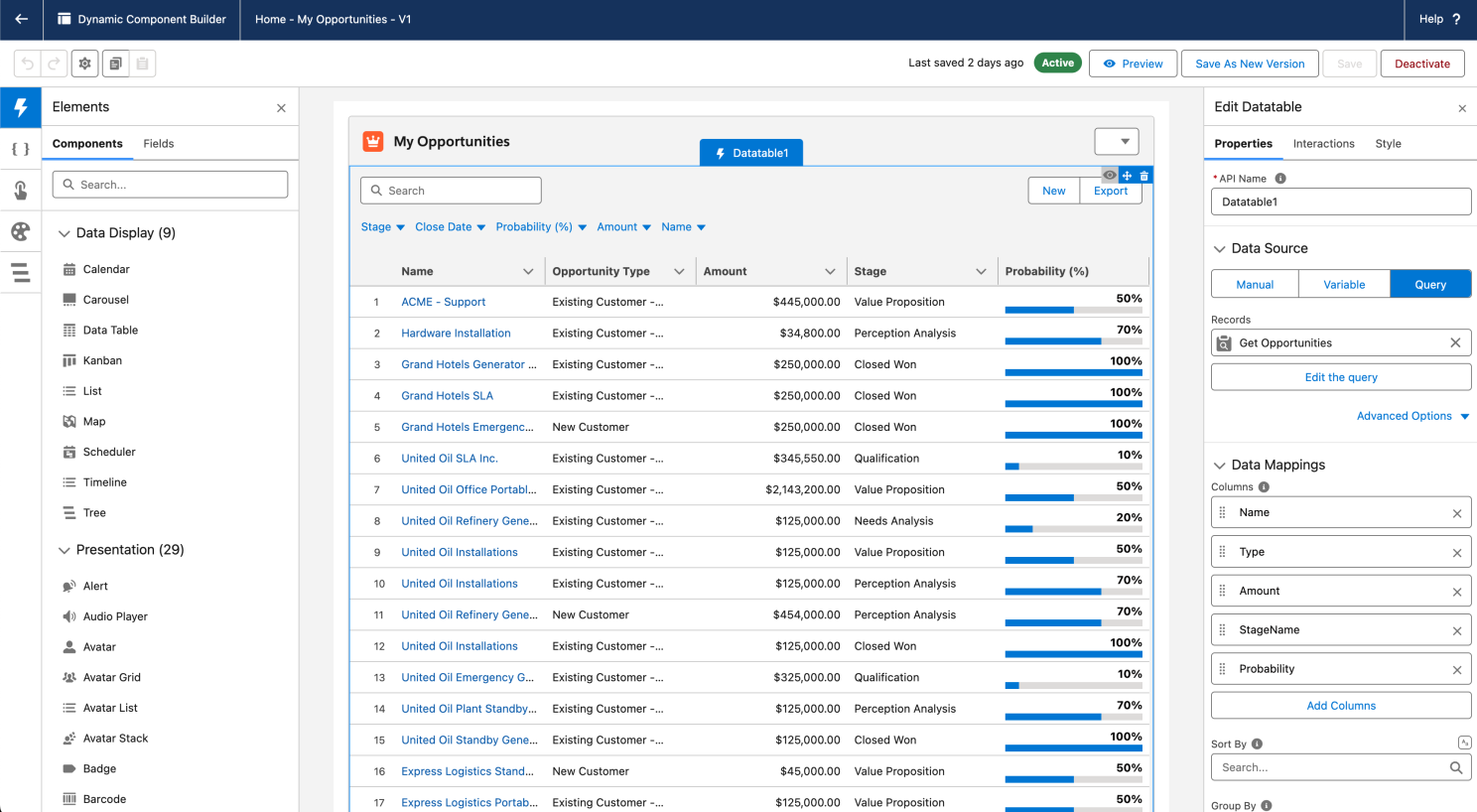
The Avonni Dynamic Components package includes a visual builder that lets admins, technical architects, and developers create Salesforce user interfaces without coding. The builder gives you drag-and-drop editing, a rich component library, and deep customization options.
Here's a closer look at what makes it work.
Visual drag-and-drop builder
Build Salesforce UIs using an intuitive drag-and-drop builder. Construct complex layouts without writing code, which speeds up development and reduces iteration time.
Access a rich library of components. Position them precisely on the canvas so your UI matches your vision.
See your UI evolve in real time -- no guesswork. The builder gives instant visual feedback, so you can iterate quickly and build with confidence. Ship Salesforce interfaces faster than before.
70+ pre-built components
Avonni Dynamic Components offer a library of over 70 ready-to-use UI elements. Build faster with components like interactive Data Tables, Charts, Maps, Progress Bars, Timelines, Calendars, layout tools (Cards, Tabs, Accordions), and more. You get robust, visually appealing interfaces without coding from scratch.
Drag-and-drop customization with slots
The builder includes "slots" -- dedicated drag-and-drop zones for customization. Slots are pre-defined containers that let you build complex layouts with precise control and instant visual feedback.
Take the Tabbed Container component. Each tab you create has its own designated slot. Say you're building a customer service dashboard: you could create tabs like "Pipeline" and "Map." For the "Map" tab, drag an Avonni Map component directly into that tab's slot. Configure it to display open case locations or customer addresses, giving your team geographic context right inside the dashboard. Assembling multi-part interfaces within tabs becomes a visual, hands-on process.
You see your layout come to life in real time as you drag and drop components into these slots. Instant visual feedback removes the guesswork from UI design, so you build with confidence.
Real-time component updates
Avonni Dynamic Components feature built-in reactivity: components update automatically in real time based on user actions or data changes elsewhere on the page. You can create dynamic, interconnected interfaces without refreshing data or writing complex formulas manually.
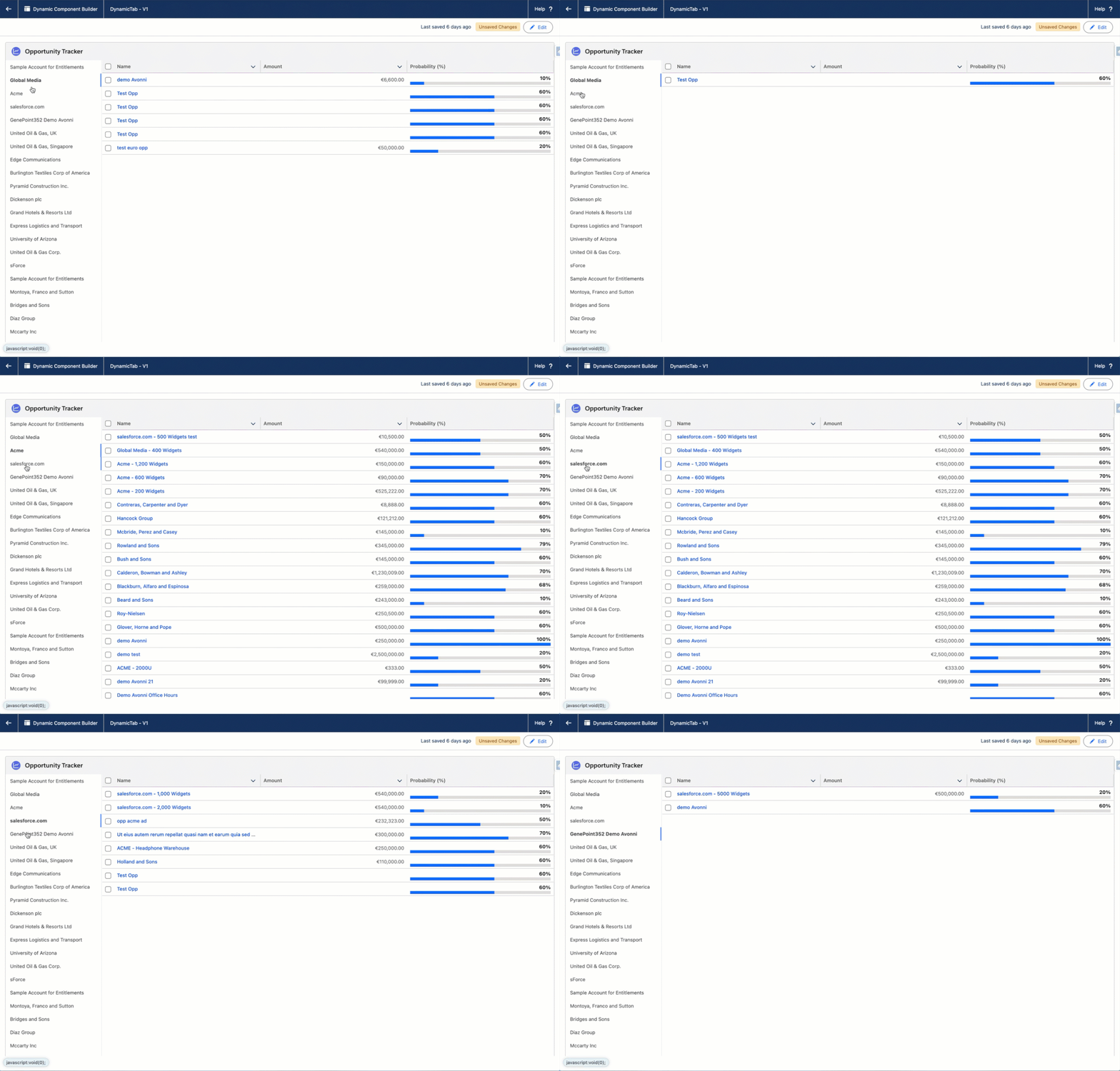
Connections are made visually using direct attribute referencing within the component builder. For example, link a Data Table to display records based on the selection in a Tabs component. When the user selects a different tab, the Data Table updates automatically to show the relevant information.
This native reactivity makes it easier to build responsive Salesforce applications. Your users see current data at all times, which improves their experience and productivity.
Rich interactions for dynamic experiences
Dynamic Components let you create truly interactive experiences without writing any code. Go beyond static layouts to dynamic actions that respond to user input.
You can configure components, such as buttons, to perform a range of actions:
Launch Salesforce Flows: Guide users through complex processes without leaving the current page, using "Open Flow Dialog" or "Execute Flow" actions.
Open detailed information: Display related information or expand record details in modals or side panels.
Trigger data updates: Create, edit, or delete records directly within components, with real-time data synchronization.
This level of interactivity lets you build applications that adapt to your users' actions, making the experience more engaging and efficient.
Publishing your Avonni Dynamic Components
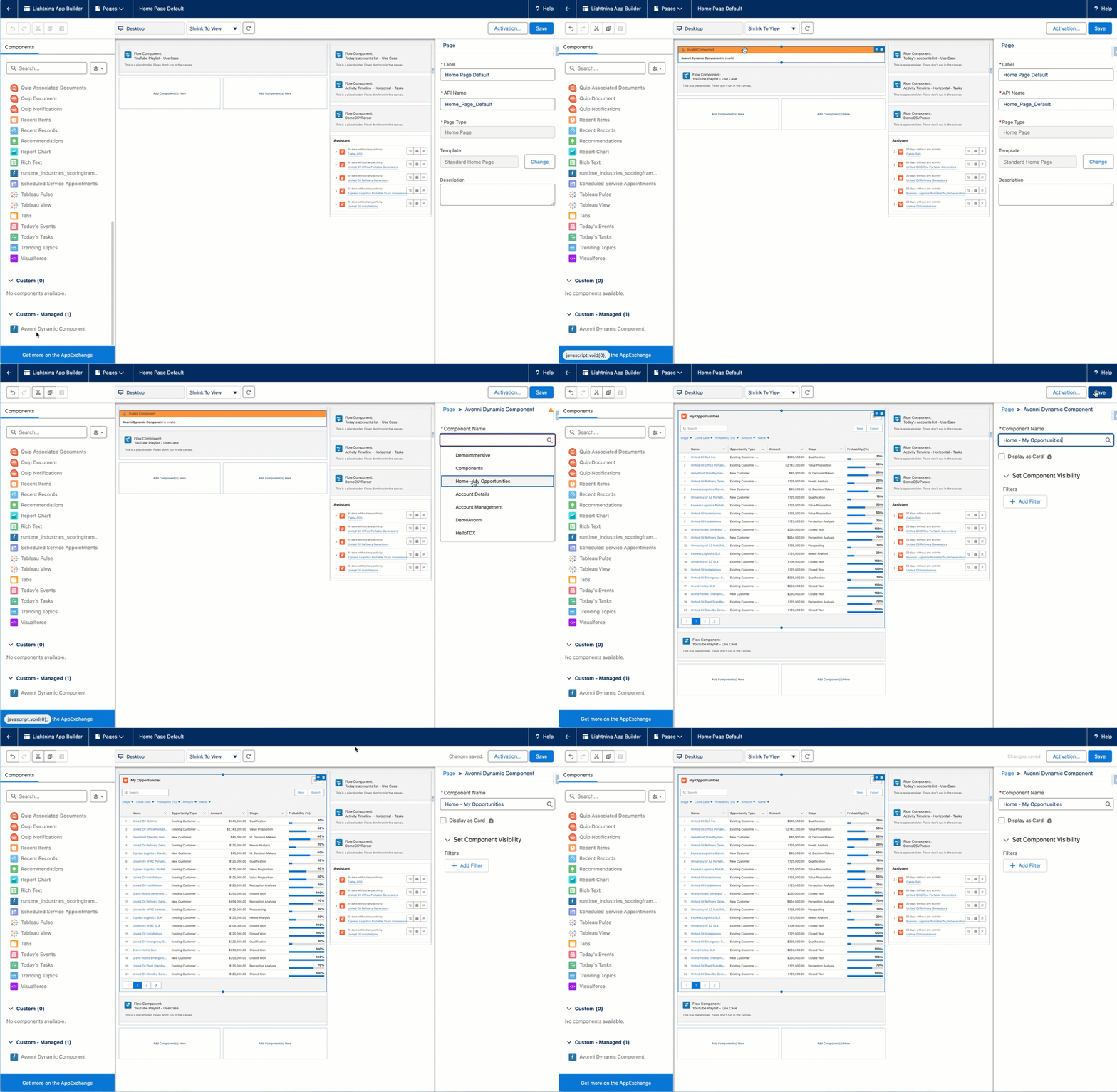
Deploying your components is fast and flexible. After activating your creation, use the Lightning App Builder to drag your component onto any App, Record, or Home page. Save the page, and your custom UI is immediately ready for your Salesforce users.
Comparing Dynamic Components to alternatives
You have options for building custom UIs in Salesforce. Let's be honest about how Dynamic Components compare.
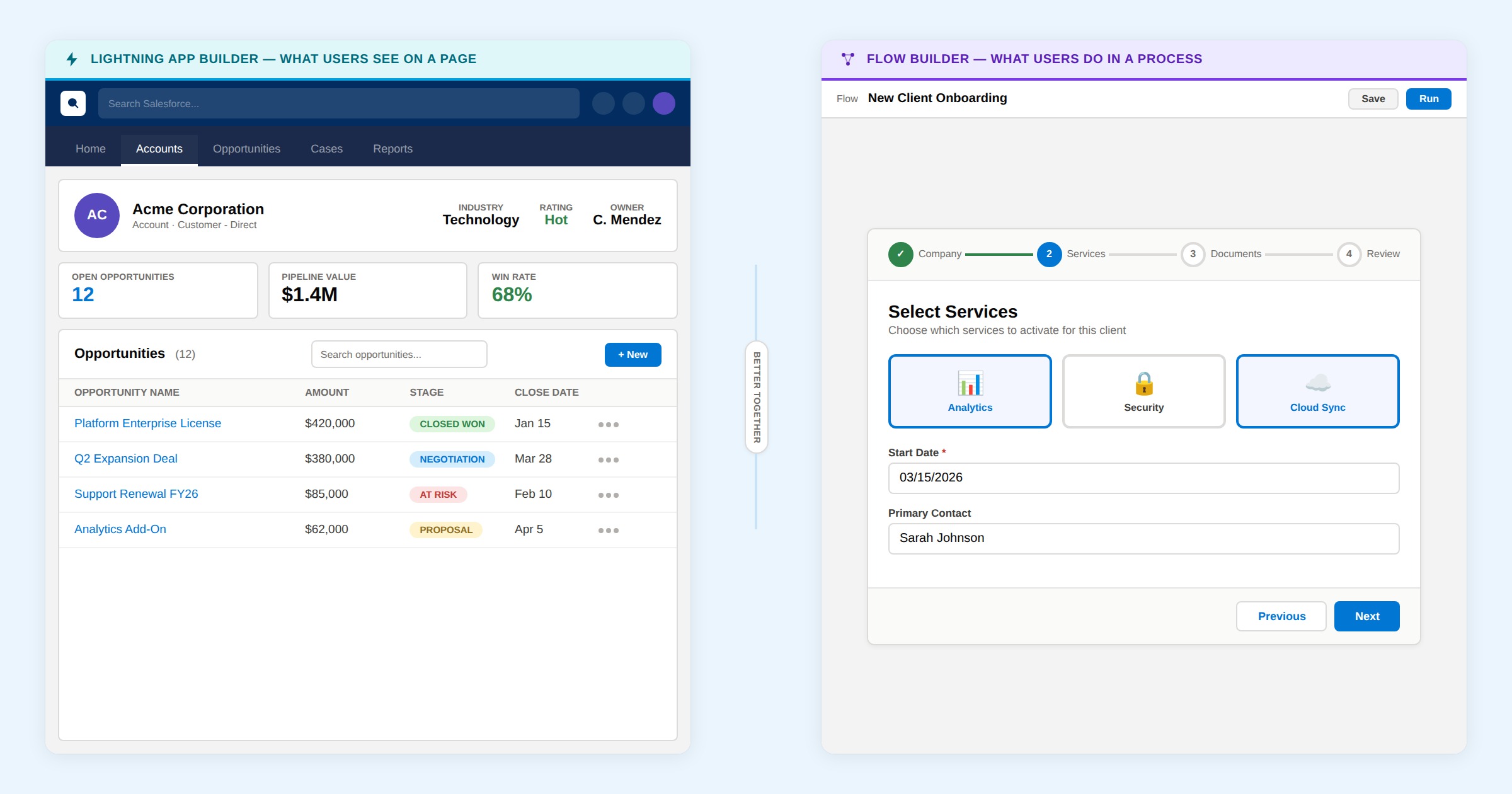
Dynamic Components vs. OmniStudio
OmniStudio is Salesforce's enterprise platform for building customer experiences. It's powerful and comprehensive.
OmniStudio shines when: you're building complex omnichannel customer journeys, integrating multiple systems, managing customer data across channels. You're investing in a full platform.
Dynamic Components shine when: you're enhancing Lightning Pages quickly, you need admin-friendly tooling, you want lightweight components that load fast, you don't need omnichannel complexity.
Think of it this way: OmniStudio is a truck. Dynamic Components are a car. For a detailed OmniStudio comparison, see our dedicated guide. Different tools for different jobs. If you need a truck, buy a truck. Most teams don't need a truck for enhancing a single Lightning page.
Dynamic Components vs. custom Lightning Web Components
Custom LWCs give you unlimited flexibility. You can build anything.
Custom LWCs require: developers, code reviews, testing, deployment processes, ongoing maintenance. They're powerful and valuable when you need truly unique functionality.
Dynamic Components require: admins, visual builder, minimal testing, immediate deployment. They're fast and sustainable when standard components meet your needs.
The real question: do you need the flexibility of custom code, or does a library of pre-built components solve your problem? Most teams find Dynamic Components sufficient. The few who need true customization turn to LWCs.
Dynamic Components vs. AppExchange competitors
Other vendors offer component libraries for Salesforce.
Some focus on specific problems: better data tables, mapping tools, calendar displays.
Avonni covers the full spectrum: 70+ components across data display, visualization, interaction, and layout. We're not a one-problem tool. We're a complete platform for building custom UIs without code.
Plus, Avonni components work on Lightning Pages (Dynamic Components), Flows (Flow Components), and Experience Cloud Sites (Site Components). One vendor, multiple environments. No switching between tools.
Practical getting started: first component and learning path
You've decided to try Dynamic Components. Where do you start?
The first component to build
Don't start with your most ambitious project. Start with something simple that solves a real pain point.
The best first project is usually: enhancing a related list on a frequently-used page. Our article on the 17+ components every admin needs walks through common starting points.
Why? You already know the page. You know the pain point (users complain about related list search). You can see the value immediately. Setup is straightforward.
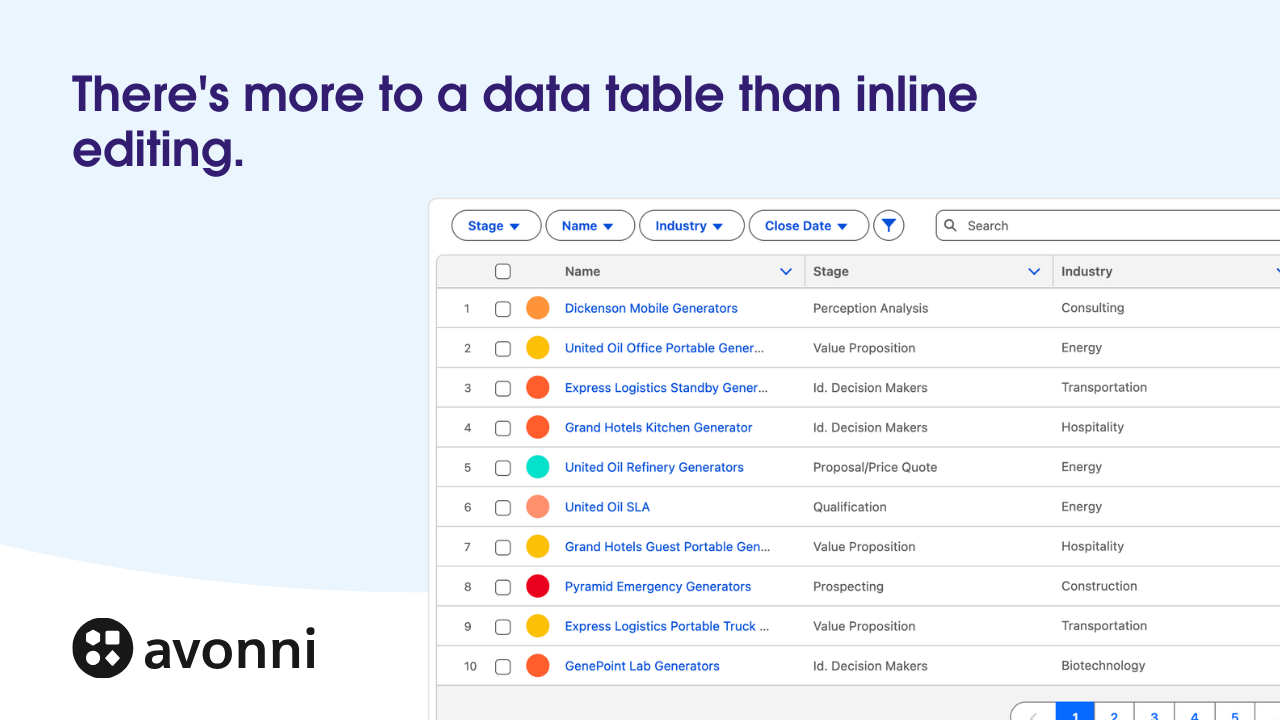
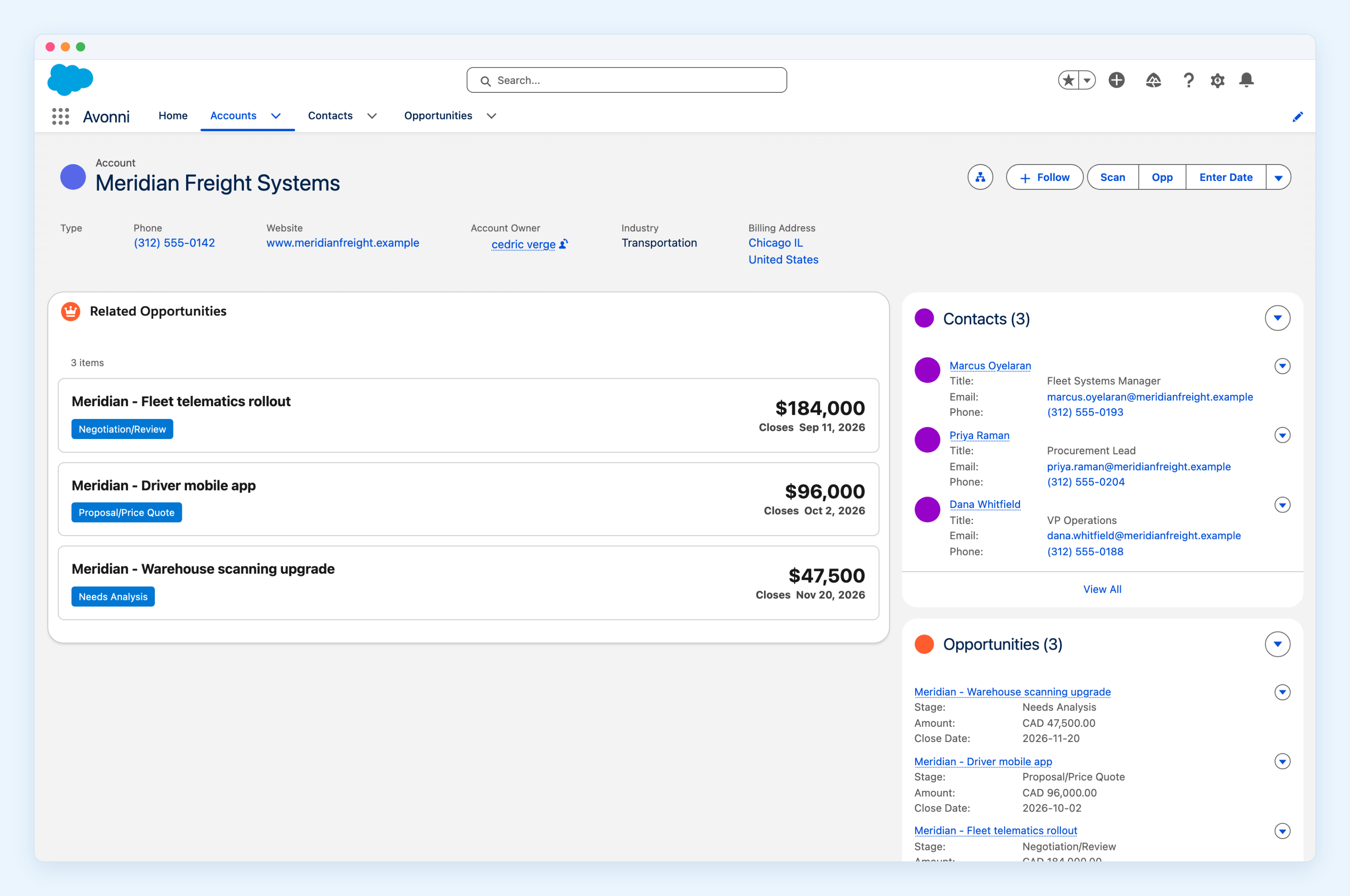
Build a Data Table component showing related opportunities on your Account page. Configure it to show the same fields your users want. Add search. Add filters. Deploy.
Users open the Account page and instantly see a searchable, filterable opportunity list. They realize the page is more useful. Your credibility with the tool increases.
Now you're ready for something more ambitious.
Recommended learning path
Week 1: Learn the builder. Open the builder. Create a simple layout with a card, text, and a button. Don't worry about data yet. Get comfortable dragging components around.
Week 2: Add data. Create a Data Table component. Query your most common object (Account, Opportunity, Case). Understand how data bindings work. See data populate in your component.
Week 3: Add interactions. Create a button that opens a Flow dialog. Create a chart that filters based on user selection. Understand how components talk to each other.
Week 4: Deploy to a page. Drag your component onto a Lightning App Builder page. See it live. Share with users. Get feedback.
Month 2: Build your second component. This time, tackle a different problem. Different data. Different layout. You're building confidence with each project.
This pace is sustainable. You're learning by building, not by reading documentation. Each week you've shipped something real.
Resources for learning
Avonni documentation is thorough. Start with the quickstart guide. Then dive into specific component documentation as you build projects. Video tutorials show real builds. Community forums answer specific questions.
But honestly, the best teacher is building. Start small. Build something. Deploy. Learn.
Governance: managing Dynamic Components across a team
As Dynamic Components spread across your org, governance becomes important. You need naming conventions, version control, sharing rules, and documentation standards.
Naming conventions
When you create a component, name it clearly. Not "Dashboard1" or "Table_v3". Something descriptive.
This pattern tells you at a glance what the component does, where it's used, and which department owns it.
Version control and documentation
Create a simple spreadsheet or wiki documenting your components:
Component name and ID
Owner (which admin or architect built it)
Pages where it's deployed
Date created and last updated
Known limitations or dependencies
When you update a component, note the change. "Fixed data table filter" or "Added new metric aggregation." This history prevents confusion when something breaks.
Sharing rules
By default, components you build are visible to you. But your team likely needs access to edit or deploy the same component.
Share components with your admin or architecture team. Define clear ownership: who can edit? Who can deploy? Who can change the component after launch?
A simple rule: the component owner can edit. Deployment requires approval from a second admin. This prevents accidents while keeping work moving.
Deployment governance
When a component is ready to deploy to a page, follow a process:
Build and test in a sandbox page first
Get sign-off from the team (or department) using the page
Deploy to a staging version of the page with a small user group
Monitor for 48 hours for issues
Roll out to all users
This four-step process prevents bad deployments from affecting everyone at once. If something breaks in staging, you fix it before users are impacted.
Managing multiple versions
You'll eventually have several versions of similar components. An old "Opportunity Table" and a newer "Opportunity Table v2."
Archive old versions after migration is complete. Keep them for 30 days in case you need to revert. Then delete.
Document why you created a new version: "v2 added metrics aggregation and improved performance." This helps future admins understand your decisions.
Customer patterns we've seen since launch
Since launching Dynamic Components, we've watched how customers use them. Some patterns emerge repeatedly.
Pattern 1: The dashboard migration
Many customers start with CRM Analytics or third-party dashboards. Then they discover Dynamic Components can build similar dashboards on Lightning Pages.
The migration path: Start with one key dashboard. Rebuild it as a Dynamic Component on an app page. Users get the same insights without leaving Salesforce. Then gradually rebuild other dashboards.
By the end, most customers have migrated dashboard functionality into Salesforce pages. Fewer tools to manage. Better user experience. Lower costs.
Pattern 2: The sales motions acceleration
Sales teams discover Dynamic Components and immediately build custom pipeline views, deal trackers, and territory dashboards.
Result: sales reps spend less time searching for information and more time selling. Deal cycle accelerates. Pipeline accuracy improves because reps update records more frequently when the UI makes it easy.
These teams report 10-15% improvements in pipeline accuracy and forecast reliability within 60 days of deploying components.
Pattern 3: The support team transformation
Support teams build Dynamic Components showing case distribution, aging reports, and customer history on case records.
Support agents instantly see case load, resolution time trends, and customer context. They handle customers faster. Resolution time drops. Customer satisfaction increases.
These teams report 20-30% faster case resolution times after deploying Dynamic Components.
Pattern 4: The executive adoption curve
Executives love Dynamic Components. Home page dashboards showing pipeline, revenue, and team metrics drive engagement.
Executives open Salesforce daily to check metrics instead of waiting for reports. Real-time visibility leads to faster decision-making.
Many customers report executive adoption rates (regular dashboard checks) jumping from 20% to 80% after deploying Dynamic Component dashboards.
Pattern 5: The reusability evolution
Early on, teams build components for one specific page. Over time, they discover components can be reused with minor configuration changes.
A Data Table component built for Opportunity records works on multiple pages with different filters. A metric component shows different aggregations on different pages.
Mature teams end up with a library of 5-10 core components, deployed across 20+ pages. Component development slows because reuse is high. Deployment accelerates because adding a new page just means configuring an existing component.
Brand-consistent styling and SLDS2 compatibility
Avonni Dynamic Components give you full styling controls to keep your interfaces aligned with your brand.
Complete customization: Fine-tune colors, typography, borders, and layouts to match your brand's identity.
Component-specific styling: Tailor the appearance of complex components like charts and data tables.
Compatible with SLDS2: Get a modern, consistent user experience that blends with your Salesforce environment.
Build interfaces that are both functional and visually consistent across your Salesforce org.
What's coming next
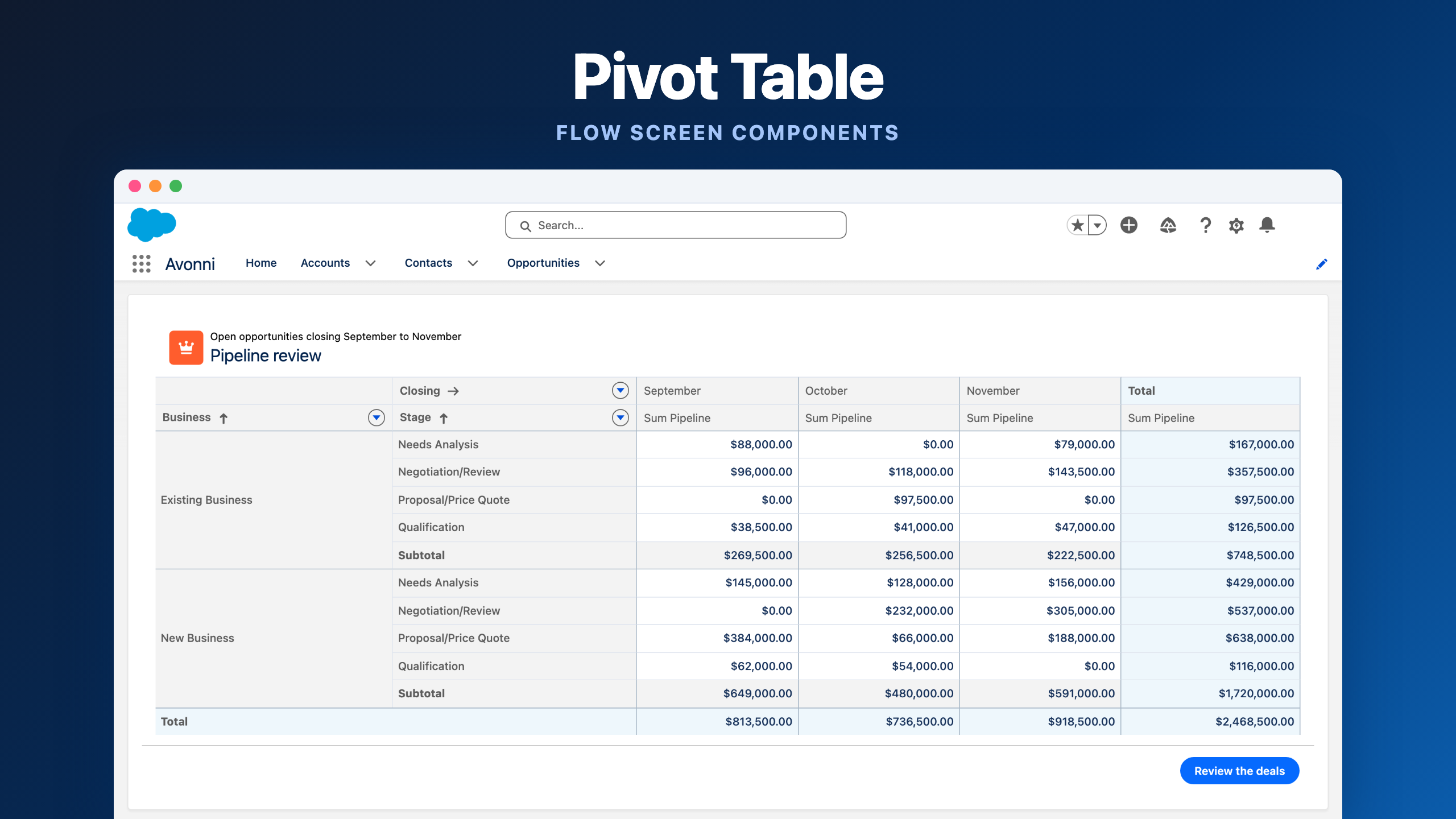
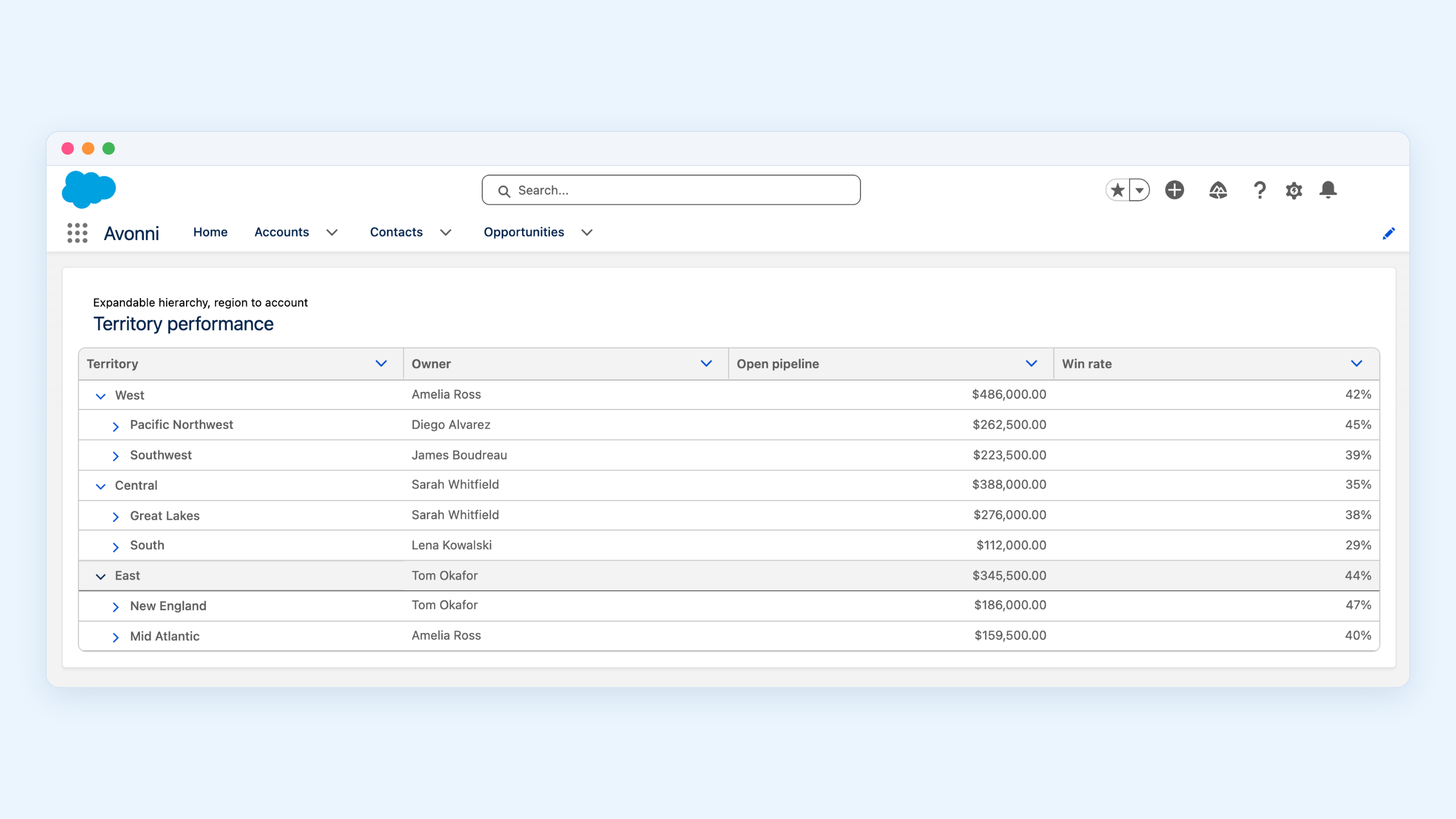
This launch is just the beginning for Avonni Dynamic Components. We have an ambitious roadmap with many features already in progress. Expect new components exclusive to this package soon, including the Relationship Graph and Pivot Table, arriving in the coming weeks -- and much more to follow.
Catch the launch event replay
Thank you to everyone who joined our live unveiling of Avonni Dynamic Components. If you missed it -- the full product demo and live Q&A session -- the replay is now available. See firsthand how you can build no-code UIs directly on your Lightning Pages.
Install Avonni Dynamic Components from the AppExchange today




-CV2.webp)
.gif)


%20(Vignette%20YouTube)%20(81).png)
%20(Vignette%20YouTube)%20(78).png)
%20(Vignette%20YouTube)%20(79).png)
%20(Vignette%20YouTube)%20(11).png)