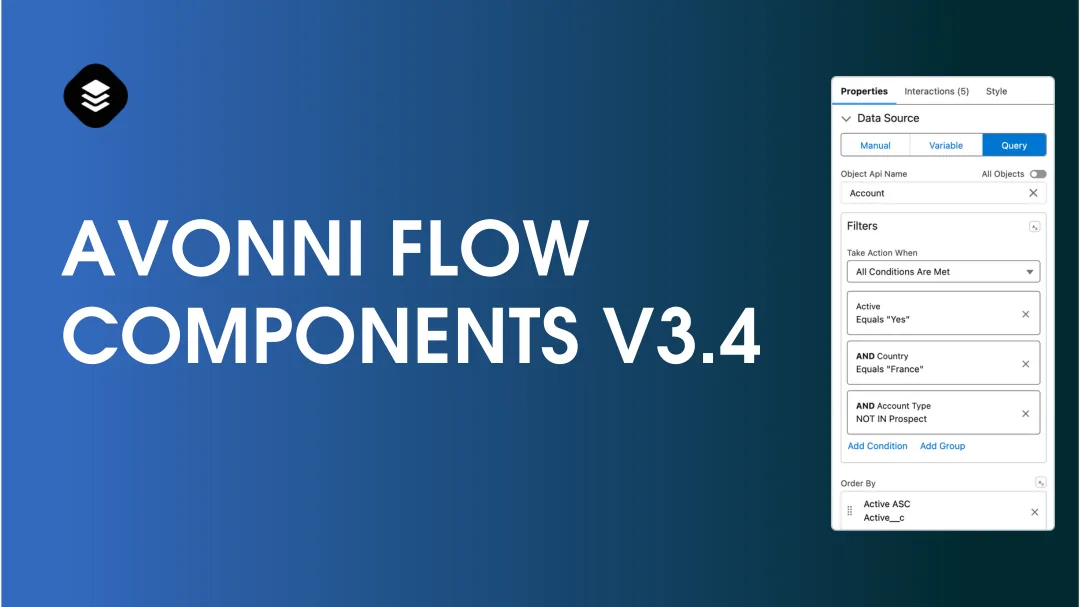
Version 3.4 of Avonni Flow Screen Components brings new components and features, with the Query Data Source as the headline addition. The Query Data Source is a significant step up from the traditional 'Get Records' in Salesforce, enabling real-time and dynamic interactions with your data. This update also includes a Welcome Mat, Kanban Board, and several component improvements.
Feature spotlight: Query Data Source
The Query Data Source lets you create queries right within Data Table, List, Carousel, and Map components. It's a more direct and efficient way to manage large datasets than 'Get Records'.
Query Data Source for your Avonni components
Overview
The Query Data Source improves data management for Avonni's Data Table, List, Carousel, and Map Components. It addresses several limitations of Salesforce's 'Get Records' method.
New Query Data Source options
Why use Query Mode
Comparison with 'Get Records'
Record capacity: 'Get Records' fetches up to 50,000 records. Query Mode has no limit.
Field access: 'Get Records' is limited to fields on the queried object. Query Mode accesses fields from related objects.
Dynamic vs. static queries: 'Get Records' mainly supports static queries. Query Mode creates dynamic queries based on runtime variables.
Pagination: 'Get Records' does not support pagination for large data sets. Query Mode does.
Advantages of Query Mode
Real-time updates: Data updates across components without manual intervention.
Flexibility: Filter, sort, and navigate data using Query Mode's settings.
Customization: Adjust data presentation and features in various components.
Components powered by Query Mode
Data Table: Define your data details.
List: Customize your list views.
Carousel: Visualize data interactively.
Map: Access geographic data fields and set filters.
Additional components will be supported soon.
In summary
The Query Data Source provides a more dynamic and real-time approach to data management in Salesforce compared to 'Get Records', with more customization options across Avonni's components.
New components
Welcome Mat
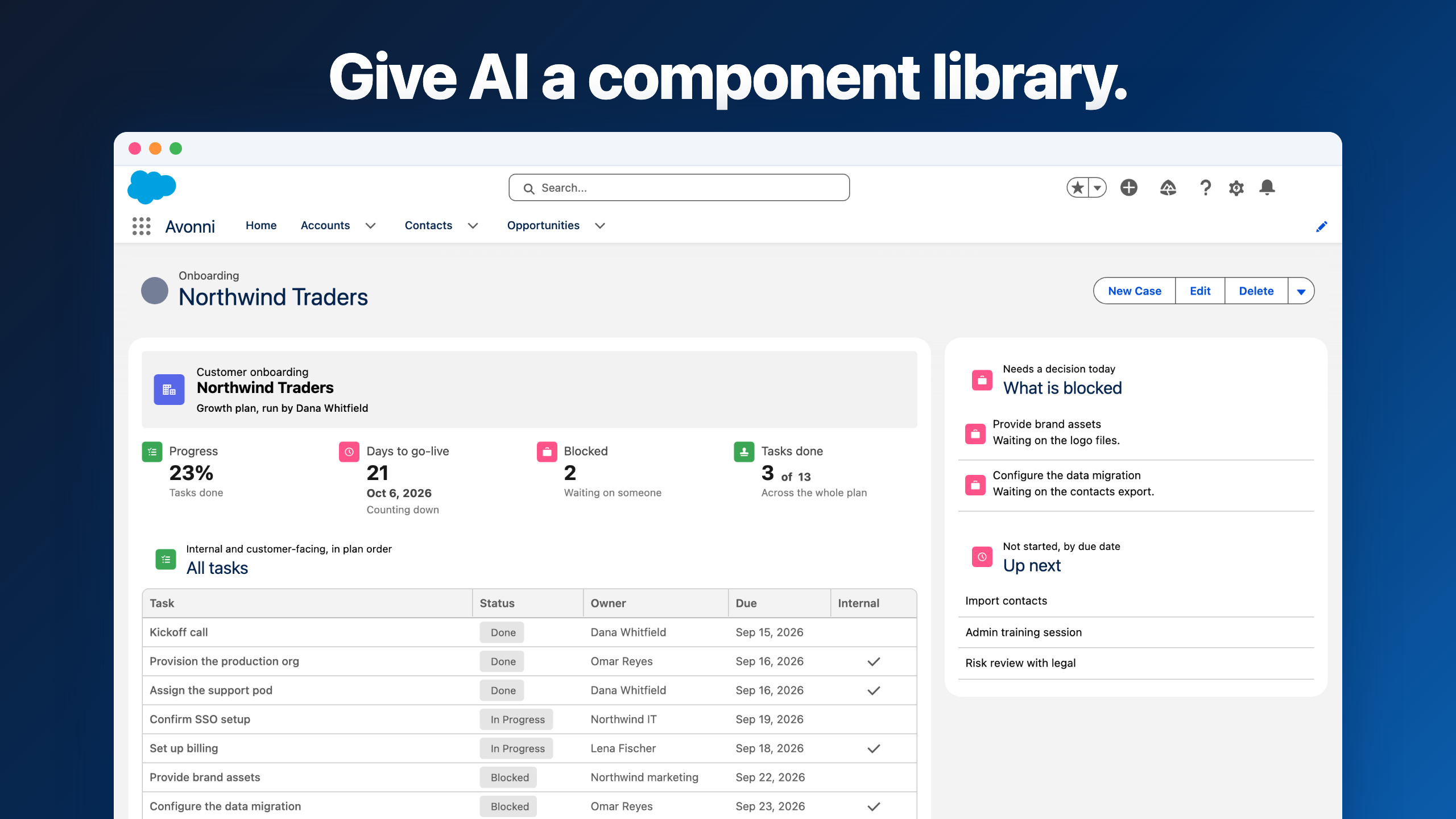
The Welcome Mat makes your Salesforce experience interactive and educational. It has two sections: an informational left pane for educational content and an actionable right pane for user actions.
Features:
Customizable tiles and icons: Tailor the experience to your use case.
Color customization: Match your brand.
Real-time updates: Content stays in sync with your data.
Kanban component
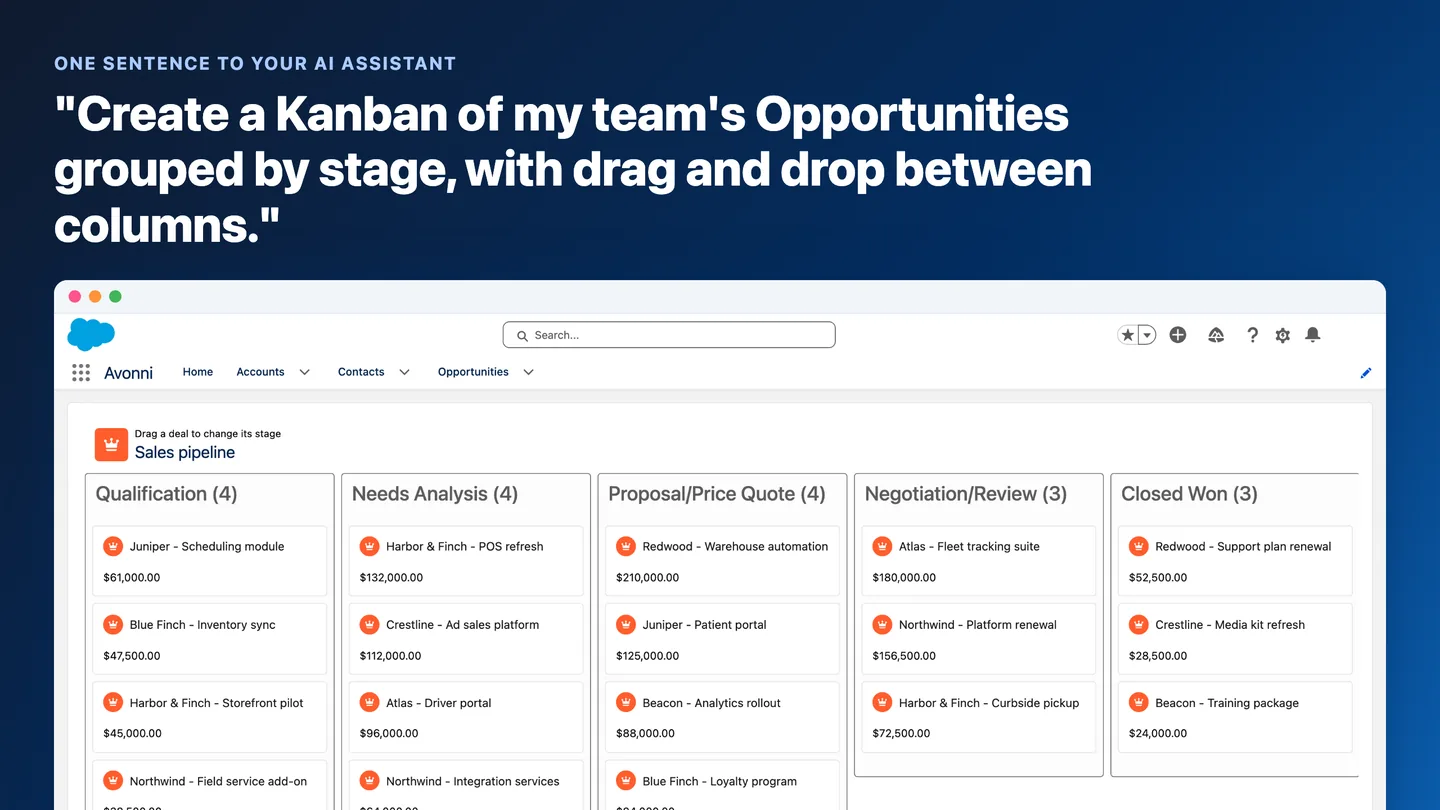
The Avonni Kanban Component brings visual workflow management into your Salesforce environment. Think of it as a Trello-style workspace built directly into Salesforce. Track leads, opportunities, or custom objects on a real-time, interactive board.
Built for every role
Sales Managers: See your pipeline and watch deals move from 'Prospecting' to 'Closed Won' in real time.
Customer Service Coordinators: Track and manage customer queries from start to finish.
Project Managers: Visualize milestones and task statuses to keep projects on track.
Adapt the component to your specific needs, whatever your role.
Key features
Display options
Variant: Customize the board's appearance to match your branding or project theme.
Hide Column Header: Cleaner look with hidden group headers.
Read-Only: Lock the board to prevent unintended changes.
Item actions and header customizations
Actionable items: Quick action buttons on each item for immediate operations.
Dynamic header: Modify title, caption, icons, and actions to fit your workflow.
Filtering and searching
Filtering: Advanced filtering through a user-friendly popover.
Search: Search through Kanban items to navigate large boards.
Column ordering and data sources
Column order direction: Control the direction columns are ordered.
Dynamic data source: Choose between static or variable data for flexibility in how you represent objects and tasks.
Interactions
On-Item Action Click: Define what happens when users interact with item-level actions.
On Header Action: Create triggers for header action buttons.
On Item Drop: Auto-update records when a user drags an item to a different column, saving changes in real time.
Styling
Customize everything from the header title to the card description. Granular control over look and feel ensures the Kanban board fits into your Salesforce UI.
Data handling
Use your flow resources to generate dynamic or static data within the Kanban. The Data Source section lets you create columns and associate them with your DataTable for full customization of data representation.
Component improvements
Upload Image: privacy setting
The Upload Image property now includes an Image Privacy Setting option in the Property Editor. Toggle image privacy to make images publicly accessible for sharing in Salesforce -- right where you upload them.
Making an image publicly available is now easier.
Advanced Map markers
The Avonni Map Component now supports Circle, Rectangle, and Polygon markers. These markers make your data spatially precise and visually clear.
Vertical Visual Picker: responsive width
The Vertical Visual Picker now uses a max-width setting, providing a responsive experience across different screen sizes.
Input Counter: alignment and hide value
The Input Counter component now offers alignment options and a 'Hide Value' feature, so your forms can be as minimal or detailed as you need.
Bug fixes
Map Component: Added a height adjustment option for better vertical control of your maps.
Get the update
Version 3.4 combines new components with upgraded features across the board. Update now.
Questions or feedback? Reach out -- your input drives what we build next.






.gif)


%20(Vignette%20YouTube)%20(81).png)