Dynamic Components

Build custom Lightning UIs. No code. No Apex.

Design reusable, data-driven Lightning components visually, right inside Salesforce.

85+
components in the builder
0
lines of Apex required
10
free production licenses
What it is

Build UI components the way you build Flows

Dynamic Components is a native, no-code builder for custom Lightning components. If Flow Builder is where you design what users do, the Component Builder is where you design what they see: data tables, Kanban boards, timelines and more, assembled with clicks. Build once, then drop the component on any Lightning page, record page or Experience site.

The library

85+ components, ready to drop in

Cases
New
Export
Subject
Status
Priority
Owner
Login fails on mobile
New
High
ARA. Rowe
Refund not received
Escalated
High
MKM. Kim
Report export slow
Working
Medium
JBJ. Bex
Password reset email
Closed
Low
SDS. Diaz
85+
no-code components
Show your data
NameStage
AcmeWon
GlobexOpen
InitechWon
Data Table
Kanban
Pivot Table
Activity Timeline
$1.2M
▲ 12.4%
Pipeline
Metric
Chart
Tree
Scheduler
72%
Progress Circle
List
Capture & interact
Combobox
Rating
Color Picker
64
Slider
Date Range
Record Picker
Visual Picker
Dual Listbox
12+
Counter
Chat
See all 85+ components
Data without Apex

Point, click, connect

Component Builder
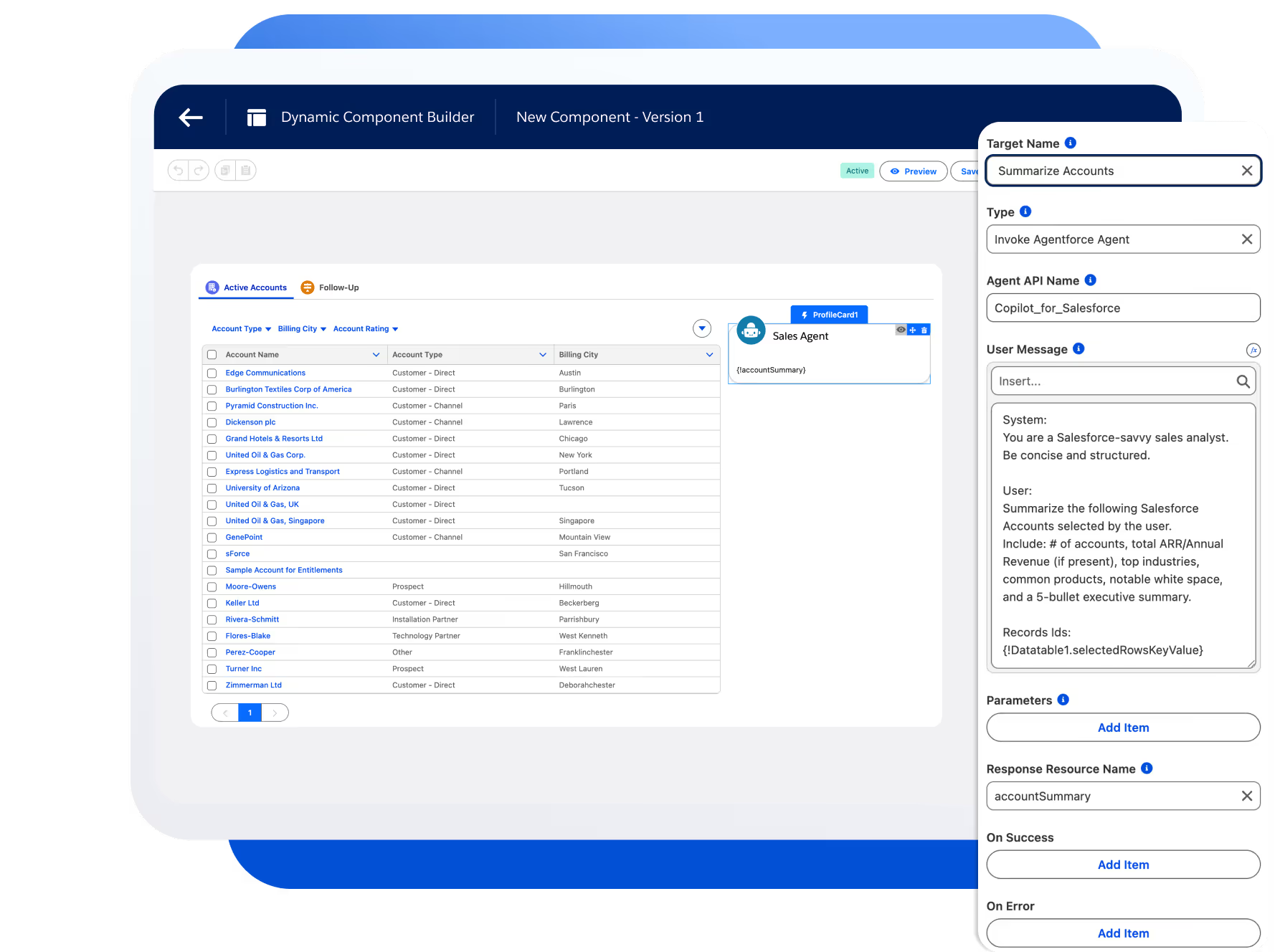
Dynamic Component Builder interaction editor configuring an Agentforce agent on an accounts table
Interactions, formulas, and queries. Configured with clicks, not code.
Connect any Salesforce object
Visual property editor
Formulas that react live
Interactions without code
Conditional visibility
Build once, reuse everywhere
The Component Builder

One builder for every custom component

The headline feature
85+
components, one visual builder
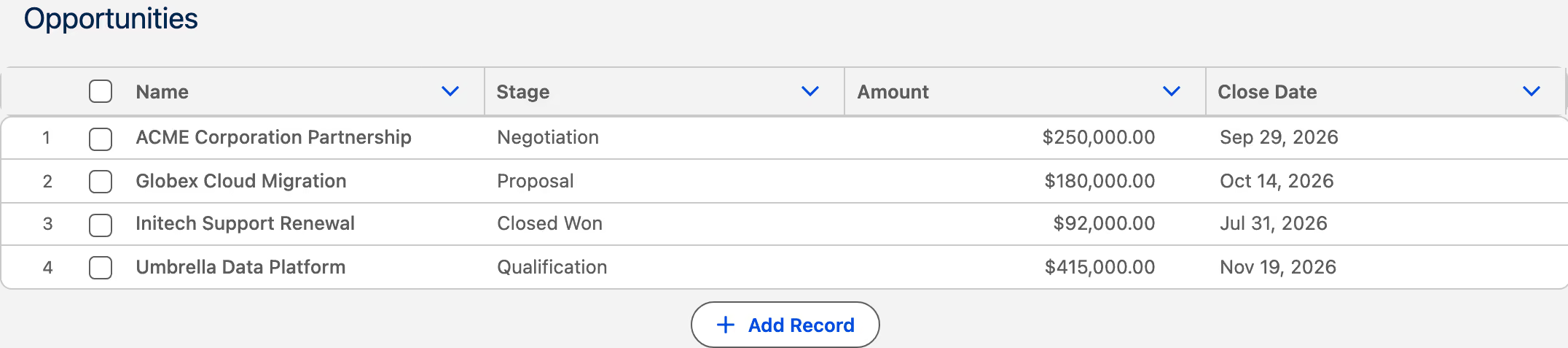
The Avonni Component Builder canvas showing an Opportunities data table
Drag, drop, configure. The canvas is what your users get.
0
Lines of Apex

The query editor connects any Salesforce object visually.

100%
Salesforce native

Runs on your data, security, and theming out of the box.

SLDS2
Ready for the new Lightning look

Every component follows the Lightning Design System.

Inside the builder

Four panels. No editor.

Everything a custom component needs is set in these panels, and changes take effect in place.

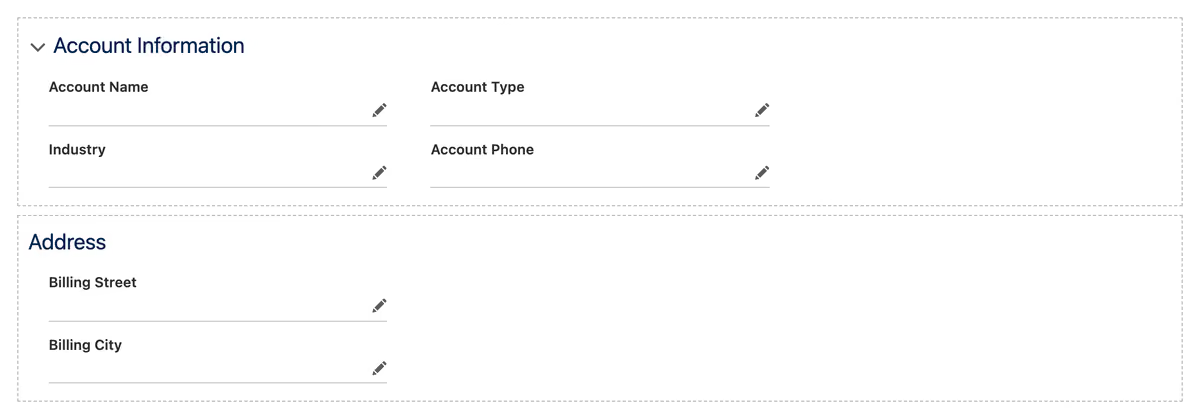
The Component Builder canvas with drop zones for account fields
Canvas

Drop elements where you want them. The layout you see is the layout that ships.

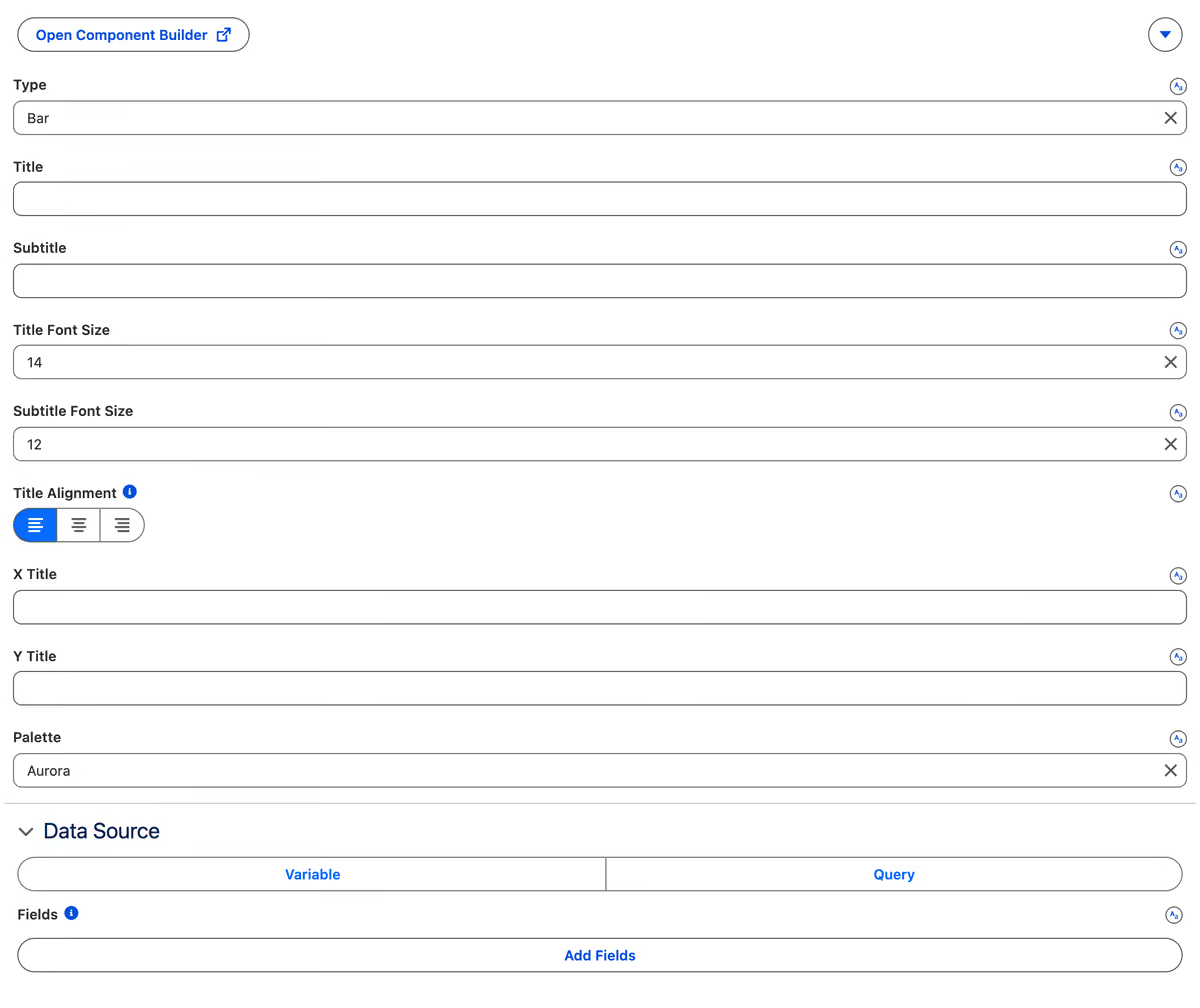
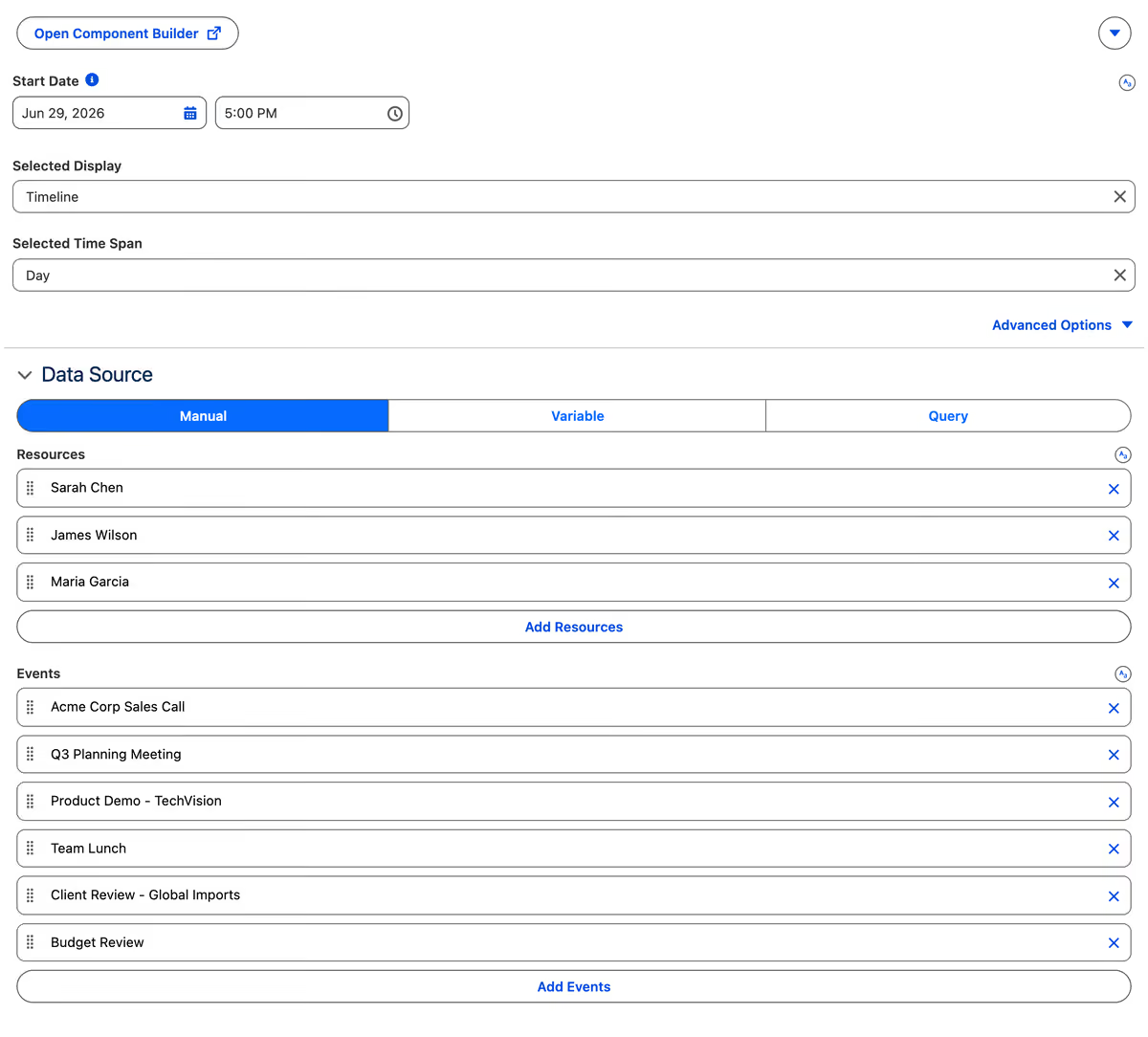
A properties panel showing chart type, title sizing, alignment and palette
Properties

Type, labels, sizing and palette, each one a field instead of a line of CSS.

A data source panel with manual, variable and query options and a list of records
Data

Point a component at a variable or write the query in the panel. No Apex class to deploy.

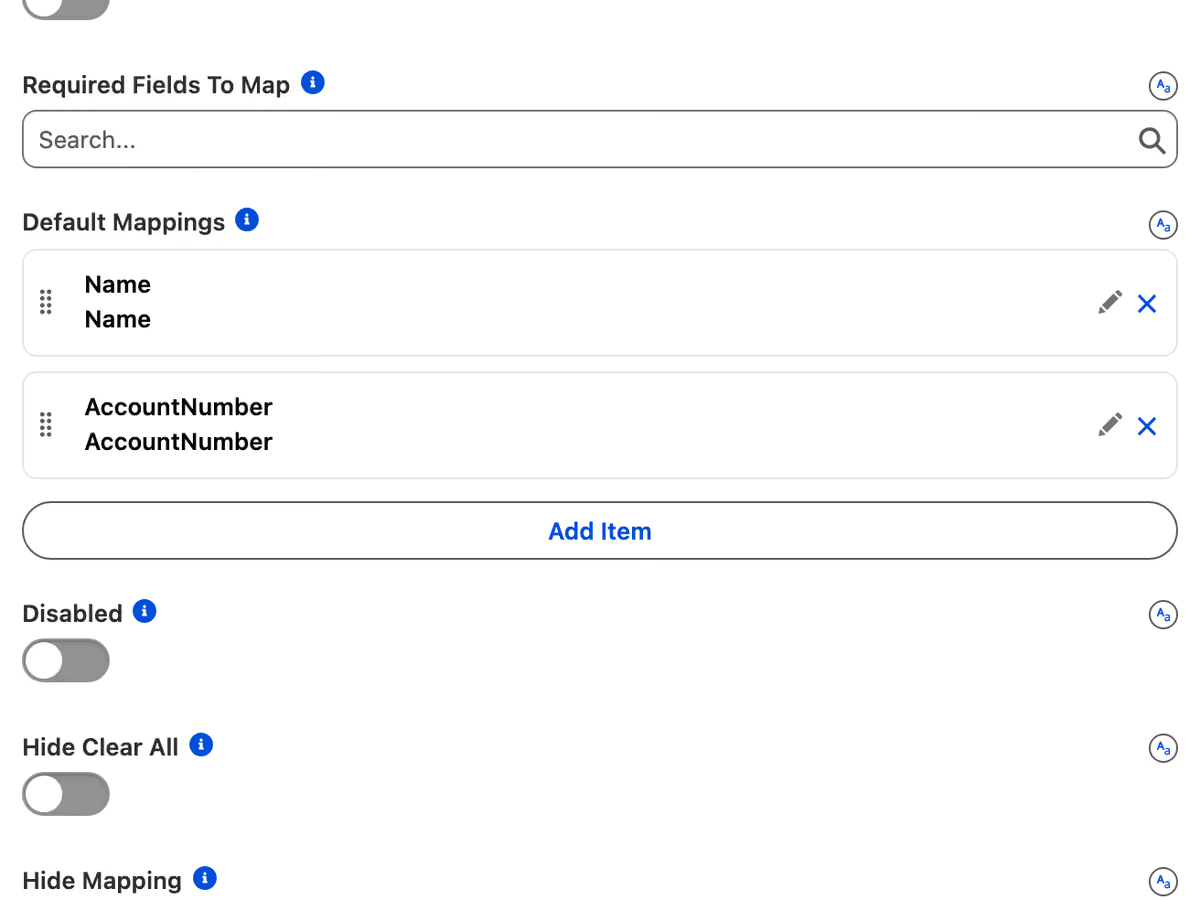
A mapping list pairing CSV columns to Salesforce fields, Name and AccountNumber
Mappings

Tell the component which field feeds which slot, once, in a list.

Where it runs

Deploy the same component everywhere

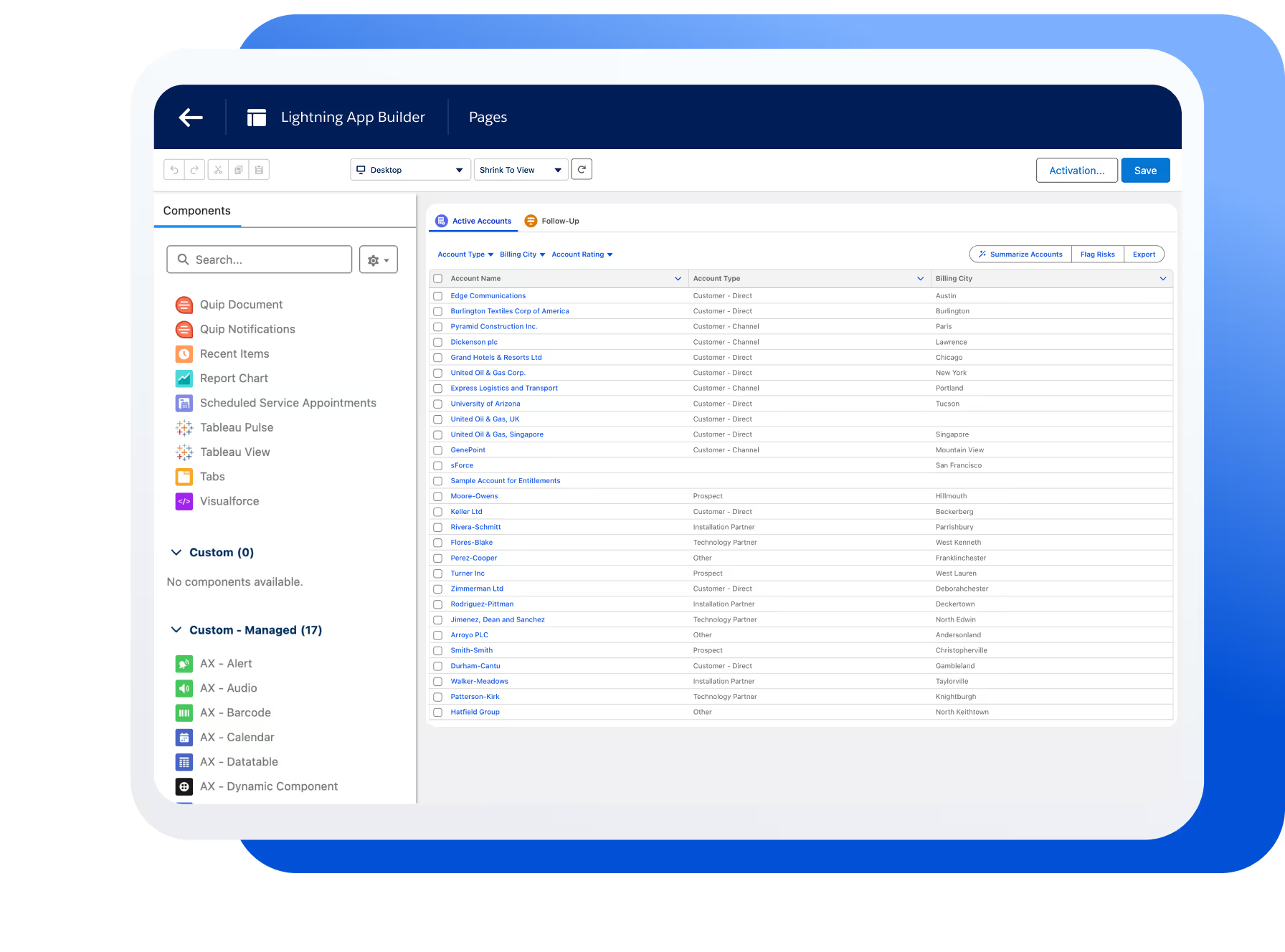
Lightning App Builder with an Avonni Dynamic Component showing an accounts table on an App Page
App Pages

Dashboards and internal tools, straight on Lightning App Pages.

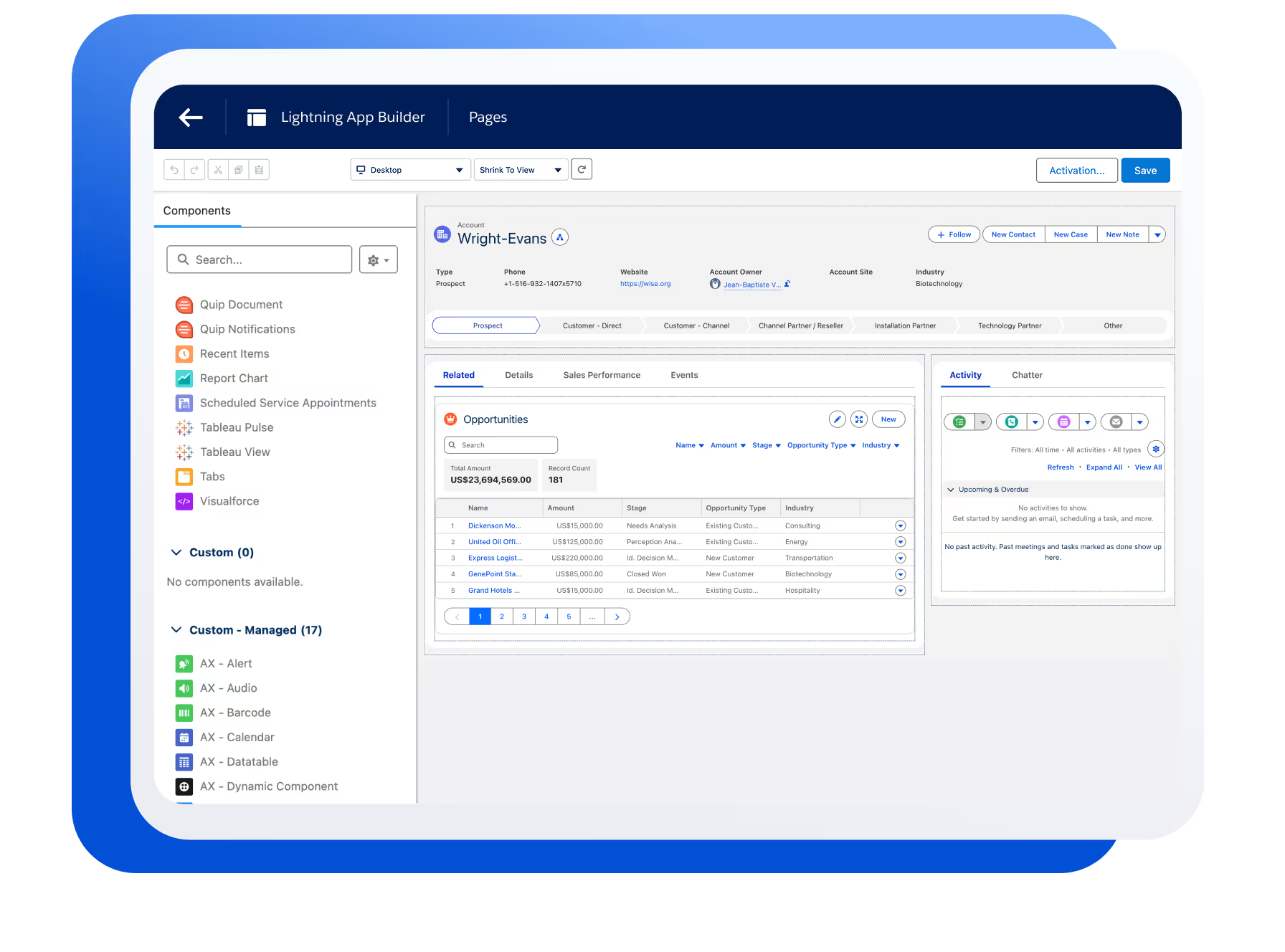
Lightning Record Page enhanced with Avonni Dynamic Components showing opportunities and activity tabs
Record Pages

Related data and visual insights next to standard fields.

Experience Cloud site page built with Avonni Dynamic Components
Experience Cloud

Customer and partner portals, styled to match your brand.

Pick the right tool

Where Dynamic Components fits in the Avonni lineup

The same components underneath. What changes is where you build, and who does the building.

Most teams pair Dynamic Components with Flow Screen Components: pages for what users see, Flows for what they do.

Use cases

Lightning Pages, in a real org.

All use cases
FAQ

Common questions

Do I need development experience?

Dynamic Components are designed for admins and technical users comfortable with complex configuration.

Where can I use Dynamic Components?

On Lightning App Pages and Record Pages through App Builder, and on Experience Cloud sites. Build once, deploy the same component everywhere.

How does Salesforce data get into a component?

Through the visual query editor. Connect any standard or custom object, filter and sort the records, and bind the results to your components, with no Apex controller needed.

How is this different from Flow Screen Components?

Dynamic Components are for what users see on a page. Flow Screen Components are for what users do inside a guided, multi-step process. Most teams end up using both together.

How does licensing work?

You get 10 free production licenses, and sandbox use is unlimited. Install from the AppExchange and start building today.

Ship your next custom UI without code

Install Dynamic Components from the AppExchange and build your first component today.

Available on the AppExchange